| E-Mail Stationary |
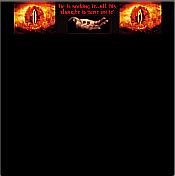
| Yes, stationary for your e-mails! We have it! Made by our own fair hands. lol All yours to download and use to your hearts content! Again as we've said with most of our suff. If you use it on your site please ask and give credit. Thanks! But, We've forgot than some people might not know what it is! Well basically e-mail stationary is something to jazz up your e-mails and make 'em look doody other than a plain boring white background. And they aren't hard to use so don't worry. If you have a picture that you want us to make into stationary for you please e-mail it in and we'll put it up for you. Also tell us what colour you want background. :) |
 |

|
| How to Save It *Download the stationary by right-clicking on the links then choosing "Save Target as.." * Save it on your hard-drive by pasting the code given for each e-mail into the "File name" text box, then click Save. How to use it OUTLOOK 2000 * Launch Outlook 2000 * On the Tools menu, click Options, and then click the Mail Format tab. * In the Send in this message format box, click HTML. * In the Use this stationery by default box, click on title of the stationary downloaded. OUTLOOK EXPRESS * Launch Outlook Express * On the Tools menu, click Options, and then click the Compose tab. * In the Stationery area, select Mail and News checkbox. * Click Select and select the stationary you downloaded. |
 |
| The code |
 |
| The code |
 |
 |
| The code |
 |
