Help
|
| |
|
| |
If nothing happens when you try to open a Microsoft Word document, then you should try the
following. |
| |
|
| 1. |
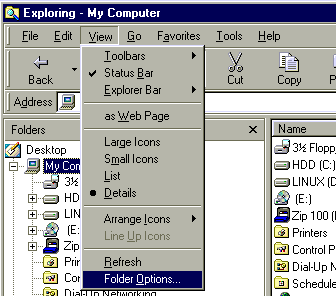
Open Windows Explorer and select View ... Folder Options |
| |
 |
| |
|
| 2. |
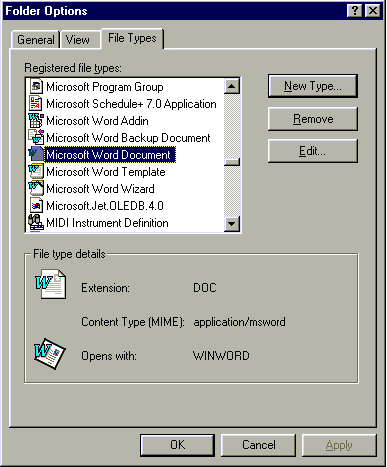
Select the File Types Tab and scroll down to the 'Microsoft Word Document' line
Then click Edit |
| |
 |
| |
|
| 3. |
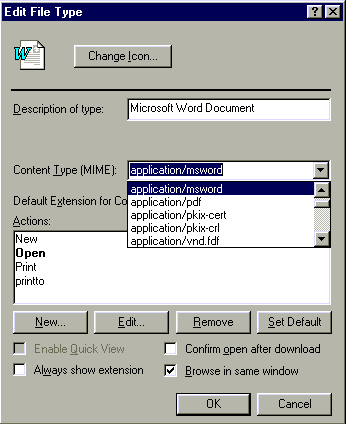
Make sure the Content Type (MIME) is set to application/msword |
| |
 |
| |
|
| 4. |
Click the OK button to close this window
Click the OK button to close the previous window
Back on Lodesahistory, when you click on the Word format link, it should now open Microsoft Word. |
| |
|
| Note. |
If you don't have Microsoft Word on your computer, unfortunately
you will have to click on the 'Text Only' format and use cut and paste to put the text into your own word processor. |
| |
|
| |
Now Press the  button on your browser
 |