|
Clean Your CD-RW (Part 2) Clean out the Dust & Grease the
Rails
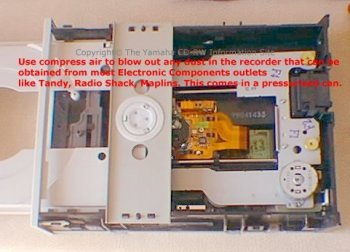
So, you now have your CD Recorder insides exposed to
the outside world.
Do not blow into the recorder from your mouth,
as spit ( liquid ) from your mouth
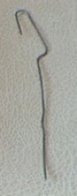
Get hold of your straightened paperclip like the one shown below.
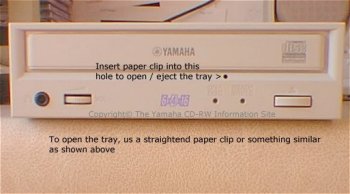
Insert this into the hole as show in the picture below to eject the tray.
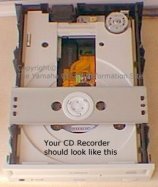
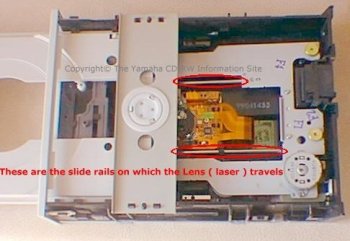
Your CD Recorder should now look like this as shown below.
This picture above also shows the slide rails on which the Lens travels. Make sure that there is not a build up of dust on the rails, do not touch the lens while doing this...
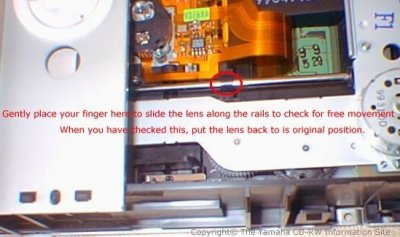
Gently place your finger on the area shown in the picture above, and slide the lens housing along the rails to check for free movement. Once done, put it back to it's original position. If you find that the lens housing does not travel with ease, the rails will need to be greased, do not use free flowing oil. Very lightly grease both rails, and then slide the lens housing along the rails as before, until it glides with ease. Do not touch the lens as shown at the beginning of this page.
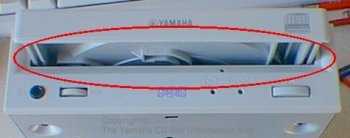
If you look closely at the area circled above
in red on your CD Recorder you may find a small build up of dust, to
clean this off, use a cotton bud that had been made
damp.
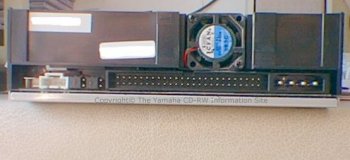
The fan at the back of the CD Recorder is held in with two or more screws, this fan draws air into the front of the CD Recorder and then over the PCB ( Printed Circuit Board ) to keep the components cool. Find a small brush, an artists brush with fine bristles to brush away any dust. Click Here to Continue (Part 3)
|