.: Does this look familiar? :.
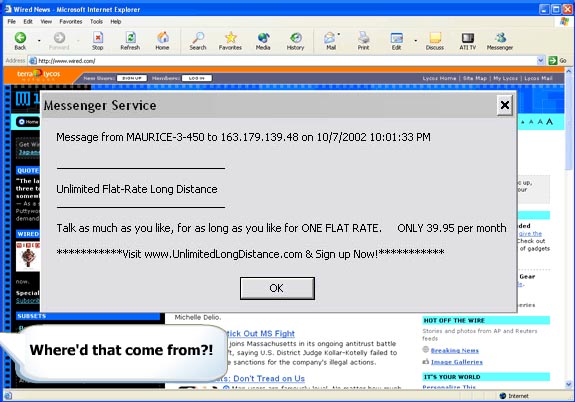
Basically, you've been hit by the newest form of unwanted advertising, or spam. Messages are sent to your computer through a built in feature that Microsoft included in your copy of Windows 2000, NT, or XP. These types of spam messages are worse than unwanted e-mail since you don't even need to have an e-mail account or web browser, only have to be on the internet. If you are one of the millions of people who get unwanted messages randomly everyday, there is hope.
It has been recorded as growing as much as 1500% a month.
If you haven't received a pop up message through Messenger, you will.
ISPs and governments are powerless to stop it because the ads are sent to random ISPs.
If you can trace down the sender of these pop ups, there is no legal way to stop them!
Those sites that claim to block the pop ups are ripping you off.
1. Go to "Control Panel."
2. Open up "Administrative Tools."
3. You should see "Services." Click on that.
4. Look for a program called "Messenger" and open it.
5. The Startup type should currently be automatic. Change that to manual.
6. Click on the stop button below the Startup type.
7. Do nothing else and Voila! You have successfully blocked all future Messenger spams.
It has worked effectively for my Dell computer. You don't know how happy I am!