00002142 |
99008446 |
The members of our group decided upon designing a spelling program to help develop the learning skills of children. The children (target audience) that the program is aimed at, are children between the ages of four to seven years. Our spelling program will work in the following way: Various words will be broken down into letters and syllables. There will be three different levels of difficulty. With each level the difficulty increases. The increase in level results in an increase in the number of letters used and later the introduction of syllables. Level 1, uses words broken down into single letters. Level 2, uses words broken down into single letters and words broken down into syllables and level 3, uses words broken down into just syllables. The child will then be given the chance to rearrange the letters and broken syllables into actual words. For example,
Level 1:
B I T R A B = RABBIT
Level 2:
S A U R D I N O = DINOSAUR
Level 3:
PAN CHIM ZEE = CHIMPANZEE
If the word is spelt correctly, the child will be congratulated and will be prompted to move onto the next spelling task. If the word is spelt incorrectly then the child will be given the opportunity of another attempt. The child will have to find the correct spelling before they are allowed to progress to the next task or level. Pictures related to the words will be applied to help the children identify to the given words.
Our spelling program falls under the behaviourism theory of learning. In which the observable behaviour of subjects, formulate theories. From the behaviourist view, all human behaviour, including learning, is conceived through observing general behaviour.
The learning outcomes that our program should provide are:
Many of the most popular "edutainment" titles combine elements of entertainment and education so effectively that younger children are unaware that they are learning. The best educational titles have learned some valuable lessons from games titles - they are packed with colorful animations, sound, video and humor. Edutainment is now an important consideration when a family buys a multimedia computer.
Much of a young child's learning takes place through the inter-activity of play. Titles in this area fall into two broad groups. Some help to build skills in a specific area, such as spelling or maths. Others are more open-ended and help children to develop their thinking skills; this kind of program is often described as "a gymnasium for the mind." (Dorling Kindersley - "The Multimedia Classroom" Ed. 1998)
This program was designed for children to entertain, educate, explore and discover knowledge on their own but it is also important to involve adults as guidance for the learner.
For our purpose the important aspect of this program is that the learner is viewed as mainly adapting to the environment and learning is seen as a passive process in that there is little interest in mental processes. Therefore there are very few skills needed for this program which are:
After completing this program the learning skills of the child should have improved in most areas, (if not all). The learner should be able to:
"It has long been known that behavior is affected by its consequences.
We reward and punish people, for example, so that they will behave in different ways."
Burrhus Frederic Skinner
"The theory that human behaviour is determined by conditioning rather than by thoughts or feelings."
The Oxford Encyclopedic English Dictionary
Behaviourism is a theory which explores the human behaviour through learning experiences. Behaviourism follows a learning procedure by completing specific objectives and learning outcomes. Reinforcement contributes to the human behaviour by encouraging the learner to accept criticism and apply given knowledge.
Burrhus Frederic Skinner (Behaviourist), explains how behaviourism works in part of reinforcement and the environmental status. He developed the theory of operant conditioning. "In operant conditioning, behaviour is also affected by its consequences, but the process is not trial-and-error learning."
The form of the question takes the form or stimulus (question)- answer (response).
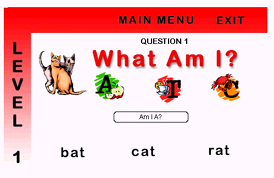
The question is what am I? and the answer must either be a bat, a cat or a rat.
The user receives immediate feedback
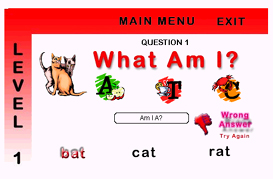
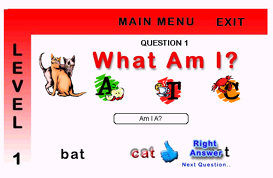
If 'bat' was selected the wrong answer error message instantly appears and requires the user to try again. If 'cat' was selected the right answer message instantly appears and will progress the user to question 2. The user can only progress if they get have chosen right answer.
As they progress through the levels, the questions get harder but the choices become more obvious
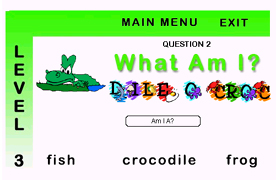
The picture does not look like a fish or a frog obviously it is a crocodile.
After completing each level, there is more reinforcement, a congratulations you have passed level 1 well done.
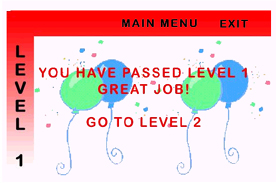
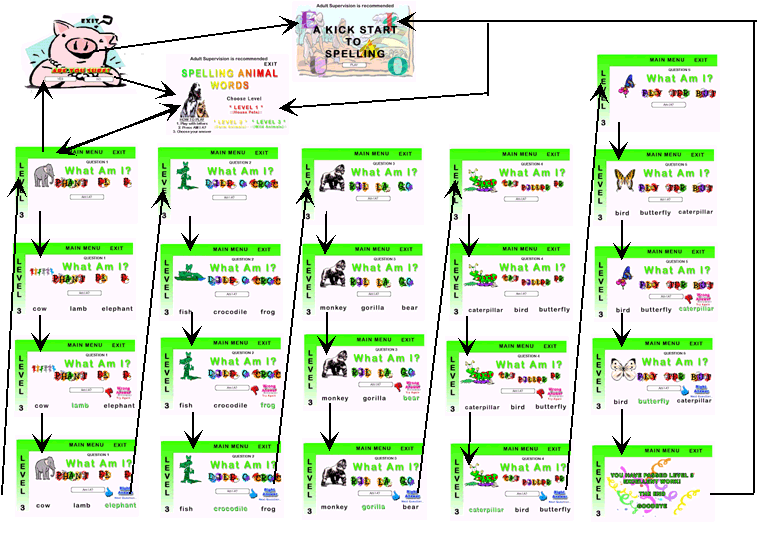
Explanation of navigation
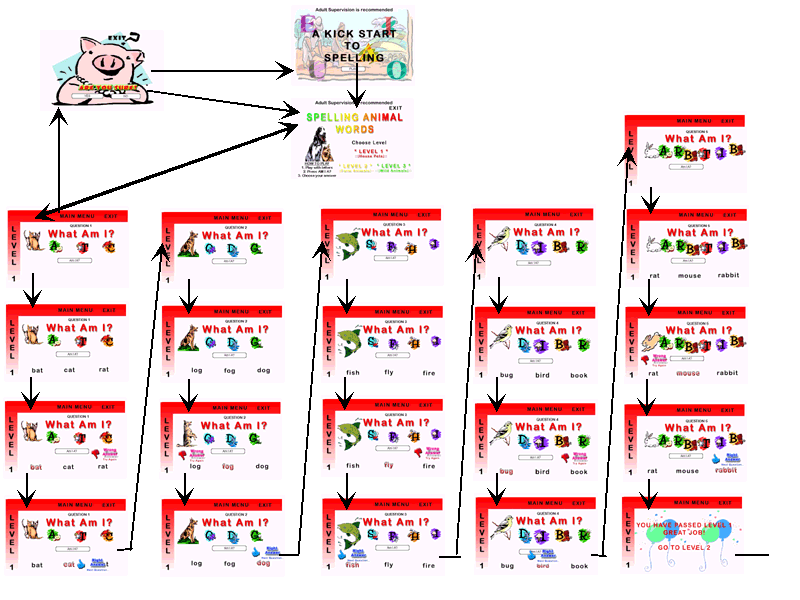
Explanation of navigation
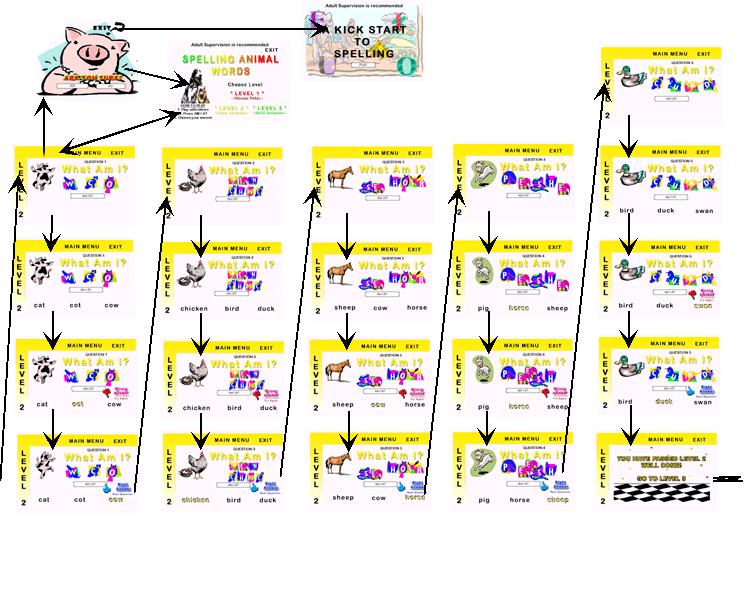
Explanation of navigation
|
STORY |
STORYBOARD | DESCRIPTION |
| 1 |
|
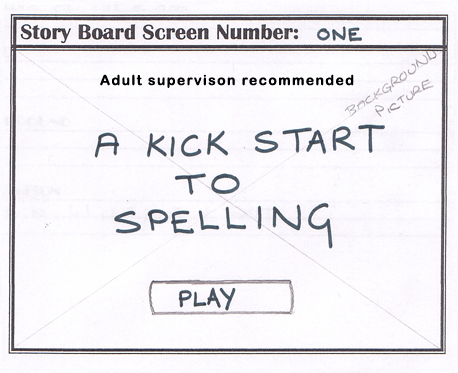
This is the homepage. Click the play button to begin the program Adult supervision is recommended |
| 2 | 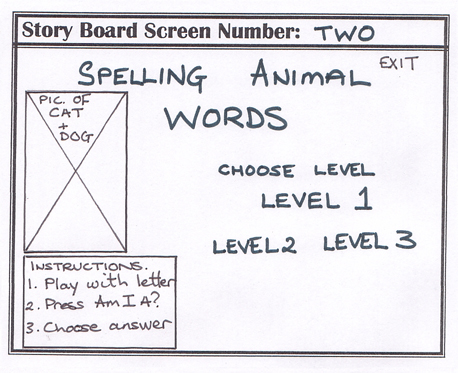 |
This is the main menu. Here the user will choose a level to start with The instructions are on the side Exit is available on the top right hand corner |
| 3 | 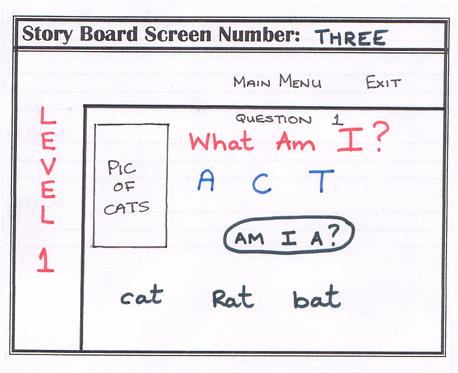 |
Level 1 - Question 1 Play around with the letters Press "Am I A?" to reveal choices Select an answer - if it is wrong a error message will appear and if it is right a message will appear and you will move on to the next question |
| 4 | 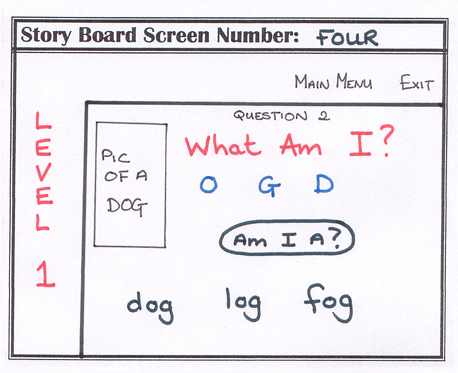 |
Level 1 - Question 2 Play around with the letters Press "Am I A?" to reveal choices Select an answer - if it is wrong a error message will appear and if it is right a message will appear and you will move on to the next question |
| 5 | 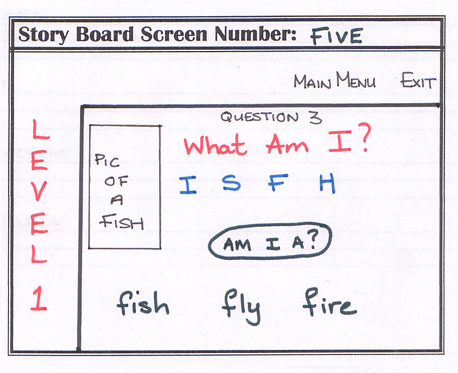 |
Level 1 - Question 3 Play around with the letters Press "Am I A?" to reveal choices Select an answer - if it is wrong a error message will appear and if it is right a message will appear and you will move on to the next question |
| 6 | 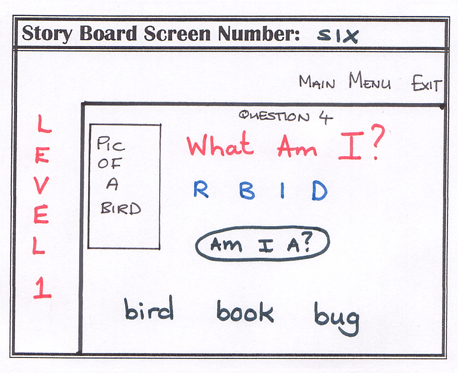 |
Level 1 - Question 4 Play around with the letters Press "Am I A?" to reveal choices Select an answer - if it is wrong a error message will appear and if it is right a message will appear and you will move on to the next question |
| 7 | 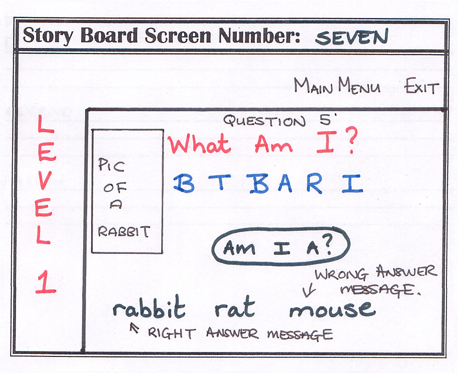 |
Level 1 - Question 5 Play around with the letters Press "Am I A?" to reveal choices Select an answer - if it is wrong a error message will appear and if it is right a message will appear and you will move on to the next question |
| 7a | 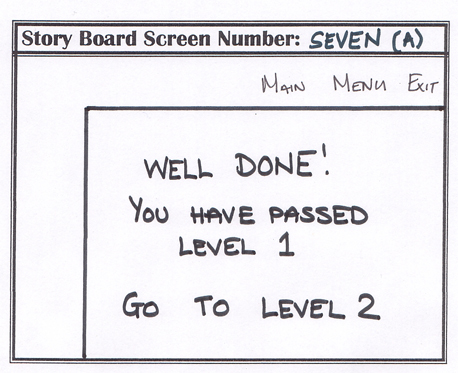 |
After completing level 1, a message will appear congratulating the user on a job well done and progresses on to Level 2 - Question 1 |
| 8 | 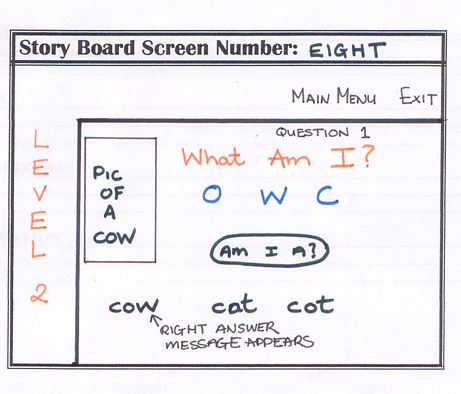 |
Level 2 - Question 1 Play around with the letters Press "Am I A?" to reveal choices Select an answer - if it is wrong a error message will appear and if it is right a message will appear and you will move on to the next question |
| 9 | 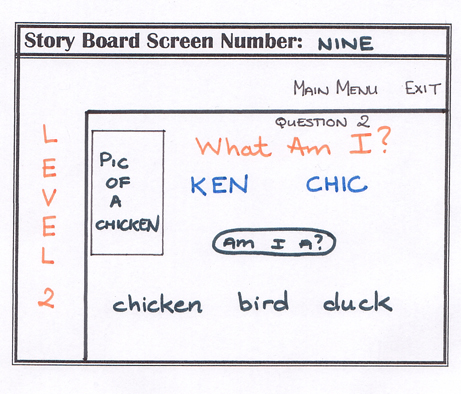 |
Level 2 - Question 2 Play around with the letters (Broken into syllables) Press "Am I A?" to reveal choices Select an answer - if it is wrong a error message will appear and if it is right a message will appear and you will move on to the next question |
| 10 | 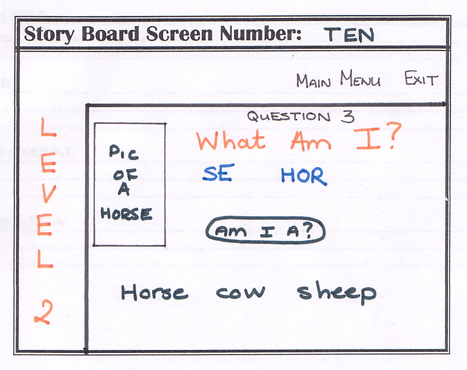 |
Level 2 - Question 3 Play around with the letters (Broken into syllables) Press "Am I A?" to reveal choices Select an answer - if it is wrong a error message will appear and if it is right a message will appear and you will move on to the next question |
| 11 | 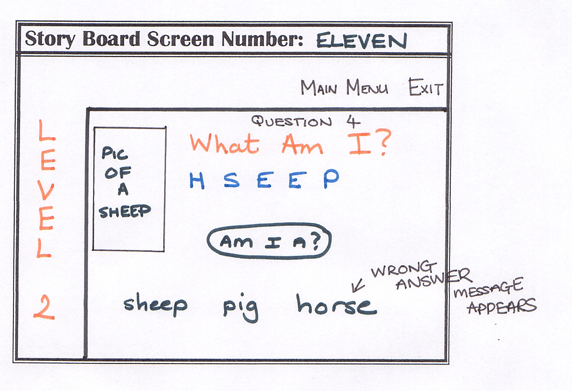 |
Level 2 - Question 4 Play around with the letters Press "Am I A?" to reveal choices Select an answer - if it is wrong a error message will appear and if it is right a message will appear and you will move on to the next question |
| 12 | 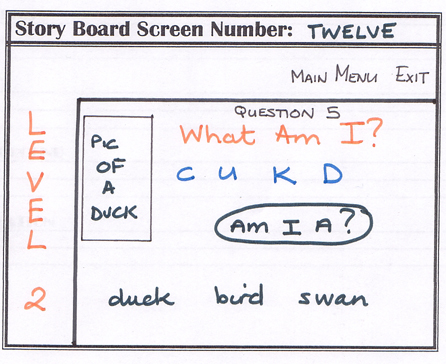 |
Level 2 - Question 5 Play around with the letters Press "Am I A?" to reveal choices Select an answer - if it is wrong a error message will appear and if it is right a message will appear and you will move on to the next question |
| 12a | 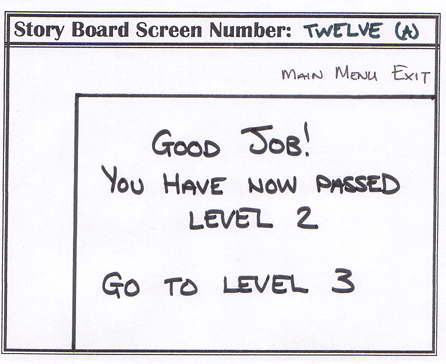 |
After completing level 2, a message will appear congratulating the user on a job well done and progresses on to Level 3 - Question 1 |
| 13 | 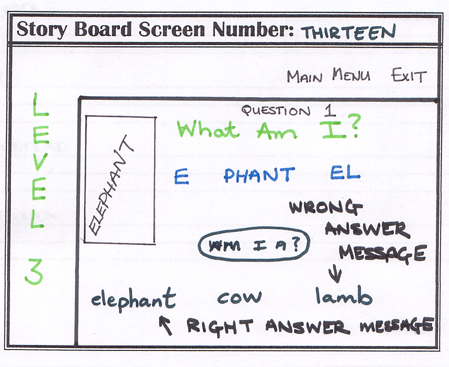 |
Level 3 - Question 1 Play around with the letters (Broken into syllables) Press "Am I A?" to reveal choices Select an answer - if it is wrong a error message will appear and if it is right a message will appear and you will move on to the next question |
| 14 | 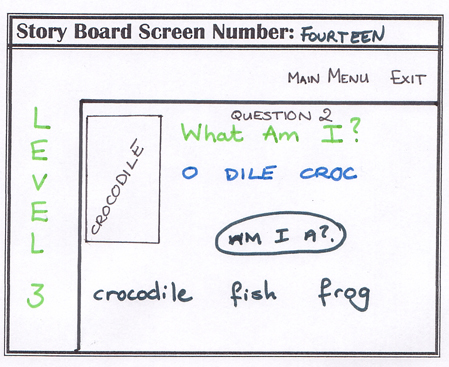 |
Level 3 - Question 2 Play around with the letters (Broken into syllables) Press "Am I A?" to reveal choices Select an answer - if it is wrong a error message will appear and if it is right a message will appear and you will move on to the next question |
| 15 | 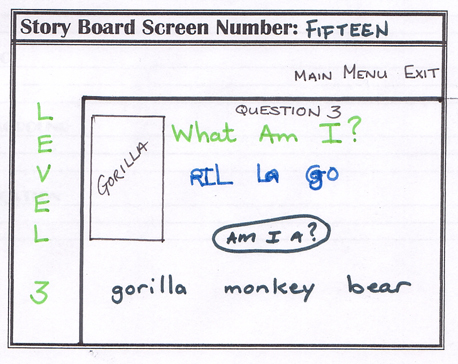 |
Level 3 - Question 3 Play around with the letters (Broken into syllables) Press "Am I A?" to reveal choices Select an answer - if it is wrong a error message will appear and if it is right a message will appear and you will move on to the next question |
| 16 | 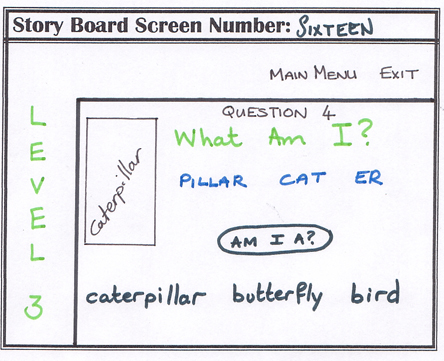 |
Level 3 - Question 4 Play around with the letters (Broken into syllables) Press "Am I A?" to reveal choices Select an answer - if it is wrong a error message will appear and if it is right a message will appear and you will move on to the next question |
| 17 | 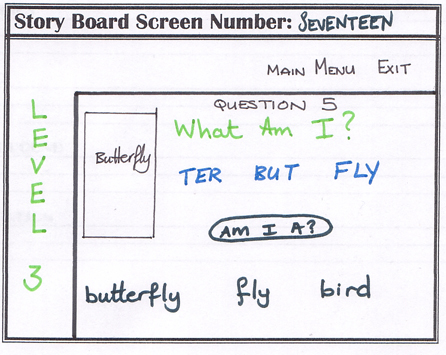 |
Level 3 - Question 5 Play around with the letters (Broken into syllables) Press "Am I A?" to reveal choices Select an answer - if it is wrong a error message will appear and if it is right a message will appear and you will move on to the next question |
| 17a | 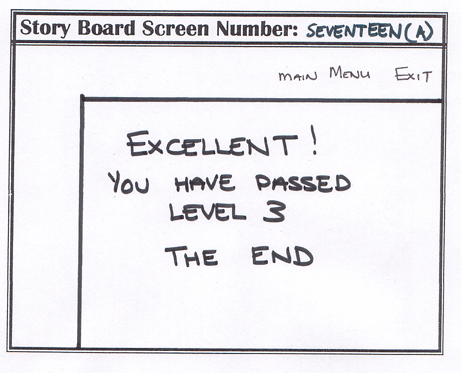 |
After completing level 3, a message will appear congratulating the user on a job well done. It also informs the user that this is the end of the program and at this point they can either exit or play again. |
| 18 | 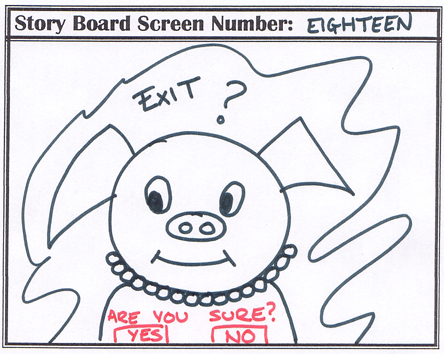 |
When exiting this message will appear confirming if the user does wish to exit the program. |
Nigel Hassennally - Introduction
Emma La - The Program, Storyboard and Navigation
Amitaben Mistry - Underlying Theory
Erica Johnson - Learning Outcome and pre-requisites