(2)  (3) 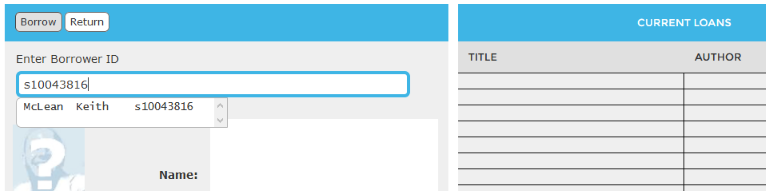 (4) 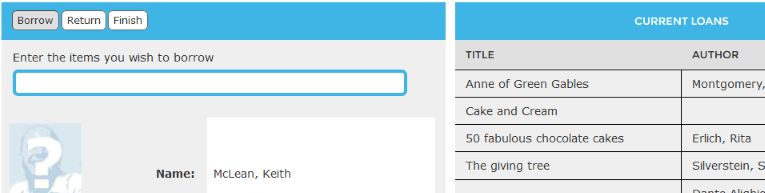 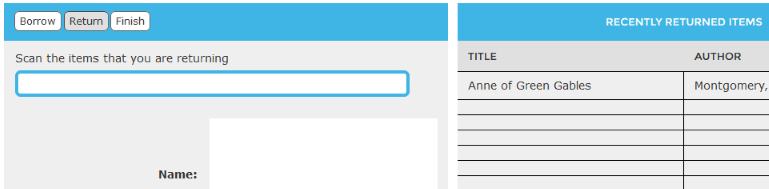 |
 How to use the
self-check module How to use the
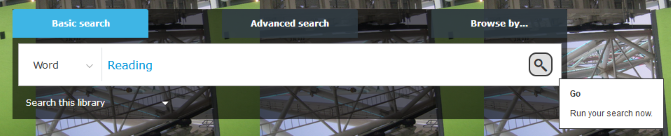
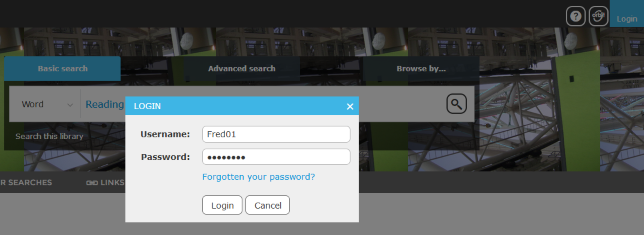
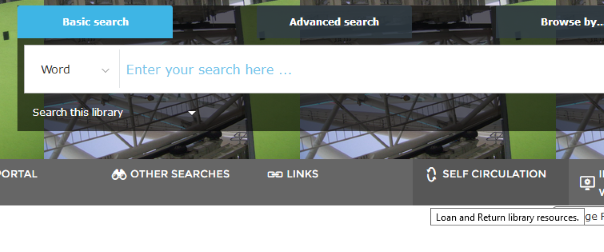
self-check module1. First you need to click on "Login" and then enter your username and password 2. Click on the "Self-Circulation" button below the search box 3. Enter your library ID into the "Borrower ID" box and press Enter. 4. To borrow, click on the "Borrow" button and scan or manually enter the barcode/s of the item/s you wish to borrow - Your item will display on the list on the right side of the screen - Click on the "Finish" button when you have finished To return, click on the "Return" button and scan or manually enter the barcode/s of the item/s you wish to borrow - Your item will display on the list on the right side of the screen - Click the "Finish" button when you have finished |
|
Borrowing
Limits and Overdue Charges
|
|
ADULTS Print: Borrowing Limit: 20 items Borrowing Period: Books - 28 days (2 renewals) Magazines - 7 days (1 renewal) Serials - 28 days (2 renewals) (Overdue Charges: 20 cents per day) Resources: Borrowing Limit: 2 items Borrowing Period: CDs - 28 days (2 renewals) DVDs - 28 days (2 renewals) Ebooks - 28 days (2 renewals) Playaways - 28 days (2 renewals) General - 28 days (2 renewals) (Overdue Charges: CDs/DVDs - 20 cents per day, Ebooks - no charge, Playaways/General - 20 cents per day) Equipment: Borrowing Limit: Unlimited Borrowing Period: Ipad - 2 hours (1 renewal) (Overdue charge: $1.00 per hour) Non-book resources: Borrowing Limit: 10 items |
JUNIOR Print: Borrowing Limit: 15 items Borrowing Period: Books - 28 days (2 renewals) Serials - 28 days (2 renewals) (Overdue Charges: Serials - 5 cents per day, Fiction/Junior Fiction - 5 cents per day, Young Adult Fiction - 5 cents per day, Non-fiction - 20 cents per day) Resources: Borrowing Limit: 2 items Borrowing Period: CDs - 28 days (2 renewals) DVDs - 28 days (2 renewals) Ebooks - 28 days (2 renewals) Playaways - 28 days (2 renewals) General - 28 days (2 renewals) (Overdue Charges: CDs/DVDs - 20 cents per day, Ebooks - no charge, Playaways/General - 20 cents per day) Equipment: Borrowing Limit: Limit 1 Borrowing Period: Ipad - 2 hours (1 renewal) (Overdue charge: $1.00 per hour) Non-book resources: Borrowing Limit: 5 items |