|
EVOC 518 Lesson Plan Form - Lesson 4
INSTRUCTOR: Leonard A. Moreno
HOURS: 3 of 24 minimum required
SUBJECT: Vocational - Basic Computer Repair - Memory
The STUDENT PERFORMANCE Objective -
(by the end of the lesson
students will be able to):
 | Condition: Given a memory stick and a set of step-by-step
instructions... |
| Person: each student... |
| Performance: will install memory into a computer
... |
| Criteria: that works. |
The EQUIPMENT and MATERIALS required for the lesson:
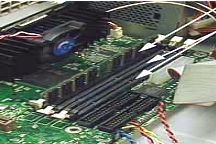
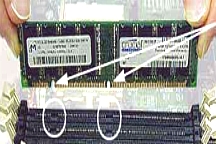
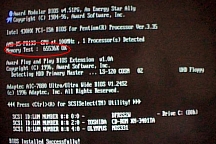
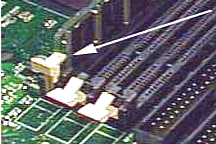
| Handout - showing
the step-by-step construction process. |
| Computer - from which the memory will be installed. |
| Memory - the material to perform the task. |
How INSTRUCTOR will FACILITATE student learning:
Introduction - Anticipatory Set (30
minutes)
| Statement of objective
(from above) - BTEOLSWBAT (By The End Of Lesson Students Will Be Able To...) |
| Instructor shows working memory installation. |
| Tie in the importance of using step by step installation process. |
Instruction - Key Concepts
(30 minutes)
| Distribute memory modules and handout to all students. |
| Read step one on handout and direct students to DO that. |
| Read remaining steps and direct students to do each of those.
|
Guided and Independent Practice (15
minutes)
| Actual guided student
practice as indicated above. |
Checking for Understanding and Clarification (1.5
hours)
| Observe
what students do and correct/reinforce as needed. |
| Ask individual
students questions about particular steps. |
Conclusion - Closure (15
minutes)
| Reemphasize importance of the step
by step process. |
| Encourage students to use handout as a guide.
|
How the students will be EVALUATED:
Through a performance test in which each student will
be given a set of step-by-step instructions and a memory stick to be
installed into a computer. Students will then be asked to show the
instructor that they can "successfully install memory inside a computer
and work when computer is boots."
|