EVOC 518 Lesson Plan Form - Lesson 3

INSTRUCTOR: Leonard A. Moreno
HOURS: 3 of 24 minimum required
SUBJECT: Vocational - Basic Computer Repair - Motherboards

The STUDENT PERFORMANCE Objective - (by the end of the lesson students will be able to):

bullet

Condition: Given an motherboard and a set of step-by-step instructions ...

bullet

Person: each student...

bullet

Performance: will configure and install a motherboard into a computer ...

bullet

Criteria: that works.

The EQUIPMENT and MATERIALS required for the lesson:

bulletHandout - showing the step-by-step construction process.
bulletManuel - showing configuration for specific boards.
bulletComputer - from which the motherboard will be installed.
bulletMotherboard - the material to perform the task.

How INSTRUCTOR will FACILITATE student learning:

Introduction - Anticipatory Set (30 minutes)

bullet

Statement of objective (from above) - (By The End Of Lesson Students Will Be Able To)

bullet

Instructor shows working motherboard installation.

bullet

Instructor informs of different motherboard manufactures and types.

bullet

Tie in the importance of using step by step installation process.

Instruction - Key Concepts (30 minutes)

bullet

Manufacture types (Intel, Asus, Abit, Epox, MSI, Shuttle)

bullet

Motherboard types (AT or ATX) Advanced Technology / AT Extension

bullet

Demonstrate each step on the handout (see attached handout).

Checking for Understanding and Clarification (15minutes)

bullet

Ask students questions about different types of manufactures.

bullet

Ask students to identify what AT and ATX are, and their difference.

bullet

Ask individual students questions about particular steps.

Guided and Independent Practice (1.5 hours)

bullet

Actual student practice will come after the demonstration.

Conclusion - Closure (15 minutes)

bullet

Reemphasize importance of the step by step process.

bullet

Encourage students to use handout as a guide.

How the students will be EVALUATED:

The student will demonstrate in a lab setting proper motherboard installation inside a computer case. The student will correctly configure a motherboards settings accordingly using the manual. The student will identify the cables that are needed to attach to the motherboard and install them correctly.  The student configure the proper BIOS settings.  The student will have a working motherboard when the computer is turned on.


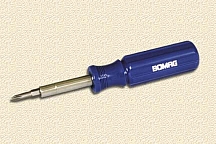
STEP 1: Get out the tools you'll need - Phillips screwdriver.
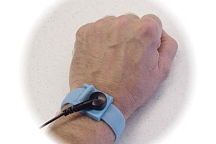
STEP 2: Ground yourself - static electricity can kill your computer.
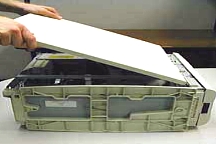
STEP 3: Open your computer case - don't lose the screws or your placement.
 

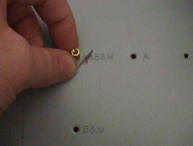
STEP 4: Let give it a home - but first we must find the correct hole alignment on the case and put some screws stands in place.
STEP 5: Motherboards new home will not be complete until we screw it down on top of the screw stands.
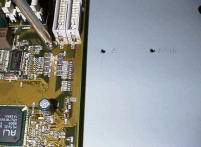
 

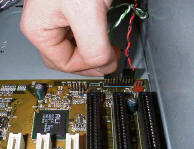
STEP 6: Its not over yet - we have to connect all the wires of the case to the motherboard, otherwise you lights and computer will not turn on.
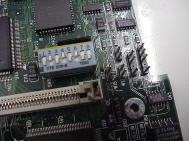
STEP 7: Follow the leader - the manual will tell you how to configure your motherboard accordingly.
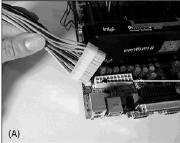
STEP 8: Last but not least - we need to connect the power cord to make it work, it only goes in one way.
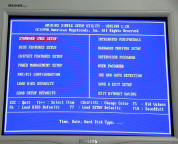
STEP 9: Turn on the computer, get into the BIOS and configure it according to the manual.
STEP 10: Close your computer case - make sure everything goes back.

Hosted by www.Geocities.ws

1