|
Tips For
Use
- Use1-2 IP lists at a time - or you
may use your system resources and then the program will quit - remember
which lists you have used and then use the next in line
- use only 10-25 threads at a
time
- Not every IP will work, some
computers have net messenger turned off or some IP’s are not linked to
home computers - on some IP lists of 1,000+ - only 100 may go through
and on some lists the majority will go through.
- You must be on a static IP address
and not behind a router firewall, etc. Some cable or DSL systems
may not let you send through them and you may have to use a dial-up with
a static IP or find one. This is not the fault of the software,
but how the Windows Messenger works
- Use a short message with your url -
so the recipient just can copy your url and look at it
Instructions
For Use
Note: You must have Windows XP, 2000 or
NT
Note: You must have a direct internet connection -
not behind a router, firewall, etc.
Note: Make Sure Windows Messenger is turned on and
you have no background program running that would block or disable Windows
Messaging
Windows 2000
Click
Start->Settings -> Control Panel->Administrative
Tools->Services
Scroll down and highlight "Messenger"
Right-click the highlighted line and choose Properties.
Click the
START button.
Select Start or Go in the Startup Type scroll bar
Click OK
Windows XP
Click Start->Control Panel
Click Performance and Maintenance
Click Administrative Tools
Double click Services
Scroll down and highlight "Messenger"
Right-click the highlighted line and choose Properties.
Click the
Start button.
Click OK
Step 1 - Open The Program
If you downloaded the Zip file - you
need to have a “unzipping program” like WinZip to unzip the program. Unzip it in a directory
location that you can access easily....unzip and proceed
below...
If you downloaded the .EXE file - just
save it to a directory and double click on it to start the program and you
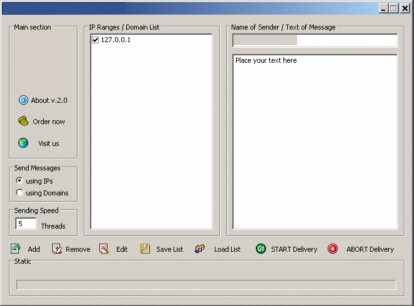
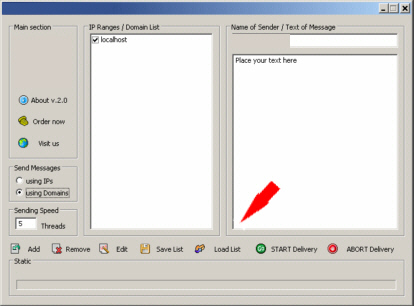
will see a screen like this: |