Intro To The VFPUnit Workbench. Part 3 Packaging So far, we've accumulated a set of tests that reflect check points in the specs. These tests lie closer to the problem domain (the analysis) than to the solution domain (the design). The next phase is to start solving the problem. The test results have been telling us that InterestCalc.prg does not exist. We know that the other functions do not exist either. So, best if we create them. Immediately, the question arises of Where?. The answer to that question brings us to the issue of packaging, aka. the structural design. I use the term 'packaging' loosely to mean where the implementation code resides. more specifically, where the functional code resides. I call it functional, rather than behavioral, even though I may have used the term behavior in the past. Behavior implies that there is something that 'behaves'. Packaging will determine what that something is. I'll show a series of code rearrangements, more for the sake of demonstrating how to perform each in this program, that to expect you to follow the progression step by step. A well considered design will make some of the basic rearrangements trivial. This is also where Refactoring comes in, but we'll leave that for later. | |||
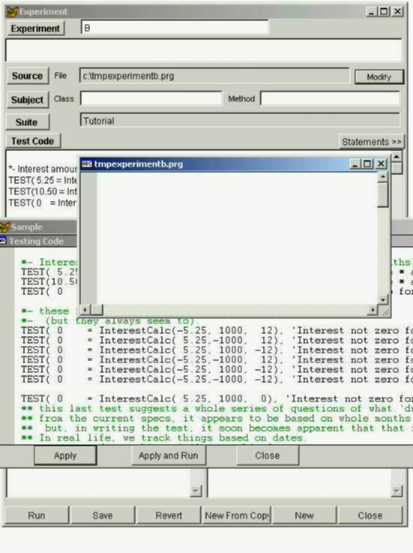
We really have 2 options of where to put the code. 1) Global, Public, or 'Free' space. 2) inside a class. Since I haven't done any serious design (I'm making up the problem as I go), I'll start with public functions. User defined functions are loaded into public space by placing the function definition(s) in a .prg file, and then issuing a 'Set Proc to' command with that file name. This program will do that automatically if there is a Source file entered on the experiment form. We'll come back to other packaging later, but by just choosing option 1), we can start implementing, and always come back to re-package the functionality. Enter a fictitious source file name (I choose the name: c:\tmpexperimentb.prg), and press the 'Modify' button next to it. You should see something like this: | |||
Place the basic function signatures in the source file | |||
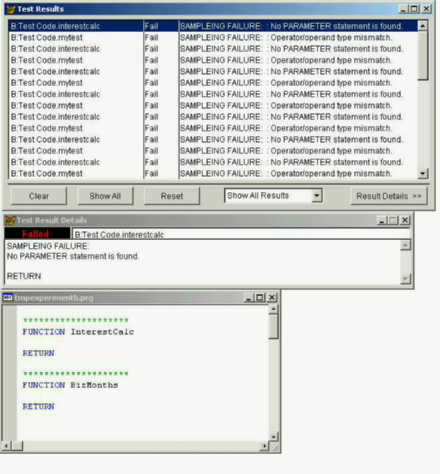
******************** FUNCTION InterestCalc RETURN ******************** FUNCTION BizMonths RETURN | |||
and press the 'Run' button on the experiment form. (or the 'apply and run' button on the test code form). You should see the test results window telling your what is wrong: | |||
Since our goal is to make the failures go away, add the PARAMETERS keyword, and return the expected data type. | |||
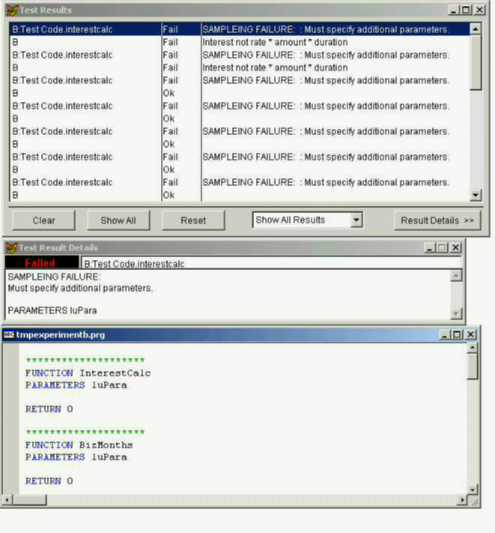
******************** FUNCTION InterestCalc PARAMETERS luPara RETURN 0 ******************** FUNCTION BizMonths PARAMETERS luPara RETURN 0 | |||
and run. Some of the failures have gone away, and a few new ones appeared. | |||
Finishing the signatures and running lead to something like this: | |||
There are no more 'FAILURE's, just 'Fail's. Now we can focus on the logic. | |||
So, I added some code, | |||
******************** FUNCTION InterestCalc PARAMETERS tnRate, tnAmount, tnMonths RETURN tnRate * tnAmount * tnMonths ******************** FUNCTION BizMonths PARAMETERS tdStart, tdEnd *- begin at the first of the month, and count backward *- until the first of that month is less than the start date. ldBegin = CTOD( '1/' +ALLTRIM(STR(MONTH(tdEnd))) +'/' +ALLTRIM(STR(YEAR(tdEnd))) ) lnMonths = 0 DO WHILE .T. ldFirstOfMonth = GOMONTH( ldBegin, -1) IF tdStart > ldFirstOfMonth EXIT ELSE ldBegin = ldFirstOfMonth lnMonths = lnMonths +1 ENDIF ENDDO RETURN lnMonths | |||
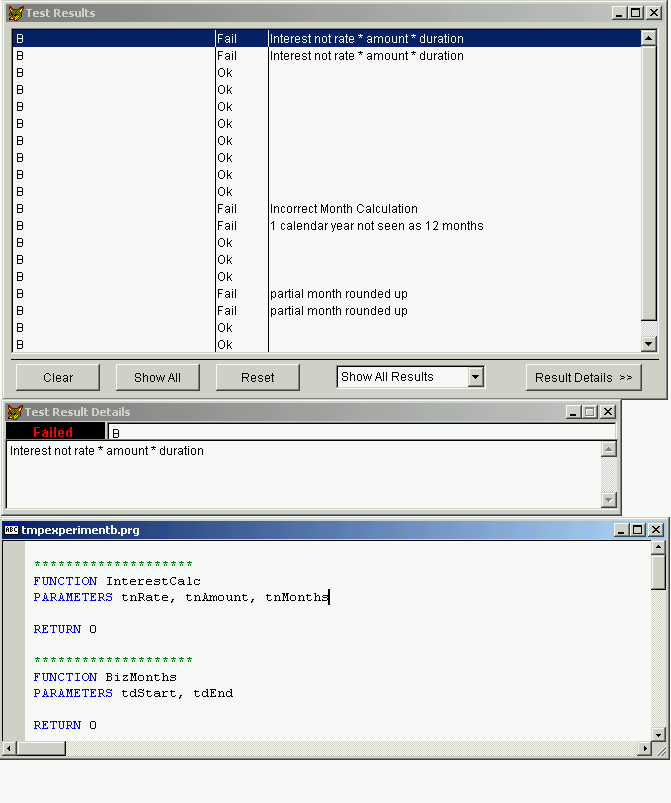
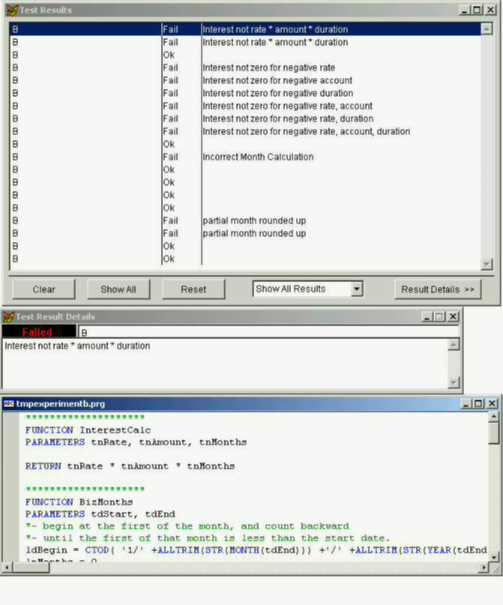
ran it, and got these results. | |||
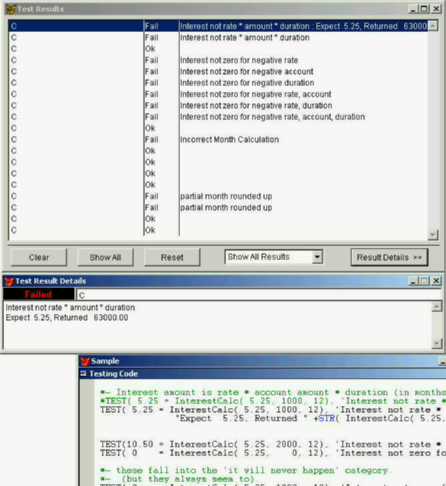
I'm pleasantly surprised by the month calculation, it ain't pretty, and probably not very efficient. But that a different problem. One that hasn't been decided on yet. However, I am a little confused about the first result. "interest not rate * amount * duration". after all, that's the expression inside the function. And, I'm suspect about whether the message "Incorrect Month Calculation" really is indicative of the test. If it goes away when the interest tests succeed, I may want to change it. So, it makes sense to have the test return more information in the message in the test of rate*amount*duration. In the test code, change: | |||
*TEST( 5.25 = InterestCalc( 5.25, 1000, 12), 'Interest not rate * amount * duration')
TEST( 5.25 = InterestCalc( 5.25, 1000, 12), 'Interest not rate * amount * duration' +KCR +;
"Expect 5.25, Returned " +STR( InterestCalc( .525, 1000, 12), 10, 2) )
| |||
Note: the KCR is a built in constant. You can access the constants (and more) by pressing the 'Statements' button on the experiment form. Highlight what you want, and drag it onto the code window. All of the messages could have been created to give better feedback, I just choose to keep it simple to start, and only augment the messages where needed. | |||
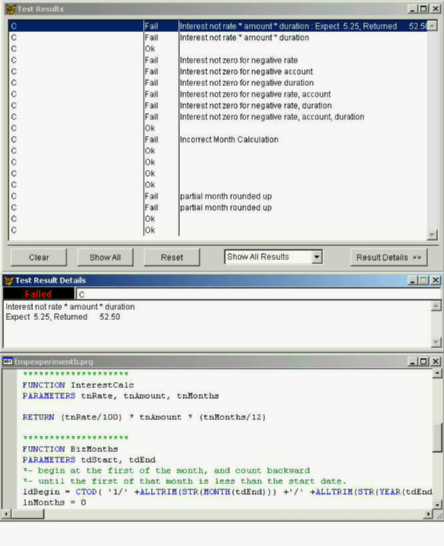
When run, | |||
******************** FUNCTION InterestCalc PARAMETERS tnRate, tnAmount, tnMonths RETURN (tnRate/100) * tnAmount * (tnMonths/12) ******************** FUNCTION BizMonths PARAMETERS tdStart, tdEnd *- begin at the first of the month, and count backward *- until the first of that month is less than the start date. ldBegin = CTOD( '1/' +ALLTRIM(STR(MONTH(tdEnd))) +'/' +ALLTRIM(STR(YEAR(tdEnd))) ) lnMonths = 0 DO WHILE .T. ldFirstOfMonth = GOMONTH( ldBegin, -1) IF tdStart > ldFirstOfMonth EXIT ELSE ldBegin = ldFirstOfMonth lnMonths = lnMonths +1 ENDIF ENDDO RETURN lnMonths | |||
and running yields: | |||
******************** FUNCTION InterestCalc PARAMETERS tnRate, tnAmount, tnMonths IF tnRate > 0 .and. ; tnAmount > 0 .and. ; tnMonths > 0 RETURN (tnRate/(100 *10) ) * tnAmount * (tnMonths/12) ELSE RETURN 0 ENDIF ******************** FUNCTION BizMonths PARAMETERS tdStart, tdEnd *- begin at the first of the month, and count backward *- until the first of that month is less than the start date. ldBegin = CTOD( ALLTRIM(STR(MONTH(tdEnd))) +'/' +'1/' +ALLTRIM(STR(YEAR(tdEnd))) ) lnMonths = 0 DO WHILE .T. ldFirstOfMonth = GOMONTH( ldBegin, -1) IF tdStart > ldFirstOfMonth EXIT ELSE ldBegin = ldFirstOfMonth lnMonths = lnMonths +1 ENDIF ENDDO RETURN lnMonths | |||
You may have noticed multiple errors in the code leading up to this. I'll let you work through the final steps. | |||
Are we done yet? Some would say yes, some would say no.., But as far as this program is concerned, yes, you are done. You have satisfied all of the tests that you have created. You have accomplished what you have defined. Is the code you created useful? -that's a different question. And, I bet you have guessed, a question that can be answered by more tests. But, there are a few minor things you may want to review at this stage. Like: Are the function names indicative of what they do? Are variables in the functions declared local, or private, to avoid name clash? Do the functions restore any changes to the environment that it made? Are there any more tests that could be added to exercise the functions? | |||
| Next | Previous | Main |
Generated 03/11/02 01:49:41 PM |