RAINDROPS FALLING TUTORIAL

NEEDED:
- PSP
- Letter Creator
- Tube of your choice, larger then wider is best
- Funhouse plugin, Cirquelate
http://www.ravingconcepts.com/plug-in_filters.html
LEVEL:
Beginner with basic knowledge of paint shop pro, letter
creator and filters
PREPARING
- Open tube, height not longer then 380 px.
- Duplicate tube (Shift D) and close original
- Chose a light color from tube and select it as foreground color
in the materialbox
- Edit - Copy
- Minimize Tube
BACKGROUND TILE
- File � New Image (200x200, transparant)
- Selections � Select all
- Edit � Paste into Selection
- Selections � Select none
- Layers � New layer (raster)
- Floodfill layer with light foreground color
- Layers � arrange � send to bottom
- Layers � Merge � Merge visible
- Effects � Image effects � Seamless tiling (default)
- Adjust � Blur - Gaussian Blur: radius of 15
- Effects - Funhouse: Cirquelate: settings of 160 cirquels
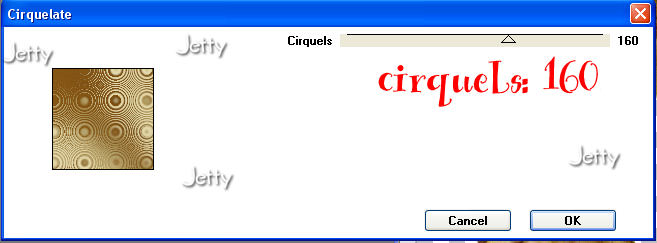
- Optional: Effects � Edge Effects � Enhance
- Effects � Image effects � Seamless tiling: default
- Your background tile is now ready
- Minimize
BACKGROUND
- File � New Image (1280 x 400, transparant)
- Go to your material pallet and put your background color
(box) to pattern
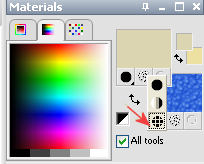
- Chose your settings: angle 0, scale 100,
- Chose your background tile as pattern
- Floodfill the Background with your pattern
- Optional: Lower opacity of this layer to make it writable
- Optional: Effects � Image effects � Seamless tiling: default
(should not be necessary)
- Edit � Paste as a new layer
- Move with your mover tool to the left end
- Effects � 3dEffects � dropshadow: to your likings
I used: horizontal & vertical: 4, opacity: 55, blur: 15, black
- Layers � new raster layer. Add your watermark.
- Layers � Merge � Merge all (flatten)
FINISHING
- File � Export: JPEG Optimizer with compression of 22-25
- In Letter Creator in your Body open your background
- Tile in your body
- Chose a matching text color and place margins
- In your Footer mention your credits
- Finish
Another Example:
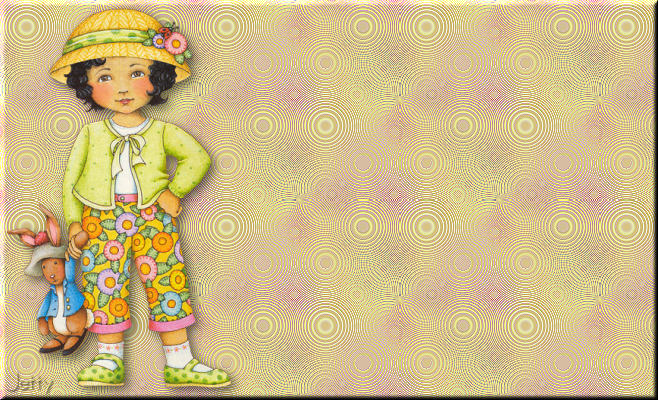
I hope you will have fun doing this tutorial.
Please show me your results as I love seeing my tutorials
used and I love seeing nice letters. So please do.
My email is: [email protected]
Please give credit to me in your tutorials. Best to put a
link to my group:
http://groups.yahoo.com/group/cuteIMlettersandtagsbyJetty
or to my homepage:
http://www.geocities.com/ladyluna37/index.htm
If you want to use this tutorial groupswise or include
it in lessons please ask my permission.
I probably won�t refuse but I would like to hear when
it is used.
If there is any resemblance to another tutorial by another
author, it is purely coincidental.
Thanks to the women who have thought me more about Paint
Shop Pro and Incredimail and to the women who test for me.
Without you I couldn�t have done it.
Hugs
Jetty