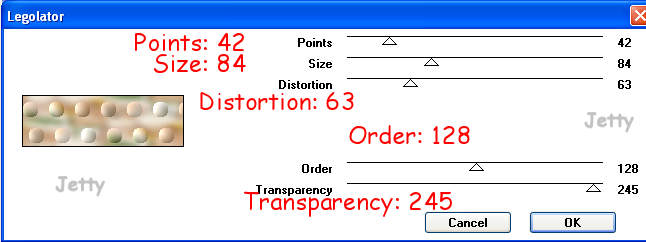
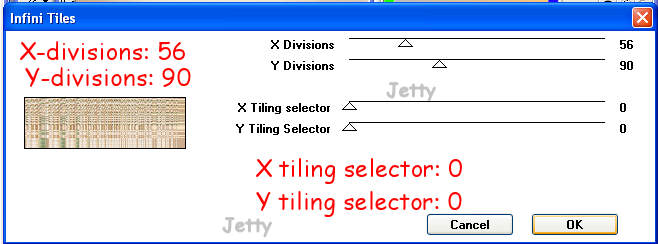
Effects � Filter Factory D � Infinity Tiles: settings:
Settings: X-divisions: 56, Y-divisions: 90, X tiling selector: 0 and
Y tiling selector: 0
Layers � New raster layer
Floodfill with your foreground color (material box)
Lower the opacity of your layer to 50 � 85. I used 56 and 70
You should be able to see the background through it.
Layers � Merge � Merge all (flatten)
Effects � Image effects � Seamless Tiling : at default
Edit � Paste as a new layer
Move with your mover tool to the left end
Effects � 3dEffects � dropshadow: to your likings
I used: horizontal & vertical: 4,
opacity: 45, blur: 15, black
Layers � new raster layer: add your watermark
Layers � Merge � Merge all (flatten)
FINISHING
File � Export � JPEG Optimizer (between 22-26)
In Letter Creator open your background in Body
Tile in your Body
Don�t forget your credits in your footer
Finish
Another example:
I hope you will have fun doing this tutorial. Please show me your results as I love seeing my tutorials used and I love seeing nice letters.
So please do.
My email is: [email protected]
Please give credit to me in your tutorials. Best to put a link to my group:
http://groups.yahoo.com/group/IMtutorialsbyJetty
or to my homepage:
http://www.geocities.com/ladyluna37/index.htm
If you want to use this tutorial groupswise or include it in lessons please ask my permission. I probably won�t refuse but I would like to hear when
my tutorials are used and where.
If there is any resemblance to another tutorial by another
author, it is purely coincidental.
Thanks to the women who have thought me more about Paint
Shop Pro and Incredimail and to the women who test for me. Without you I couldn�t have done it.