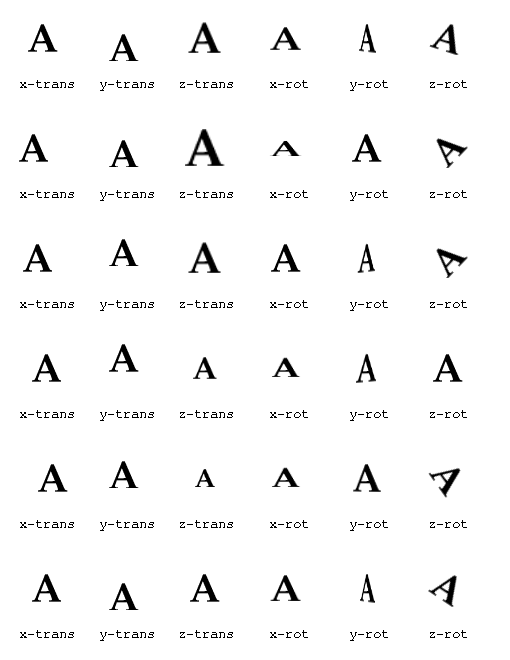
The user can constrain the motion of the objects in each of six degrees of motion: translation along the x, y, and z axes, and rotation about the x, y, and z axes. (The z axis is perpendicular to the plane of the screen.)
Here are the six degrees of motion demonstrated independently:
frames = 15 smooth = 5 max x-trans = 2 max y-trans = 6 max z-trans = 2 max x-rot = 0 max y-rot = 0.2 max z-rot = 0.1 synchronize = no |
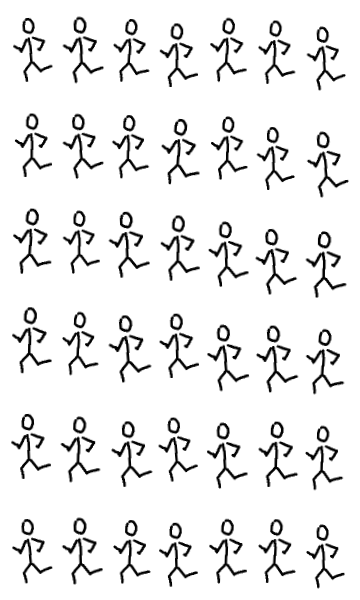
| Oscillator can be used with text or pictures and can create effects ranging from subtle to wild. |
frames = 15 smooth = 6 max x-trans = 0 max y-trans = 0 max z-trans = 10 max x-rot = 0 max y-rot = 0 max z-rot = 0 synchronize = yes |

| Note that the user can force images to be grouped into a single object by connecting them with pixels that are not white. For example the white pixels between the "L" and "S" in the word "PULSATING" were replaced with the color #fefefe, which is visually indistinguishable from white. |
frames = 20 smooth = 6 max x-trans = 10 max y-trans = 10 max z-trans = 10 max x-rot = 1 max y-rot = 1 max z-rot = 1 synchronize = no |
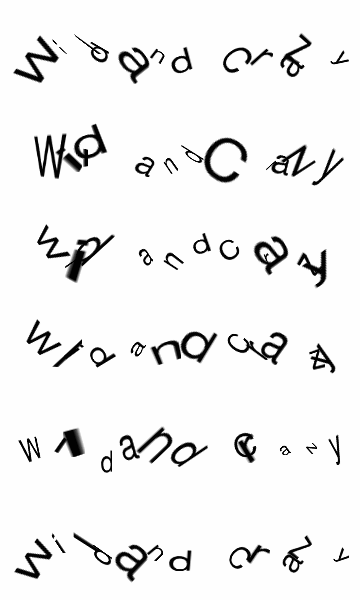
| In order for the animation to appear smooth, the number of frames may need to be increased when the displacement bounds are large. |