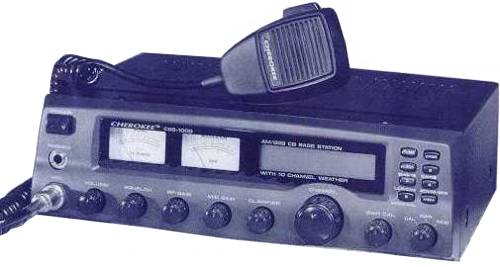
| CBS 1000 |
 |
 |
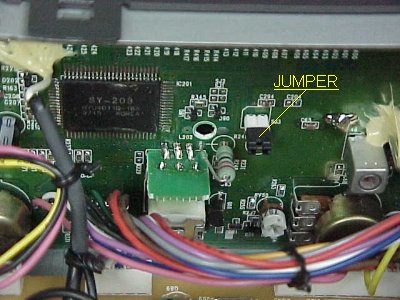
| Channel Modification 1) Remove top cover. 2) Locate the back of the display board. 3) On this board you should see two pin's, Connect a jumper wire between the pins. Power on the Unit holding down the "1" button. Remember to hold the button down for about 5 seconds after power is applied. To change bands just press button "1". (Coverage from 25.165-29.665 Mhz). |
 |
| RV1 RF Power Meter adjust RV2 Squelch Level adjust RV4 AM Carrier adjust RV7 Modulation Meter adjust RV11 13.8 Volt RV12 S-Meter Adjust Both AM and SSB. RV14 SSB ALC adjustment. RV50 Clarifer Center adjust |
|