Coding practices should be in place to maintain a consistancy among
software projects to enforce a disciplines which improves the quality of
software, improves reuseability due to more generic interfaces and good
documentation, results in software with fewer bugs which is easier to use
and maintain.
File Names:
There should be one include file for each source code file. Each
include file should describe a single class or tightly integrated set of
classes.
File name should reflect the class name.
Class names should follow the following format: CXxClassID
where "Xx" refers to the component. (i.e. Mn main, Fm File manager, Cp
command processor) The first character of each word shall be capitalized.
Leave off the "C" prefix when naming the file.
When referring to an include file within either another include file
or source file, do NOT include the full path. This avoids portability
problems created by operating system dependent methods of referencing
directory paths. Use compiler command line flags to include the path. (i.e.
-I/path-name)
Use double quotes ("") for all project include files and angle
chevrons (<>) for include files provided by the operating system or
compiler.
If burning ISO CD's, remember it is limited to file names of up to
30 characters.
To ease use with scripts and make files, file names (and directory
paths) should not contain blanks, parentheses "(", or crazy characters
not supported by a majority of operating systems.
File headers:
File headers should include copyright statements, distribution
licensing references and reflect corporate practices. For example, if
source code is released under the GNU license it should be stated as
such. If the file contains corporate proprietary material, it should be
stated as such. The segragation of such code into separate files is very
important if the licensing, release practices for the file or copyrights
are different.
Comments shall be placed at the top of each file stating the name of
the file and comments on the file contents. Comments should be directed
towards the users of the class contained in the file.
See below:
File Header Comments
Header files must use the preprocessor to check for multiple
inclusions.
If C functions will be called from C++, then C include files will use
the following declaration:
#ifdef __cplusplus
extern "C" {
#endif
...
..
C function declarations
..
...
#ifdef __cplusplus
}
#endif
Class contents:
class ClassName
{
  public:
     // Constructors:
     // Destructor:
     // Functions: modifiers (set), selectors (get)
     // itterators:
     // Attributes visible by scope of instantiation and use
  protected:
     // Attributes visible to descendents
  private:
     // Local attributes
};
Machine dependent code shall, if possible, be placed in a separate
file so that it may ease porting tasks.
Length of functions/subroutines: It makes no sense to set a rule or
hard limit on the length of a function. A human should be able to fully
understand the complexity of a single function. If one can't, then it
needs to be broken down into a smaller understandable size. It makes no
sense to break a 3000 line function into smaller components if all it
consists of is a massive case/switch statement which can be grasped upon
first viewing. Complex algorithms should be broken up into understandable
units and may be too long at 50 lines of code. Thus the length of a
function requires common sense more than a rule which sets a hard limit.
Use of case:
Use capital leters with an underscore used to separate words for
macro constants and enumerations.
Use a single capital letter to denote the start of a new word in the
variable, class or function name.
Example: thisIsAnExample
Function names should begin with a lower case letter.
Class definitions begin with a capital letter. The "C" prefix is "Hungarian"
notation as noted below. The instantiation should begin with a lower
case letter.
Example: CAbcXyz abcXyz
Use complement names for complement functions: get/set, add/remove,
create/destroy, start/stop, insert/delete, increment/decrement, begin/end,
first/last, up/down, min/max, next/previous, open/close, show/hide,
suspend/resume, etc.
Avoid the use of "namespace" in the ".h" include file. If the file is
included in source code the programmer may no longer use variables defined
in the namespace and may experience variable name clash.
Don't use equality (==) comparisons between floating point numbers and
0.0.
Camel-case:
Camel-case is the practice of changing the letter to upper case to denote
the start of a new word. This allows the name to be shorter because no
separator character (i.e. "_" used between words.) The Camel-case practice
uses a "_" separator between upper case constants used in words.
Examples:
VariableForTheBlueTeam
variableForTheBlueTeamInstantiation
SPAM_Eliminator
C++ Style:
"Hungarian" prefixes: Some of these are discussed in the book "Code
Complete" and others I have seen in corporate coding standards. While these
are prefixes (beginning of name) I have also seen some used as suffixes (end
of name).
Static variable
m_
my_
Variable is a member of class. Some use the prefix "my"
for class member variables and "our" for class member static
variables. (Also "m" and "ms" for member and member-static) I have
also seen the use of "_" as both a prefix and as a suffix to denote a
class member variable. If using mixed languages remember that many
FORTRAN compilers use a "_" suffix. Due to C++ name mangling there
will probably be no conflict when using this notation. It is a common
practice but theoretically could pose a problem with mixed languages.
See
Mixing FORTRAN and C YoLinux tutorial.
_
Variable not intended to be exposed externally to the
user. Internal workings only. Most often used by compiler and library
authors. Sometimes used (not preferred) as a suffix to repressent a
class member variable. Sometimes used as variable prefix for function
arguments. Dangerous when mixing C/C++ with FORTRAN as FUNCTION
subroutines as suffixed with "_" in the object code. See nm
to view object symbols. See the
g77/f77 compiler flag "-fno-underscore".
__
Marks an use as extension to ANSI C++. Often not compiler
independant. Usually reserved for use by compiler writers. Be careful
when mixing with FORTRAN as "__" is often generated in FORTRAN object
symbol names. See the f77 compiler flag "-fno-second-underscore".
a
array
c
count / number of
cb
count bytes / number of bytes
d
Data type double
dw
Data type double word
e
element of an array
b
f
is
has
should
boolean
(flag)
Example: isFound
g_
g gbl
Gbl
global variable. Also used is the "::" operator. i.e.
::variable
s
s_
h
handle
i
index to an array
l
long data type. i.e. "long int"
p
ptr
pointer. Sometimes "Ptr" used as suffix.
lp
pointer to long data type
ch
C character
sz
Zero terminated string. char[]
str
C++ GNU template data type "string"
u
unsigned
ev
event
min
Lowest value
first
First element
lim
array limit
cmd
Command
cmp
Compare
init
Initialize
intr
Interrupt
msg
Message
rx
Recieve
tx
Transmit
C
Prefix for a Class name. Notation used by Microsoft
MFC.
Example: CAbcXyz abcXyz
Note: The instatiation begins with a lower case letter while the class
definition begins with a capital letter.
_t
_Type
Type definition (typedef - suffix). Prefix
with capital letter.
_Enum
Enumeration type definition suffix.
_ds
Data structure suffix.
Hungarian Examples:
ppachVarName: pointer to a pointer of an array of characters.
m_ppachVarName: class member variable which is a pointer to a
pointer of an array of characters.
The use of "Hungarian" should make the code more readable and NOT more
complicated so use it wisely and consistently.
Introductory File Header Comments:
This is usually set as a project or corporate standard and include
copyrights, statements of ownership, trade secret statements, author's name,....
For example:
// ----------------------------------------------------------------------------
/**
   File: ProjectXXX.suffix

   System:         Super Product X
   Component Name: Project X, Module B
   Status:         Version 1.0 Release 1
   Language: C++

   License: GNU Public License
    or other... i.e.
   Licensed Material - Property of Mega Corp

   (c) Copyright Mega Corp 2003

   Address:
      Mega Corp, Super Product X Division
      134950 Sepulveda Blvd.
      Los Angeles CA 90211

   Author: John Doe
   E-Mail: [email protected]

   Description: Header file for Project X
                This file contains the defined types for Project X
                This is sometimes called the "Abstract" and may be
                followed by a section called "Notes".

   Limitations: bla bla bla

   Function: 1) bla bla bla
             2) bla bla bla
             3) bla bla bla

   Database tables used:

   Thread Safe: No

   Extendable: No

   Platform Dependencies: None      (i.e.: Linux/Intel, IRIX/Mips, Solaris/SPARC)

   Compiler Options: -lm

   Change History:                  (Sometimes called "Revisions")
   Date         Author       Description
*/
// ----------------------------------------------------------------------------
...
..
.
..
...
// ----------------------------------------------------------------------------
/**
   Routine: NameOfRoutine()
   Inputs:
      Arguments:
      Externals:
      Others:

   Outputs:
      Arguments:
      Externals:
      Returns:
      Errors:

   Routines Called:
*/
// ----------------------------------------------------------------------------
Note: Comments should NOT contain code as it may get out of sync with the
code itself.
// $Id$
/**
 * @file
 * @brief Write description of source file
 * @brief here for dOxygen.
 * @author Me
 * @version 1.69
 */
// $Log$

///  Single line comment for dOxygen.

/**
   Write description of function here.
   The function should follow these
   comments.

   The function arguments listed with "param" will be compared
   to the declaration and verified.

   @param argOne Description of first function argument.
   @param argTwo Description of second function argument.
   @return Description of returned value.
 */

int
class::function(arg1, arg2)
{

    /// Single line comment for dOxygen.
}
Note the tags "$Id$" and "$Log$" are used by RCS.
Headings generated from tags:
dOxygen tag
Rendering
@file file-name
Prints file-name as header of page.
@brief Brief description goes here.
Description appears in HTML document generated.
@author name1
@author name2
Author:
name1 name2
@version Version number
Version:
Version number()
@depricated explanation
Depricated:
explanation
@see FunctionA()
See also:
FunctionA()
@param[in] variableA DescriptionA
@param[out] variableB DescriptionB
@param[in,out] variableC DescriptionC
Note: in and out are dOxygen specific and not used
in Javadoc.
dOxygen tags for @brief are not necessary if using
JAVADOC_AUTOBRIEF (yes) mode. this will print the first line in a
"/**" comment block as the brief description.
The tagged dOxygen comments are placed ahead of the C++ function, class
or variable. Comments placed after a C++ entity can be tagged with "/**<
... */".
/** Comments on C++ function
 ...
 ...
 */

void classA::function_1{
   ...

   int  variable1   /**< Comment after variable goes here. */
   float variable2  /**< Comment after variable goes here. */

   ...
Create a list:
/**  List heading:
     - Stuff on line 1
     - Stuff on line 2
     - Stuff on line 2
       - Stuff on sub-line 1
       - Stuff on sub-line 2
     - Stuff on line 2
 */
Pages of documentation are defined by a group. You can specify the
group directly using the tags:
@defgroup
@ingroup
The group is delimited by:
//@{
...
...
//@}
Configuration file:project-name.cfg
Create template configuration file and tag descriptions with the command:
doxygen -g project-name.cfg
# DOxygen comment

PROJECT_NAME      = "Project XXX"
OUTPUT_DIRECTORY  = project
OUTPUT_LANGUAGE   = English

# If the FULL_PATH_NAMES tag is set to YES then Doxygen will prepend the full
# path before files name in the file list and in the header files. If set
# to NO the shortest path that makes the file name unique will be used.
FULL_PATH_NAMES   = NO

GENERATE_LATEX    = NO
GENERATE_MAN      = NO
GENERATE_RTF      = NO
CASE_SENSE_NAMES  = NO
INPUT             = .
FILE_PATTERNS     = *.h *.hh *.cc *.cpp *.idl
EXCLUDE_PATTERNS  = */test/*
QUIET             = YES
TAB_SIZE          = 4

# The RECURSIVE tag can be used to turn specify whether or not subdirectories
# should be searched for input files as well. Possible values are YES and NO.
# If left blank NO is used.
RECURSIVE              = NO

# If the JAVADOC_AUTOBRIEF tag is set to YES then Doxygen
# will interpret the first line (until the first dot) of a JavaDoc-style
# comment as the brief description. If set to NO, the JavaDoc
# comments will behave just like the Qt-style comments (thus requiring an
# explict @brief command for a brief description.
JAVADOC_AUTOBRIEF = YES

#---------------------------------------------------------------------------
# Build related configuration options
#---------------------------------------------------------------------------

# If the EXTRACT_ALL tag is set to YES doxygen will assume all entities in
# documentation are documented, even if no documentation was available.
# Private class members and static file members will be hidden unless
# the EXTRACT_PRIVATE and EXTRACT_STATIC tags are set to YES
EXTRACT_ALL            = YES

# If the EXTRACT_PRIVATE tag is set to YES all private members of a class
# will be included in the documentation.
EXTRACT_PRIVATE        = NO

# If the EXTRACT_STATIC tag is set to YES all static members of a file
# will be included in the documentation.
EXTRACT_STATIC         = NO

# If the EXTRACT_LOCAL_CLASSES tag is set to YES classes (and structs)
# defined locally in source files will be included in the documentation.
# If set to NO only classes defined in header files are included.
EXTRACT_LOCAL_CLASSES  = YES

# If the HIDE_UNDOC_MEMBERS tag is set to YES, Doxygen will hide all
# undocumented members of documented classes, files or namespaces.
# If set to NO (the default) these members will be included in the
# various overviews, but no documentation section is generated.
# This option has no effect if EXTRACT_ALL is enabled.
HIDE_UNDOC_MEMBERS     = NO

# If the HIDE_UNDOC_CLASSES tag is set to YES, Doxygen will hide all
# undocumented classes that are normally visible in the class hierarchy.
# If set to NO (the default) these classes will be included in the various
# overviews. This option has no effect if EXTRACT_ALL is enabled.
HIDE_UNDOC_CLASSES     = NO

# If the HIDE_FRIEND_COMPOUNDS tag is set to YES, Doxygen will hide all
# friend (class|struct|union) declarations.
# If set to NO (the default) these declarations will be included in the
# documentation.
HIDE_FRIEND_COMPOUNDS  = NO

# If the HIDE_IN_BODY_DOCS tag is set to YES, Doxygen will hide any
# documentation blocks found inside the body of a function.
# If set to NO (the default) these blocks will be appended to the
# function's detailed documentation block.
HIDE_IN_BODY_DOCS      = NO

# If the HIDE_SCOPE_NAMES tag is set to NO (the default) then Doxygen
# will show members with their full class and namespace scopes in the
# documentation. If set to YES the scope will be hidden.
HIDE_SCOPE_NAMES       = NO

# If the SHOW_INCLUDE_FILES tag is set to YES (the default) then Doxygen
# will put a list of the files that are included by a file in the documentation
# of that file.
SHOW_INCLUDE_FILES     = YES

# If the INLINE_INFO tag is set to YES (the default) then a tag [inline]
# is inserted in the documentation for inline members.
INLINE_INFO            = YES

# The GENERATE_BUGLIST tag can be used to enable (YES) or
# disable (NO) the bug list. This list is created by putting \bug
# commands in the documentation.
GENERATE_BUGLIST       = YES
HAVE_DOT               = YES
CLASS_GRAPH            = YES
COLLABORATION_GRAPH    = NO
Run DOxygen:doxygen project-name.cfg
Notes: Latex math formulas can also be embebded to generate
output for the HTML page. DOxygen also has an interface to
Graphviz to
generate a C++ inheritance diagram by generating a Graphviz "dot file".
dOxygen is very configurable and allows one to choose tag styles (Qt,Javadoc,dOxygen
legacy. These examples show Javadoc style tags), C macro substitution and
link to external documentation. dOxygen can generate man pages, HTML
documents, XML files and RTF files
ScanDoc: Perl script which scans C++ source code for
specially-formatted comments and produces organized, indexed documentation.
scandoc home page
GNU C++ compiler: g++
Use the command line option -Weffc++ to warn of style violations
not in accordance with the following Meyers "Effective C++" coding
practices as outlined in the book of the same name:
Item 11: Define a copy constructor and an assignment operator for
classes with dynamically allocated memory.
Item 12: Prefer initialization to assignment in constructors.
Item 14: Make destructors virtual in base classes.
Item 15: Have "operator=" return a reference to *this.
Item 23: Don’t try to return a reference when you must return an
object.
Also from the book "More effective C++":
Item 6: Distinguish between prefix and postfix forms of increment
and decrement operators.
Code Complete: A Practical Handbook of Software
Construction
by Steve C. McConnell
ISBN #0735619670, Microsoft Press 2nd edition (June 2004)
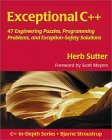
Exceptional C++: 47 Engineering Puzzles, Programming
Problems and Solutions
by Herb Sutter
ISBN #0201615622, Addison-Wesley Professional
Advanced C++ features and STL.
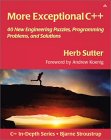
More Exceptional C++
by Herb Sutter
ISBN #020170434X, Addison-Wesley Professional
Exceptional C++ Style
by Herb Sutter
ISBN #0201760428, Addison-Wesley Professional
C++ Coding StandardsL 101 Rules, Guidelines and Best
Practices
by Herb Sutter and Adnrei Alexandrescu
ISBN #0321113586, Addison-Wesley Professional
Effective C++: 50 Specific Ways to Improve Your
Programs and Design (2nd Edition)
by Scott Meyers
ISBN #0201924889, Addison-Wesley Professional
More Effective C++: 35 New Ways to improve your
Programs and Designs
by Scott Meyers
ISBN #020163371X, Addison-Wesley Professional
C++ How to Program
by Harvey M. Deitel, Paul J. Deitel
ISBN #0130384747, Prentice Hall
Fourth edition. The first edition of this book (and Proffessor
Sheely at UTA) taught me to program C++. It is complete and covers all
the nuances of the C++ language. It also has good code examples. Good
for both learning and reference.


 Books: