Project 006 - Volumetric Lighting- August 2006 Examine these two videos...
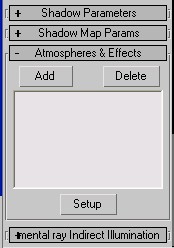
In the first video the light is at its default settings, barring a modified falloff and beam. In the second video an atmospheric effect is enabled. This effect is called Volumetric Lighting, and is responsible for the misty effect you see. The effect is very simple to enable. To do this, you should create a Target Spot light and find the Atmospheres and Effects foldout in the modify menu. (It may find you can enable it with other light types, but my example uses Target Spot lights.)
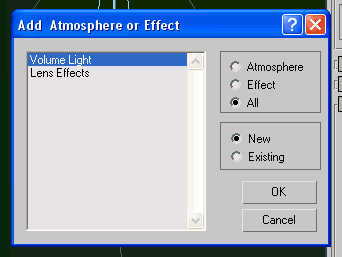
Clicking Add will bring up this menu:
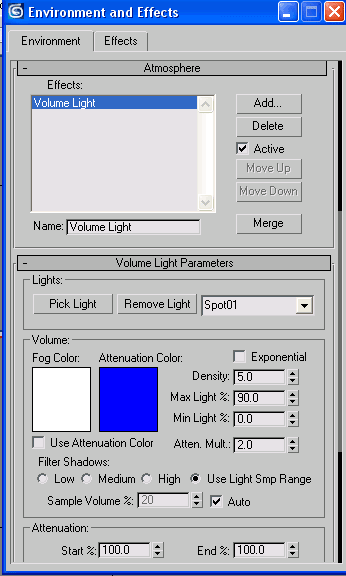
Select "Volume Light" amd click OK. Having done this, Volumetric Lighting on this light will now be enabled, and can be seen in a render. The settings can be changed in the Environment and Effects window, or accessed by clicking Setup in the lights modify menu (as seen in the image on this page.)
Using these settings you can acheive this misty effect on lights as I have in the video. |