
|

LOCATION:
Auckland University of Technology (AUT)
State Building (corner of Wakefield and Queen streets)
13th floor (room 1307)
Auckland
DATE:
Wednesday, 19 March 2003
6:00pm to 10:30pm.
WHAT HAPPENED:
Yes, in usual style, I played a few new videos from the online world - A
mixture of Dragons, horrorific aliens and brain sucking milkshakes! There
wasn't too much to download this month that was worth showing, but I picked
what I felt looked cool!
Many thanks to Stuart who ordered in a couple of Pizza's. And there was
coffee and tea available as well...
SHOW AND TELL:
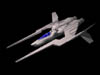 I started out showing a space fighter I had built earlier in the week - A Work
in Progress, but still, I figured I'd take the chance to show what I'd been
doing... Hopefully before the next meeting I'll have more work to show -
Possibly the ship model completed and perhaps even some texturing! I started out showing a space fighter I had built earlier in the week - A Work
in Progress, but still, I figured I'd take the chance to show what I'd been
doing... Hopefully before the next meeting I'll have more work to show -
Possibly the ship model completed and perhaps even some texturing!
This was followed up with an awesome character model of an old man that
Kevin McCullough had been working on - All textured, well modelled with
wrinkles and a definite bit of 'character'... Very Nice work! Kevin is
doing Larry Shultz's 3D character course (http://www.splinegod.com"), and its great to see he's putting
those skills to awesome use!
Logan Maire followed that up with some very impressive Photoreal renders of
electronics - In fact, the renders are also buried on the official LightWave
Gallery! (http://www.lightwave3d.com)
Nice work from Everyone! Keep em coming, folks! Its always fantastic to
see local work and just how talented Kiwi's really are!
DEMO - CREATING A VIDEO TUTORIAL
As everyone knows, there's a barrage of video tutorials starting to appear
on both the internet, and the commercial training circuit. Most of these were produced using an excellent package called camtasia from Techsmith (http://www.techsmith.com). However, while an excellent package, it costs around US$349...
 Now, the good news for those of us who'd love to make our own video
tutorials, but have tight wallets is that from http://www.rendersoftware.com comes
an open-source-freeware program with similiar features called CamStudio.
This tool is not only free, its incredibly good too! Add to that there is a
new 'lossless' codec created for it that allows high quality screen
recording at a really good speed (Yes, even fully rendered openGL playback
in Layout was recorded at a fast framerate!) and you have the tools you need
to produce your own tutorials or video examples! Now, the good news for those of us who'd love to make our own video
tutorials, but have tight wallets is that from http://www.rendersoftware.com comes
an open-source-freeware program with similiar features called CamStudio.
This tool is not only free, its incredibly good too! Add to that there is a
new 'lossless' codec created for it that allows high quality screen
recording at a really good speed (Yes, even fully rendered openGL playback
in Layout was recorded at a fast framerate!) and you have the tools you need
to produce your own tutorials or video examples!
This tool will also compress AVI into SWF (Flash/Shockwave) animation files, shrinking the AVI
files even further without any loss in quality and allowing you to insert them cleanly into Web
pages.
THE CAMSTUDIO DEMO AND THE NEXT LWUG
I suggested near the end of the meeting that people might want to start creating video tutorials for LWUG meetings using this awesome free program! I'd love to see tutorials from anyone who feels they want to create one themselves and bring it to the next meeting! If we get enough great tutorials from Users, we can create a User Group CD rom for all those involved!
DEMO - MODPAK:
Most people have been familiar with Plugpak, or Overcaster... These are
excellent utilities from Eki Haalka that give us some handy ways to achieve
fast, realistic lighting effects in LightWave, amongst some other things!
Now he's back with a pack of utilities for Modeler, aptly named ModPak.
After installation (which included a switch to install for 7.5 OR 7.5b (Very
up-to-date, given 7.5b is relatively new)), I demo'd only a few of the handy
tools offered in this great little package.
- CityGen is a script that generates an entire city! The tool allows you to
specify some parameters for buildings, windows, nurnies on the rooftops,
shape of the roof, surface naming options and more before it chugs away and
actually builds a 3D city model for you! Someone asked me last meeting 'How
would you go about creating a city?' - Well, this is one very easy way!
- TreeGen surprisingly generated a variety of trees! Setting up some simple
parameters for branches, leaves, size, etc for the tree, the tool quickly
generated a tree in seconds. This, along with CityGen give you some very
fast ways to create your 3D virtual worlds.
I sadly didn't spend too much more time running through the rest of the
tools, though there was a variety of cool things, from Q-Thick which added
some bulk to 3D meshes through to some clever bevelling and cloning tools.
Perhaps the next meeting I'll use a few more of these tools to show you some
of the other features of this cool little product. You can download it and
try it for yourself from here:
http://www.kolumbus.fi/erkki.halkka/modpak/
Perhaps you could make a tutorial video about using some of these tools for
the next meeting using Camstudio?
TUTORIAL - 2-SIDED POLYS:
ModPak had one thing that spurred a little discussion - Q-air - Adding an
'air' poly layer to a model. I used this opportunity to quickly explain why
'Air' polys were an important item for creating photoreal glass effects, etc
with a demonstration of refraction on a rather obscure looking sculpture I'd
quickly built in modeler!
I also showed how you could effectively create a single poly object with two
different surfaces on back and front, saving clicking the 'double sided'
option on the surface editor... Now your polygons can have '2 sides'.
CAUSTICS:
I also used this opportunity to point out how Caustics, the reflection and
refraction of light, could be used to enhance the realism of glass as well.
For this I used the LightWave 'ring' example that comes on the LW CD rom...
TUTORIAL - EXPRESSIONS:
I demonstrated what Expressions were and how to access expressions within
other expressions (commonly noted as 'SubExpressions'). This I followed up
*quickly* (since there were so many confused faces in the room!) with the
cool tool called 'Builder'. This tool provided a nice simple 'wizard' type
interface to create expressions without the need to type mathematics!
I showed how simple it was to add your own expressions to the builder using my own bogus expression for making doors open when Captain Kirk walks towards them. This was simply a demonstration of how to build a library of User
expressions that appear in the builder...
This tutorial went well, though I did spot many people looking a little
paniced when I tried to explain how 'cool' expressions were. I think next
time I'll use a practical example of where an Expression actually helps make
animation better!
DISCUSSION:
There was quite a few items to discuss - From a saturday meeting in May to allow some out-of-Auckland users to pop on by, to interest in the upcoming LW World Tour in August (A great response of 16+ people showing interest!)
There was the usual banter, people asked questions and the time dragged on
til the late hours... I also had the usual pile of 'didn't get around to
demo/tutoring' stuff again, but I'm sure the next meeting can just continue
again...
Thanks again to EVERYONE, specially those who bought their hard work along
to show us all! Hope to see plenty of video tutorials at the next meeting...
Kevman
|
|
