| Realistic Hair |
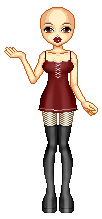
| Start with your completed Bald doll. Here i used a base from Mopiry Land. You can cloth the doll or leave her naked, it depends on how you want it. Make a new layer. |
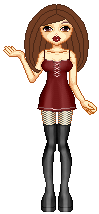
| Now its getting trickier...Take your lighten RGB too, make it so its about 3 pixel wide, depending on how big the doll is. For this size base i use size 3. Draw over the strands...Do the same with lighten, but go inbetween the darken strands.... Still on the same layer. |
| On the very same layer, fill in your strands with a lighter color then the one you used for the outline. Very easy.... |
| Draw the strands, Dont worry about how messy it looks, it will all blend in at the end, and you wont even notice it if it is 2 pixel wide. Make sure all this is on your first layer. I usually name it. Hair Layer1 |
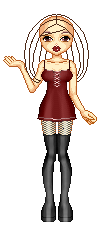
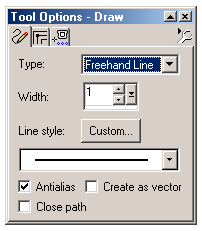
| New layer: Name it Hair strands... Take your line tool, and make it one pixel wide. This will give your hair depth and detail, start drawing strands randomly placing them where you think it looks best. |
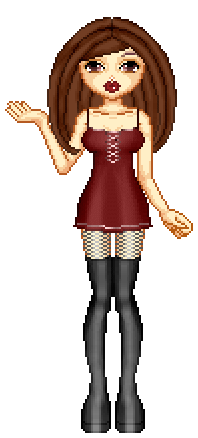
| Switching back to your previous layer Go back and Darken the roots and sides of the hair, where the hair would actually be darker... Do the same with lighten, where the sun light would hit it. Do not do this on the strands layer, you want those to be contrasting. |
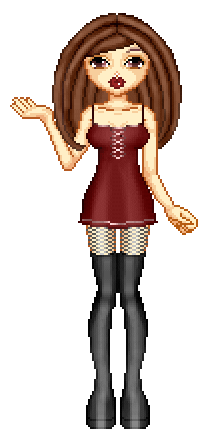
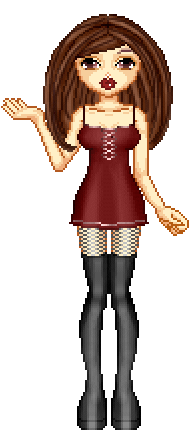
| Thats the last step, the doll is finished after you lighten everything, make sure you merge your layers when you are finished. |
 |
 |
 |
 |
 |
 |
 |
 |
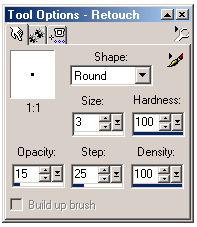 |
| This is the settings i use for Darken RGB, i use the same for lighten RGB as well. However you can play around with the settings as you see fit for different effects, its all based on prefrence and how you think looks good. |
 |
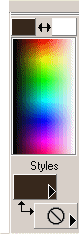
| Make sure you turn off your other color as well. Otherwise you will have a mixture of the 2 which will look like crap! |
 |
