I recommend you to use Winrar (v3.30 or higher. Lower versions may work
too.
WinAce should also work fine)
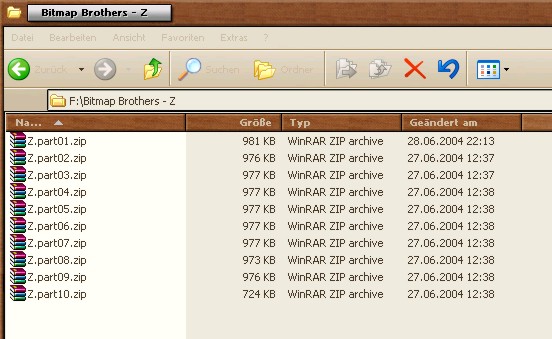
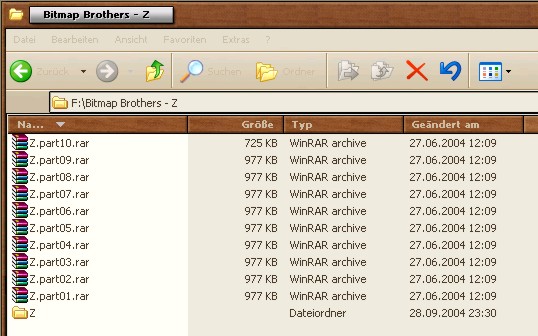
All ten ZIP-files need to be in the same directory.
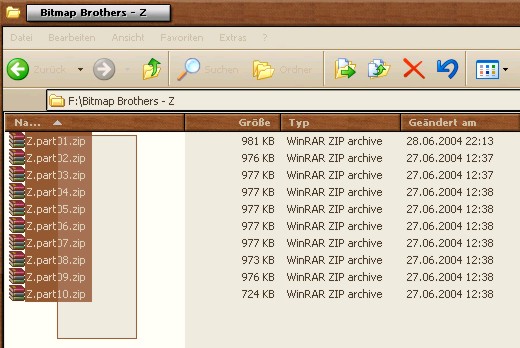
Mark all files.... easy, huh? But be warned. It will get tougher! ;)
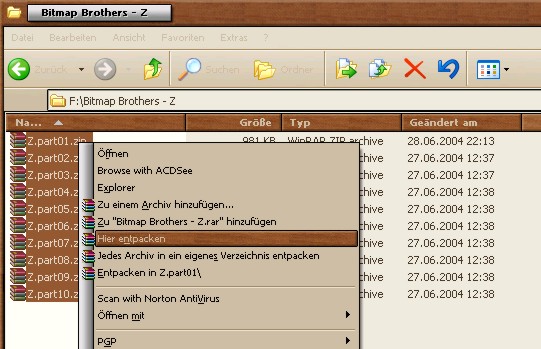
Right Click on the marked files to open a menu. Choose "extract here".
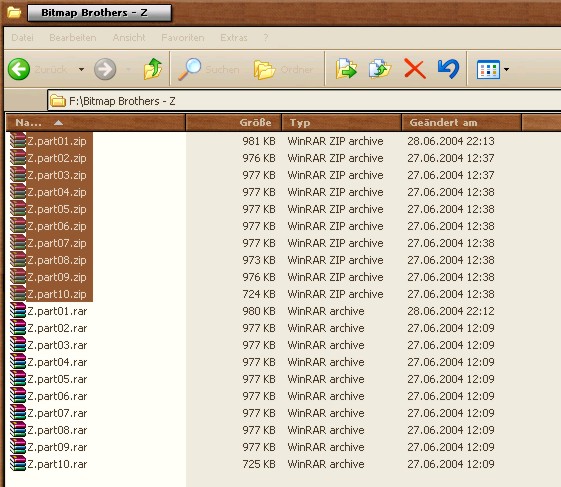
Ten new files should appear which are stored in RAR format. Delete the ZIP-files.
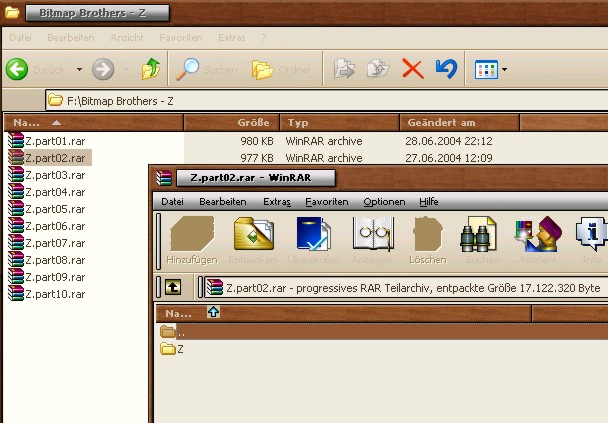
If you double click on one of these RAR-files (except Z.part01) WinRAR will
open and you should
see a windows like the one above with a folder called Z. Close WinRAR, we dont
need it now!
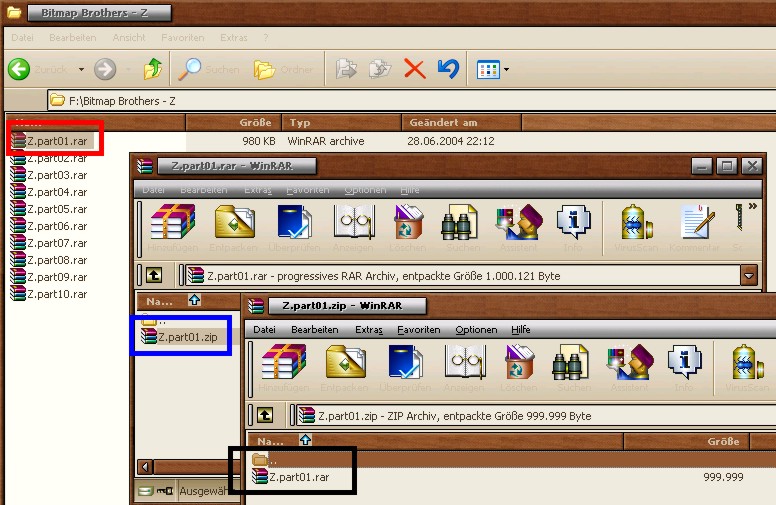
Okay, I told you this is going to get tougher. Here we go...
Z.part01.rar [red one] contains a ZIP-file called Z.part01.zip [blue
one] which contains another Z.part01.rar [black one].
The black bordered file is the Chosen One!
(Dont ask me why I have to archive it three times. There was no other way to
store it on Geocities
- my cute little free host.)
1. Extract Z.part01.rar [red]. You get Z.part01.zip [blue].
2. Delete Z.part01.rar [red] !! (Its important cause the destination file has
got the same name.)
3. Extract Z.part01.zip [blue]. You get Z.part01.rar [black].
4. Delete Z.part01.zip [blue]
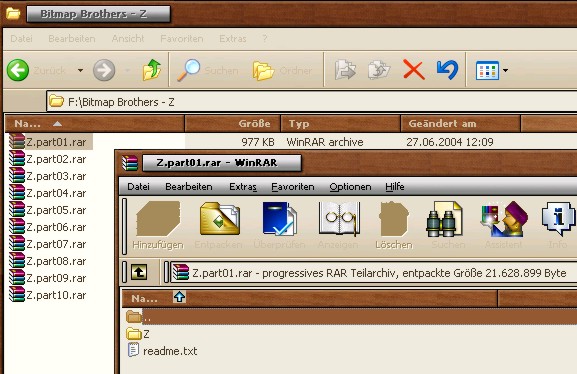
Well, you nearly made it! The rest is a cakewalk. ^^
You stored the new Z.part01.rar in the same folder our other
parts are in, did you? Okay!
Ensure all is right by double clicking on Z.part01.rar. WinRAR will
open and you should see a
window like the one above with the Z-folder and a readme.txt. Close WinRAR.
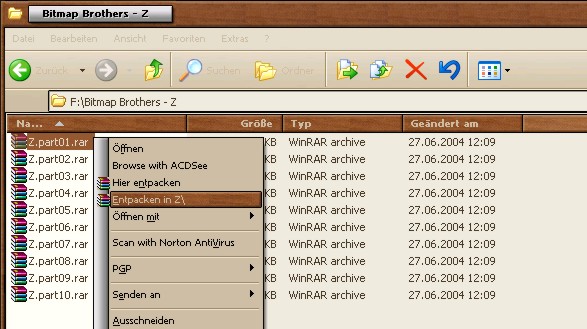
Right click on Z.part01.rar, choose "extract to Z\" and watch WinRAR extract the game.
Thats it! You're done! Finally !!! :)
Cut the folder called Z and paste it directly into your root or a subfolder
with not more than
eight characters and no space. The folder called Z contains a readme which you
should skim
and Bitmap Brothers' game.
IMPORTANT NOTICE:
Z may not function properly if you use more than eight characters for the directory
name or
include space. That applies to all subdirectories of the root. (DOS only recognizes
folders
with a maximum of 8 characters)
For example C:\Z or C:\Games\Z is fine. But C:\My Abandongames\Z - Bitmap Brothers\
might not work!
Enjoy!
LoT