| Hello Mr. Robinson Hopefully this presentation will help you to come out of your dark, evil, and archaic lifestyle |
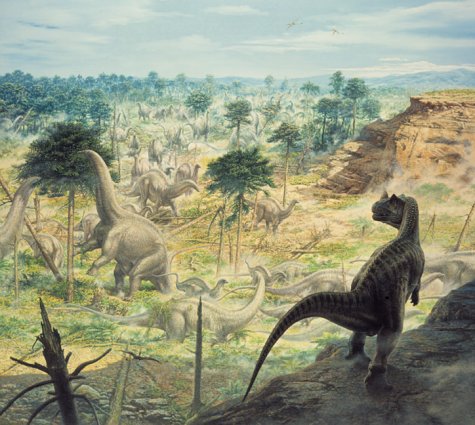
| You see Billy, once upon our time, we humans saved our infomation on what was referred to as a "5 1/4 inch floppy disk. It looked something like Figure 1 and might have existed when the earth was formless and void (see Figure 2). |
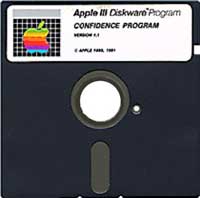 |
| Figure 1 - Earlist forms of saving data included the 5 1/4 inch floppy disk. These have sense become completely obsolete. |
 |
| Figure 2 - During the time of the 5 1/4 inch floppy disk the earth may have looked something like this (concept art by Michael Coward). |
 |
| Later, when man was to evolve, a more sleek design came as a way to save information. While smaller than the 5 1/4 monstrosity, this 3 1/2 inch floppy disk (figure 3) was still ginormous, awkward, and unrealiable. This held 1.44mb of information, which is roughly 10-20 papers depending on your major. These are estimated to peek as a state of the art form of technology around the triassic period (figure 4). |
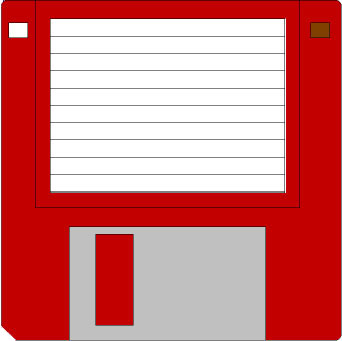 |
| Figure 3 - This outdated form of saving information and data became obsolete as it wouldn't render enough space to sufficiently save data. |
 |
| Figure 4 - Floppy disks were a major part of technology in the triassic period. (concept art by anonymous). |
|
|
 |
| As the new millineum came forth, the floppy disk became extinct. Just look at this modern machine in Figure 5! |
|
| Today, in our modern times we use what is called USB memory devices. Names for this might be USB key, USB memory, memory stick, or jumpdrive. Whatever the hell you want to call it, you should get one. They come as low as 32mb, and can get as big as 1GB. Figure 6 shows a USB port. Now this USB memory stick (figure 7) can be placed into this port. Sometimes the ports are on the back of the computer and this could make it somewhat difficult to access. Still, the majority of newer, cool, and ultimate computers host USB ports on the front. So, you just buy a USB key (www.newegg.com is the best place), stick it in a computer the runs Windows 2000/XP or higher, and let the sucker install itself (figure 8). Then you can move files on and off as you please. |
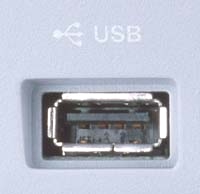 |
| Figure 6 - This is a USB port now supported by Win 2000/XP. |
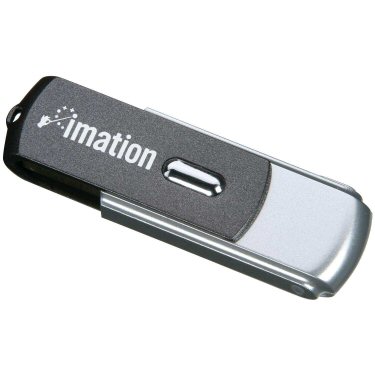 |
| Figure 7 - Here is an example of a USB key. |
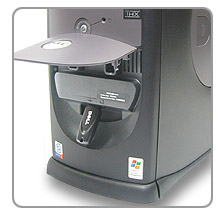 |
| Figure 5 - Do you see a floppy drive? |
 |
| Figure 8 - Hello, what's this thingie here? |
|
 |