How to install Tibetan font
You will need the "TibetanMachineWeb" font on your computer to be able to view the webpages in Tibetan. It is FREE.
Click here to download and install it NOW.
You will be downloading a file called "tmw.zip". Choose a folder on your computer. Watch for the "Save In" directory-- that's where the ZIP file will be downloaded.
Now a few simple steps:
- Double-click on the downloaded ZIP file. WinZip should automatically start to give a window like this one below. Click on the "Extract" button.
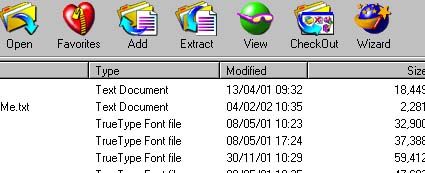
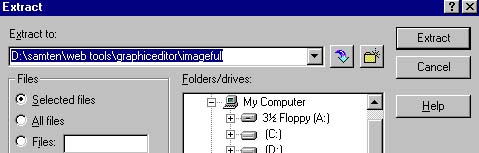
- Click on the "extract" button to save the "unzipped" files to an exisiting folder (wherever you choose). Keep a note of where you save; this is what you need to specify in Step 5.
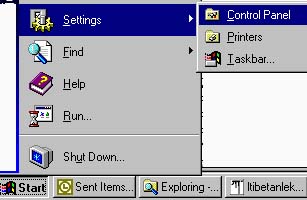
- It's time to add them to your computer's FONTS folder. To do this, click on "START", then "SETTINGS", then select "CONTROL PANEL".
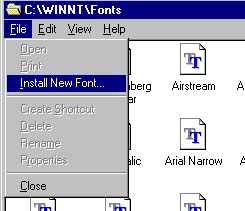
- Double-click on "Fonts" folder. Click on "File", select "Install New Font".
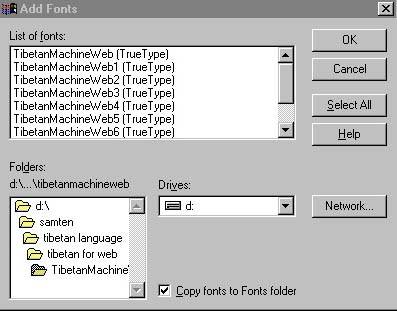
- This is the last step. Select the "drive" and "folder" where you and extracted the fonts, click on "Select All" button, then click on "OK". Installation starts. In a few seconds, it's all DONE.
Go to Main Page