
10 STEPS FOR BEST INTERNET RESEARCH
STEP1 PURPOSE or RESEARCH QUESTION:
First you should know what you want to research about OR the purpose of your research OR specify your PROBLEM and frame it into a Question. For example in my case , research was on book publishers as I am in the filed of higher Education.
Q. Being in Business School What Higher Education
Publishers are there, whose TEXTBOOKS we can Follow ?
STEP 2 KEY-WORD
Jot down key words or words that you want to search
Example of key words:
" Higher education book publishers
" Book publishers
" Academic Book publishers
" Educational Book publishers
STEP 3 SEARCH-ENGINE
Place these keywords in search bar of any search engine & click Enter
SOME SEARCH ENGINES
www.teoma.com GOOD
www.google.com GOOD
www.ixquick.com GOOD
STEP 4 USE OF EXTENSIONS
( pdf, doc, xls, ppt )If you are looking for
Microsoft WORD Documents use extension , doc
Microsoft EXCEL spread sheets use extension , xls
Microsoft PowerPoint Slides use extension , ppt
Adobe Acrobat files use extension , pdf
For example: if you are looking for a university prospectus
If key word is : keyword + extension
Business School Prospectus
pdf
STEP 5 STAMINA
After putting the key word in search bar and Clicking Enter , 10 or more results will be displayed on the web page , Now its your stamina to Search each Thread or link ,until you are satisfied with your search. For faster search open new window of internet Explorer, by pressing Ctrl + N or Click File – New - Window
STEP 6 ADD TO FAVOURTIE FOLDER
As you browse to each new thread or link, save each link in Favorites in the menu bar.
Open Favorites – Add to favorites- create in – new folder (name the new folder Book Publishers) – click OK.
Save new URL in this folder only i.e. Book Publishers. So that you have list of URL available at the end of research.
STEP 7 TO Keep Record or for Report purposes.
Open new MS- Word Document and save it by name of BOOK Publishers . Now click the web page , when it comes into view press the key " Print Screen" just beside F12 key on the Key board this will take a picture of your present monitor screen, now go to the MS- Word document and click "Paste" or press Ctrl + V for paste, as shown below .
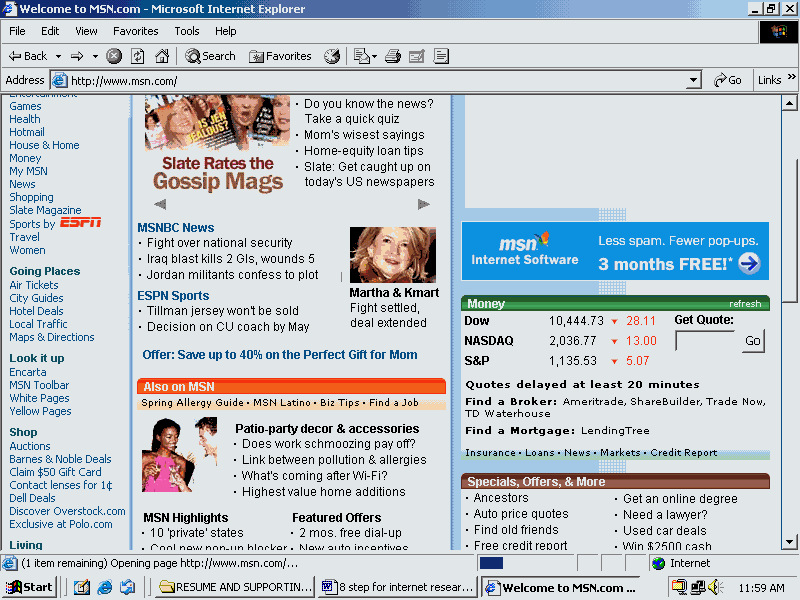
http://www.msitapn12345.com/
Fig: showing Jpeg image and its link below
also copy the URL link just below the picture so that you may know which site you visited and what’s its link is .
STEP 8 COPY MY FAVOURITE FOLDER
Suppose you did your research this day and saved linked in the Favorite folder and went home , next day when you came back and started the computer, it wont boot, the technical support say that a virus came and deleted everything on C: / drive and now you are left with nothing. So for a word of precaution always take a backup of your Favorite Folder, How ?
That’s how. Go in My computer – then go in C: / Drive—then go in Documents & Settings – then go in Your Folder (e.g. wasif) – then go in Favorites –- then copy the folder you made earlier in Internet Explorers Favorites, in my case it was Book publisher---- then save or paste it to other partitions other than C: / drive if available ( i.e D:/ , E: / or F:/ ), best is to write it on a CD.
Always take Weekly or monthly backup of your data, first compress or Zip it with any software available like WinZip 8.1 , PowerAcheiver, etc and then have it write on CD. An investment in CD-Writer would be a good investment as they are getting affordable now a days. So that your search & research remains saved in safe place.
STEP 9 DOWNLOAD SEARCH TOOLBAR
A many search engines now a days have a Search Tool Bar available for download. It’s a handy tool for quick search. You can download these Search Tool Bars from
STEP 10 SOME INSIGHTS & GOOD LUCK
Start with your research and good luck, but don’t sit all the time in front of computer terminal , take brakes, go for walks for 15 to 20 minutes , eat lite, drink liquids more, talk and gossip around. The start of day is good time for research, and don’t kill your social life for research, there are peak hours you can do good research , tune yourself to those hours, Go home on time maintain your extracurricular activities and don’t do research at night , take a good night sleep and you will be fresh for next day research otherwise you cant do research the next day. After a good night sleep next morning great thoughts come to your mind.
Date written : April 27, 2004
Name: Wasif M Khan
Designation: Teaching Assistant Iqra University Islamabad Campus
Education & Area of Specialization: MBA (Marketing & I.T ) Hamdard Institute of Management Sciences.
URL:
www.iqraisb.edu.pk