| Paint Shop Pro - Exploring Features - Week 2 Using the Optimizer Feature Creating Gifs or Jpgs |
 |
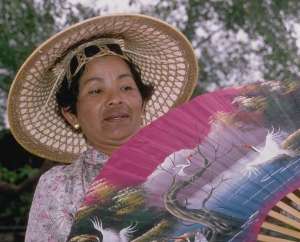
| 20 % compression, a crisp clear picture |
 |
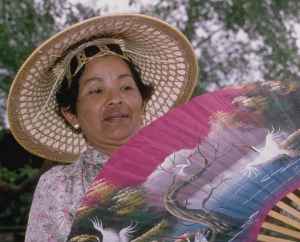
| 40 % compression, still a good picture |
 |
 |
| 60% compression, maybe best choice for web pages |
| 80% compression, picture is degrading |
 |
 |
| 99% compression |
| Used the 99% photo and played with some Kang Filters and this is what happened. If you'd like the filters email me and I will send you a url for them. |
 |
 |
 |
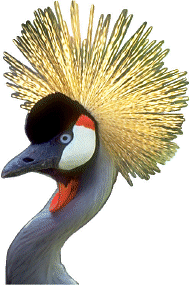 |
| As a gif |
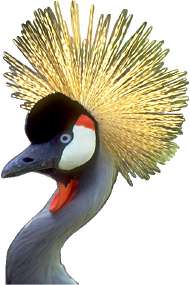 |
| As a jpg |
 |
| Gif File |
 |
 |