
WARNING - This is a lengthy tutorial, so if you are not interested in something that takes some time, do not do this tutorial.
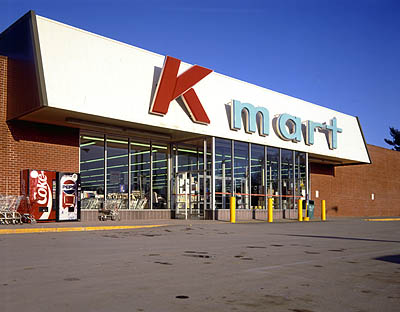

Kmart - www.granitestudios.com (Google image search)
moon - www.lisd.net (Yahoo! image search)
|
|
|
|
|
|
|
|
|
|
|
|
|
|
|
|
|
|
|
| April 13, 2006 | ||||||||||||||||||
| Store Transition from Day to Night | ||||||||||||||||||
| Objective: For this tutorial, I am going to show you how to take a picture of this KMart taken in the daytime and change it to have the sign luminous at night. Please be easy on me because this is my first tutorial I've made for others to follow. WARNING - This is a lengthy tutorial, so if you are not interested in something that takes some time, do not do this tutorial. |
||||||||||||||||||
| On to the tutorial>> | ||||||||||||||||||
| After | ||||||||||||||||||
| Before | ||||||||||||||||||
|
|
|||||||||||||||||
| Image Credits: Kmart - www.granitestudios.com (Google image search) moon - www.lisd.net (Yahoo! image search) |
||||||||||||||||||