The Office
1) Find the crank in the red seats on your right
先從右面的座位找到曲柄
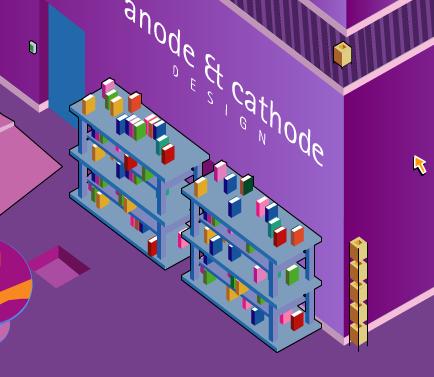
2) Click on the books and you'll find numbers
在書架上會找到一些數字並記低
3) Get the pink/purple book on the top right shelf
在書架上的右上角找到一本粉紅/紫色的書
4) Click on the purple carpet until you find a blue key
點擊紫色的地毯找到藍色鎖匙
5) Click on the red carpet until you find a gold key
點擊紅色的地毯找到金色鎖匙
6) Get the red cord in the basket
在籃內找到紅色的電線
7) Click on the cabinet and get the purple cable
打開櫃門找到紫色電線
8) Click the cd rom under the round table
在圓枱下找到cd
9) Take the letter on the ground (hint about books)
拾起地上的信 (有關書本的提示)
10) Use the keys on the desk
用鎖匙插入書桌
11) You should get a strange compact disk and a love letter
找到一隻磁碟同一封情信
12) Use the red and purple cables on the computer to turn it on
插入紅色和紫色電線插入電腦
13) Insert thr CD rom and click 3
插入cd之後點擊三下
14) Click on the purple block on the ground
取地上的紫色積木
15) Click on the art near the red seats
點擊紅椅旁的畫像
16) Click on the purple block
取紫色積木
17) Click the projector and put the compact disk in it
點擊projector並放入磁碟
18) It will say there is something behind the screen
它會告訴你屏幕後有東西
19) Use the crank on the square on the right
用曲柄插入右下角的正方形
20) The screen will lift and you can get the block*
屏幕上升, 取積木
21) Click on the books on the shelf until the pink/purple book you have displays
buttons
點擊書架上的粉紅/紫色的書顯示你需要抒入密碼
22) Click on the number you drop down
點擊之前抄下的數字
23) The shelves will go apart and you can get the last block*
書架會分開並取走積木
24) Click the square on the ground and put the blocks in
點擊地上的積木並排好
 |
 |
 |
 |
 |
  |
 |
 |
 |

|