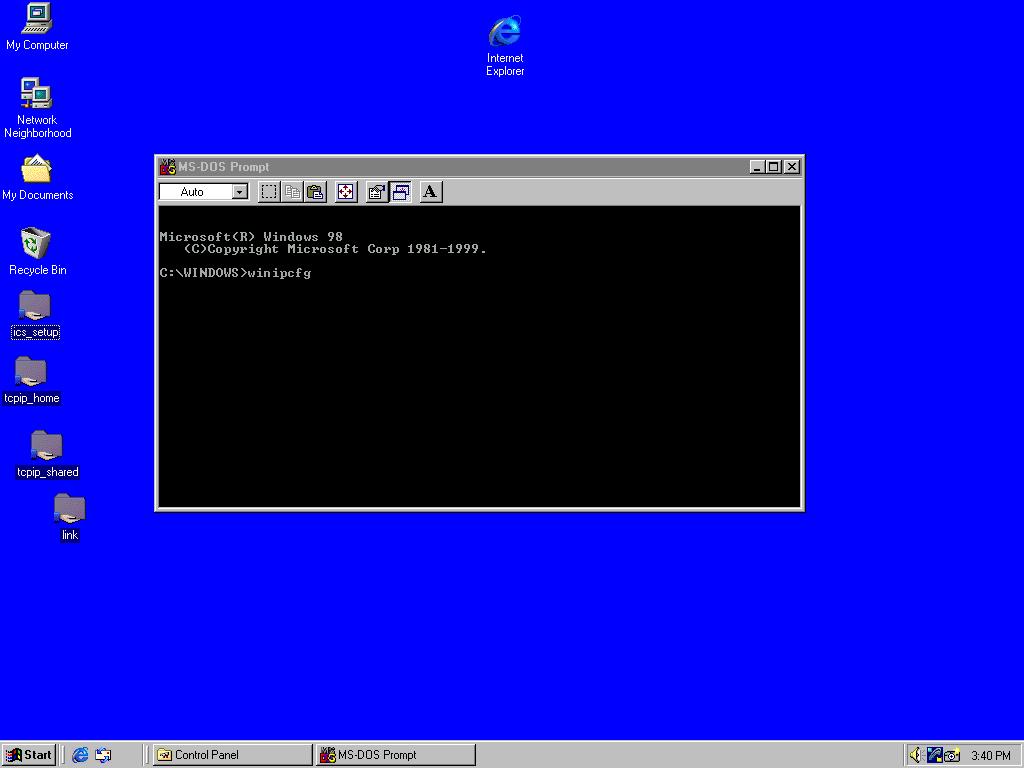
Check to see that your connections are working


Open a DOS window and enter the command winipcfg
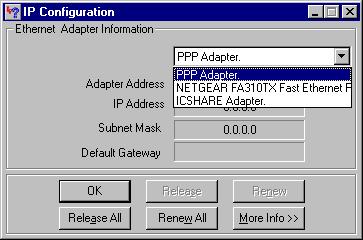
A IP Configuration window should open up with a list of you adapters

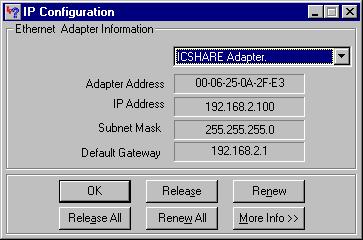
Select the ICSHARE adapter (in this example it is the Linksys WMP11-v27 wireless network card) and check the settings. In this example my ICSHARE adapter has obtained an IP address of 192.168.2.100 from my Linksys wireless AP.

The DHCP range for the AP was from 192.168.0.100 to 192.168.2.110.  The default gateway of the Linksys wireless AP is 192.168.2.1.

If you are connected properly the release and renew functions will work.

This adapter is your wireless link from the AP to your Bridge
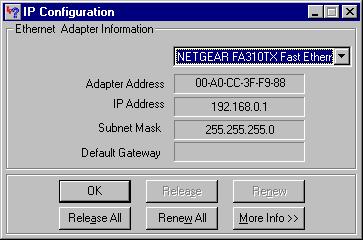
Select the wired network adapter (Netgear). this is our outgoing connection to our wired network.

Notice the IP address is 192.168.0.1.  The next client logging in on the wired network will be assigned 192.168.0.2 .


Hosted by www.Geocities.ws

1