ASUS P4PE-V Broadcom BCM4401
Red Hat 9 (2.4.20-8) Driver install.
Description
The goal of this HowTo guide
is to install the Broadcom BCM4401 LAN driver in a system running Red Hat 9.
Index
- Install Red Hat 9.0 (2.4.20-8) with no patches
or upgrades
- Download the driver
to system.
- Install the driver
- Network
configuration settings using the GUI
- Warning
- Package Group Selection (Add the following)
· SQL Database Server - Add "mysql-server" (Click on Details)
· Development Tools
· Kernel Development
· X Software Development
· Gnome Software Development
· Select System Tools, but remove "ethereal"
- Finish Setup (Forward)
Login using root and your password
Start a terminal window.
Download the Broadcom BCM4401 driver.
Download to /root
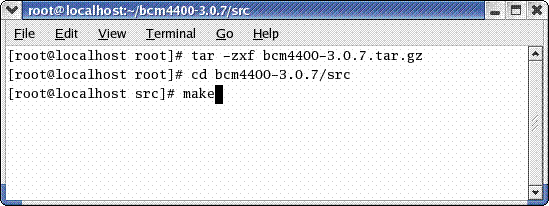
Unzip the file
#tar –zxf bcm4400-3.0.7.tar.gz
A file will be created at
/root/bcm4400-3.0.7/src
Change to the created
directory.
#cd
bcm4400-3.0.7/src
Make the driver module.
#make
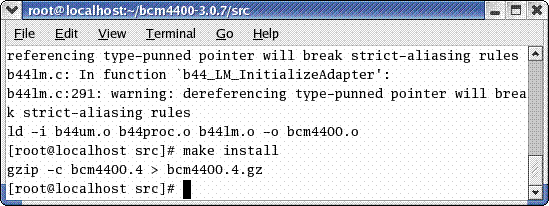
Install the driver module
#make install
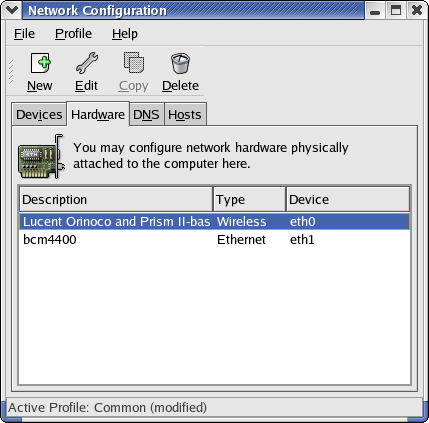
Check
the Hardware window in the network configuration window. The bcm4400 should now
be listed as an available adapter. You
can now use the other options to configure your network settings. My adapter
was installed as eth1 because I had an existing wireless card as eth0. If you
have only one network adapter it will be installed as eth0.
Enjoy !
Warning ! Use at
your own risk. No warranties expressed or implied. These procedures may even
blow up your computer.
This
HowTO is to be free for all to use and copy. GNU license rules apply.
Copyright
[email protected] all rights reserved.
My
Email: [email protected]