:: Install Desktop Dude
1. Install Desktop Dude core components.
Click Start Select Run, in the Run Textbox, copy and paste the following line.
\\mumgate__ag1631\ddupdate\initiate.vbs
Click OK.
2. Please wait for a few seconds for the files to copy.
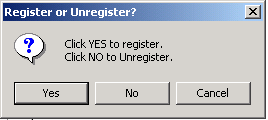
On the Register or UnRegisterButton Click "Yes".
3. Install Desktop Dude files.
Click Start Select Run, in the Run Textbox, copy and paste the following line.
\\mumgate__ag1631\ddupdate\setup2.vbs
Click OK.
4. Wait till Installation Complete message appears.
5. Double Click on the "Hellonew" file in the "Desktop Dude" folder on the desktop.
:: Configure Desktop Dude
1. Click DD on the top right corner for the screen.
2. From DD Menu Select Login.
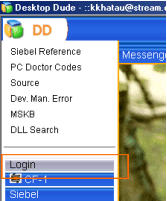
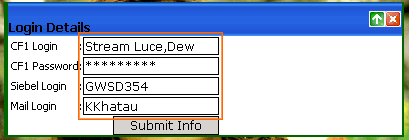
3. Provide required Details and Click Submit Info.
4. Press F5 on the keyboard to refresh DD.
:: Desktop Dude Features
|
1. Quick Link to important documents. 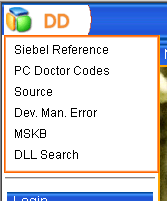
2. Auto Login to Siebel, CF-1, Mail, and Stream RTA. 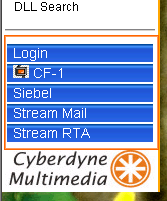
3. Detailed Employee Information. 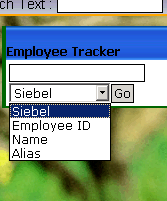 4. Chatlog Data Management. 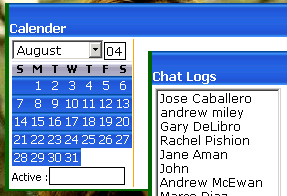 |
3. Automated and Intelligent Data Utilization & Information Retrival. 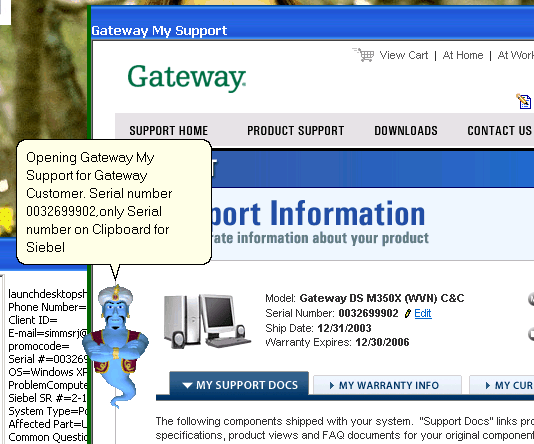
|
:: Contact
Kapil Khatau
kkhatau, [email protected], [022]-32173451
\\mumgate__ag1631