Increase the Multiplier to compensate the power loss over distance
Under Shadow Parameters, Select 'Ray Traced Shadows'
Optional:
You can select cast shadow or not for pointlight as well
First of all, you have to know that YAFRay is a raytrace renderer.
Shadows rendered in basic YAFRay lights are almost hard-edged!
What do I mean for basic YAFRay lights?
Well, they are:
What left in here are 'Omni' and 'Spot'
Here I am going to explain how to play the magic with (G)Max's Omni
You can download my scene file here.
Run the maxscript file and the scene will generate for you!
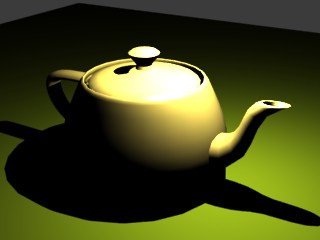
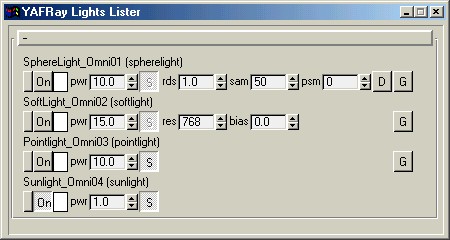
pointlight - A small light source in 3D space, light power decay over distance.
|
Set the Decay type to 'Inverse' or 'Inverse Square'(Recommand) Increase the Multiplier to compensate the power loss over distance Under Shadow Parameters, Select 'Ray Traced Shadows' Optional: You can select cast shadow or not for pointlight as well |
softlight - Same as pointlight but use shadowmap for shadows.
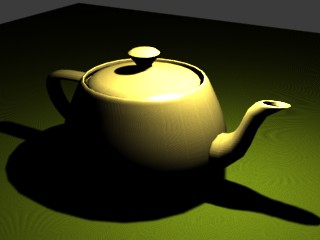 |
Since softlight always cast shadows(otherwise no point to use it?) You have to turn on 'Cast Shadows' Set the Decay type to 'Inverse' or 'Inverse Square'(Recommand) Increase the Multiplier to compensate the power loss over distance Under Shadow Parameters, Select 'Shadow map' |
spherelight - A relativily large light source in 3D space, light power decay over distance.
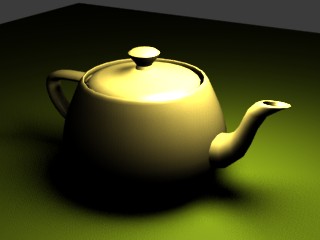 |
Same as softlight, it always cast shadows To use it, you have to 'convert' omni to spherelight via YA(G)Max's Lights Settings GUI |
sunlight - Light from infinitive, NO power decay over distance.
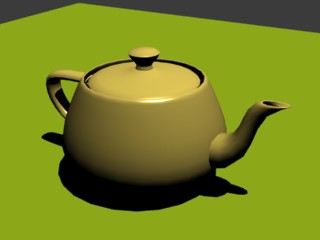 |
Set the Decay type to 'None'. Make sure both 'Near Attenuation', 'Far Attenuation' are NOT used. Decrease the Multiplier otherwise light will be too strong! Optional: You can select cast shadow or not for pointlight as well |
Hope these help and happy rendering!
Kam