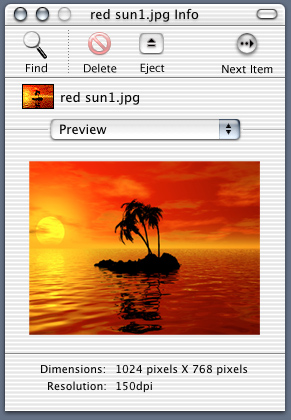
- Double clicking on the image, document, folder, or application preview opens the selected item (located in the center, you can't miss it!).
- If the file is an image (psd, jpg, gif, tiff, etc...) the dimensions and resolution (obtained from file meta data) are shown. The image preview should be scaled up or down so its are viewable(If the image *preview is less than 96 pixels X 96 pixels the icon of the image file is shown at 128 pixels X 128 pixels instead).
- If the file is a text document (txt, rtf, doc, html etc...) the word count and number of lines and pages (obtained from file meta data) are shown under the preview text.
- If the file or folder is locked the preview is not shown.