- This could also be implemented under the services menu instead of the menubar (just a thought)
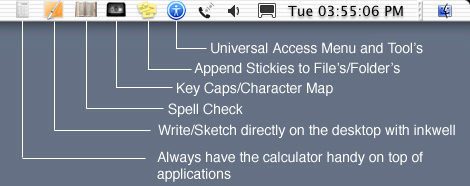
- Calculator- Functions like the current calculator app except that there is a scientific mode allowing for complex calculations/conversions (decimal, octal hexadecimal, binary, etc... and vice versa) and that there is only one menu with all the commands. It remains on top of all windows so when you switch apps to look at other numbers, it is active versus having to switch back and forth repeatedly.
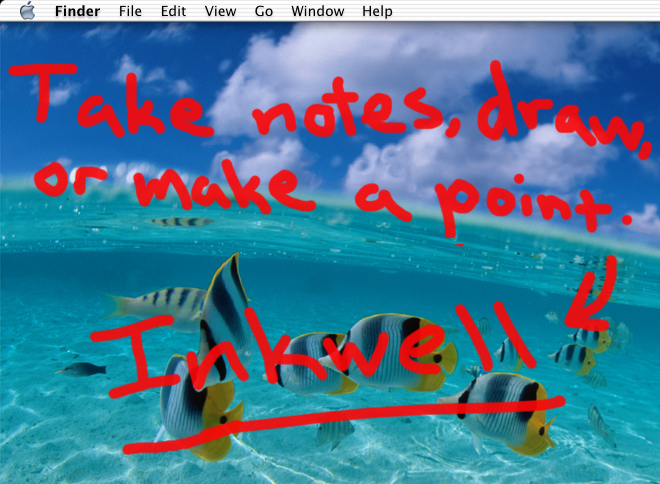
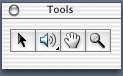
- Inkwell- Allows you to show/hide inkwell tools (appear in a pallete), create separate layers (see below) for each application (used for taking notes/sketching over applications; great for presentations.), switch, hide/delete between these layers and access other inkwell features.
- Spell Check- A system wide spell checker that appears as a sheet(or dialog). It spell checks an entire document or selected text. Definitions are stored in a database, along with the type of documents that it can spell check ( .txt, .rtf, .doc, .psd, .ai, etc...). Also has options to under its menu for looking up words etc...
- Key Caps/Character Map- Lets you look at all the characters within a font, and copy/paste between documents.
- Stickies- Not the same as the current stickie application. It is available to all apps in that you can append stickies to files (folders as well when in the Finder), and applications. When appended to the current file within an application that you are working on and saved a badges added to the icon of the file indicating that it has a stickie, to view the stickie open the file and select view attached stickie(s) from the stickies menu item. Appending stickies to an application stores the stickie note in a folder with a reference to application in which it was created(stored in metadata), to view selected view application name stickies. Obviously there are commands in the sickies menu to create/remove stickie notes. The benefit of this is that stickies aren't all stored in one application (currently) which causes screen clutter, notes pertaining to certain files/folders/applications are stored in an organized manner, and are easier to sort/access.
- Universal Access- Allows you to quickly turn on/off universal access features as well as introducing new tools for navigation(see below).