
Adobe Photoshop CS2 Lettering Tutorial
By: Jarett Collins
|
Adobe Photoshop CS2 Lettering Tutorial |
 |
Welcome to my website!
Ever wonder how those graphic artist create those diamond style letters.
Well wonder no more because this webpage will show you how.
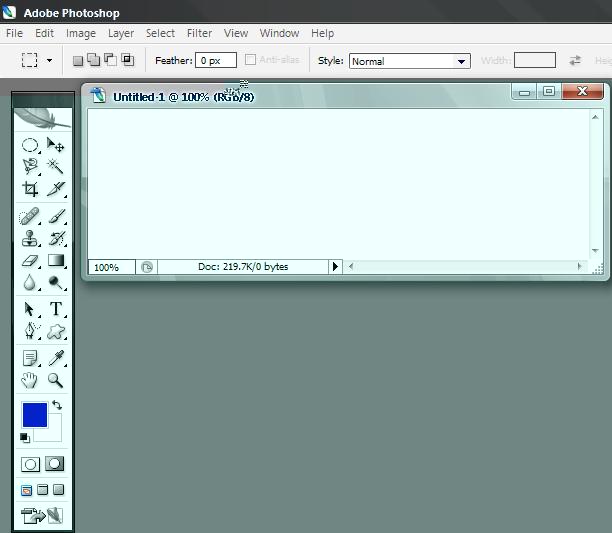
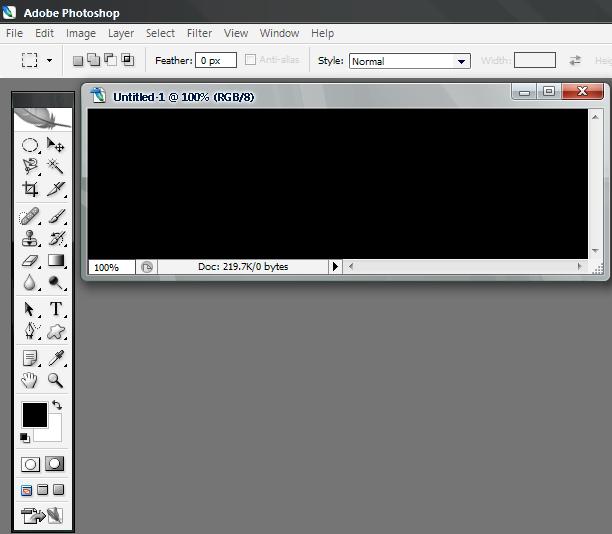
| Step 1. first start off with a blank document. Any size would be fine, but I used 500 X 150 pixels.
| Fill the background with a dark color like black.
| Step 2. Select the "Horizontal Type Tool"
| Step 3. Select any text type. I chose Frankenstien.
| Before typing in text, make sure that the foreground color is set to white.
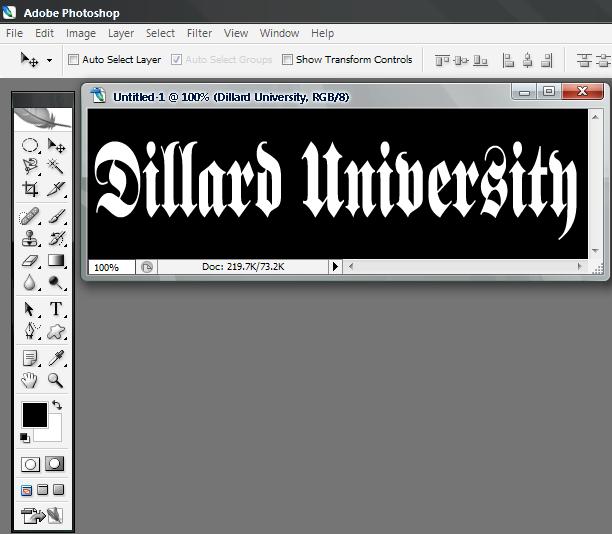
| Step 4. After you type in the text, set the foreground color to black and the background color to white
| Select the text layer by pressing ctrl + left click.
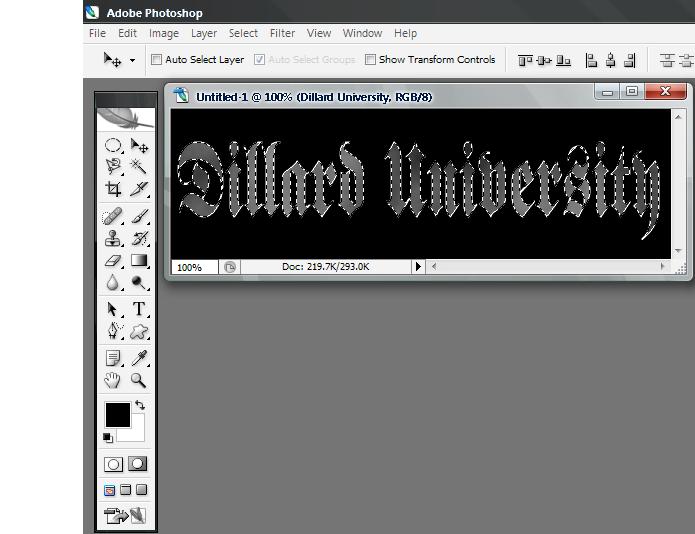
| Step 5. Go to "Filters" tab, click "Render" then click "clouds".
| press ctrl + F.
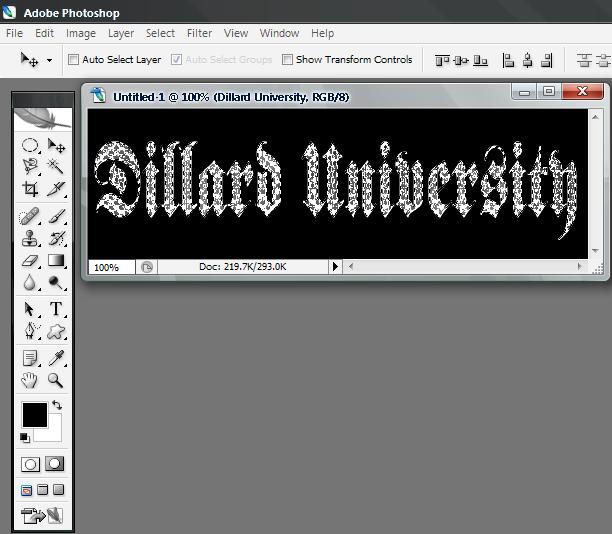
| Step 6. Go to "Filters" tab, click "Distort" then click "Glass" with settings Distort = 4, Smoothness = 1, Texture = Tiny lens, Scalling = 50;
| Press ctrl + d to deselect the text layer
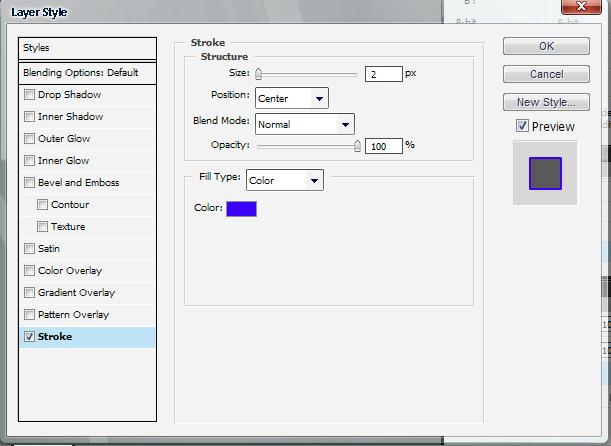
| Step 7. right click the text layer and click "Blending options"
| click the check box labled "Stroke" with size = 2, position = center, color = any color of your choice.
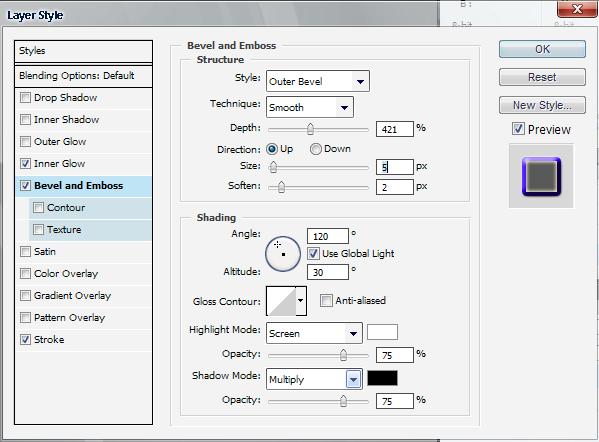
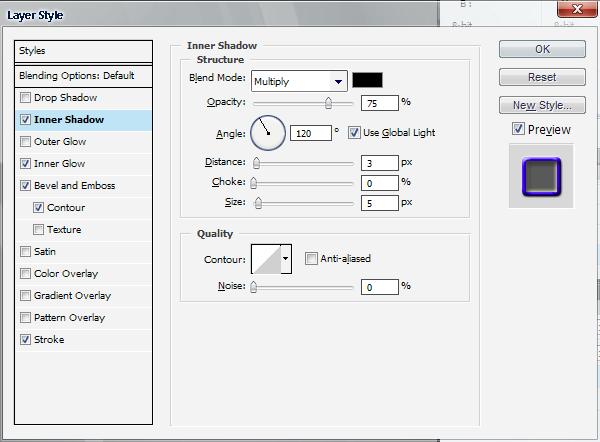
| Step 8. go by the following menue with these same settings
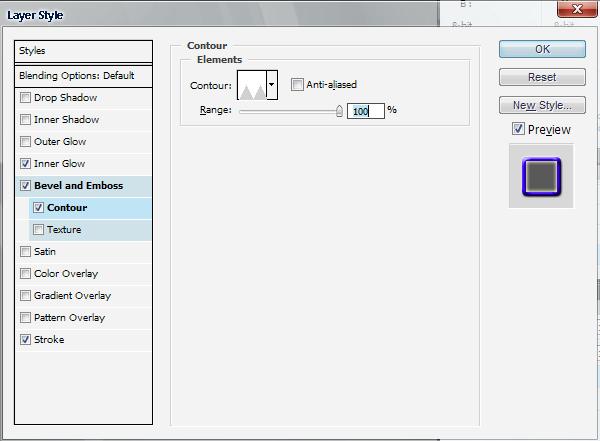
| Your Text should look something similar to this.
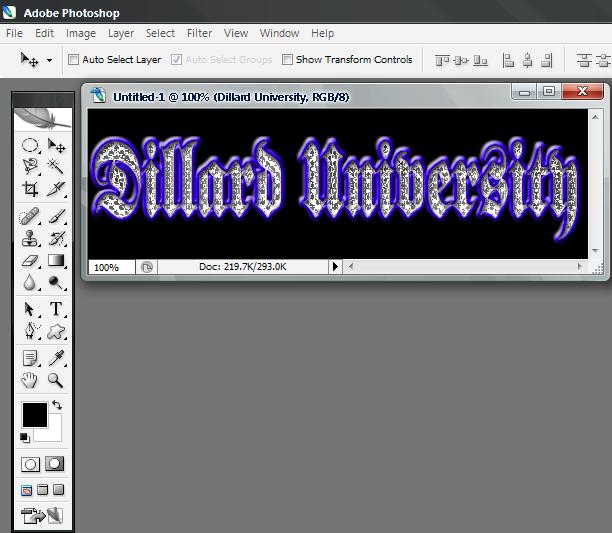
| To make the text look a little more realistic, I added some shine to it.
| and there you go. Bling Blingin without a doubt.

 |