SolidWorks 2004 Routing-isms
This list was generated to help a few SW Power Piping (Routing) users across the nation share
ideas, thoughts, issues. Any comments, concerns or questions are welcome.
Hopefully here we can log/share ideas on how to work around (or thru) many of
the issues we run into. They are listed in no relevant order.
It is not my intent to bash, bad mouth or negatively discuss the
SolidWorks Corporation or these issues. I just hope to facilitate further
discussions:
View the Piping Discussion Forum Here.
- The help files. There are a couple of different things that it says
you can do, but can't... like.. removing tube between two fittings.
There are problems with the help, the
one we found was that if you select "Always use elbows" then sketch a non
standard elbow 45° the system will automatically insert the elbow selected
and will not open the "Custom elbow" dialogue box, you need to have the "Prompt
for elbow" selection checked
- If you route "flexible tube", then run a straight piece of tube,
split it, add a tee, the branch of the tee will not allow you to route flexible
tube off of it.
- Adding subassemblies into your route makes the piping package
unstable. If you route tubing, you NEED this feature in order to add a collar,
nut, gland, coupling, etc... to your route... since you can't remove tube
between 2 fittings.
I can't insert assemblies into the
route nor can I find any information telling me how to do it or what I need to
do it. Help!!!
Has been my gripe since SW2001+.
Adding sub-assys etc., has proven to make our spools unstable as well.
- Parametrics issue...There is NO easy way to resize an entire line of
pipe. You have to go into the route, manually change all the properties of the
fittings to the new size, and then the pipe is displayed (in the sketch) at the
new size. When you exit the sketch, SW will not ask you to save a new pipe file
with the size, it will revert back to the original size. So, you have to delete
the routing file for the old size, re-enter the sketch, exit, and then you will
be prompted for a new size. If you are routing tubing or bent pipe, just
imagine all of the pipe files you will have to replace.
He's right it is not easy to change
sizes and you do have to change all inserted components manually. This is the
same in 2003, but would be a great enhancement. I did have another problem when
I tried this. Each time I changed the sizes the dims would shoot out into space
and I could not get them back
Agreed – Amen and bless you.
We’ve accepted the fact any change in pipe size would pretty much
guarantee a new spool. But part of that is due to the way we built our Piping
Part Library.
- If you route (for example) a 6" line, make a turn, so there is an
elbow, the bend radius for a 6" LR elbow is 9". If you come back and add a
6"x4" reducer before the elbow, everything changes, except the bend radius
where the elbow is. SolidWorks will not recognize the change, and will ask you
to specify a new, custom pipe file for a 4" elbow with a 9" radius. You must
manually change all of the bend radiuses in your route to the correct
size.
The elbows will automatically update
if you use the selection "Prompt for elbow", but this is not what we want. With
the selection "Always use elbows" the dim will not change even if you insert
reducers on both sides of the elbow.
yup – another “user must
know how to get around this” from the undocumented list of SW Piping
Tricks.
- I have my own library of "upgraded" SW parts... If you work on your
computer, and you don't use the standard SW parts (pipe file, elbow, etc) and
you have a different library path than your co-worker who works out of her "my
documents" folder, you will curse and moan for about 30 minutes while you open
her assembly because SW says it cannot locate EVERY SINGLE route and pipe file
that is pointing to her directories. SW should recognize the "FIRST" time you
specify a new directory, and look there if it cannot find the next file.
I have a strict policy all user paths
are the same and when we transfer work we take the complete contract dir. Until
we start using PDM this has worked ok.
won’t setting the path via Tools
-> Options help? We keep our library on the server for that very reason.
That and there’s now only ONE copy to maintain. However, the drag n drop
time from the Feature Palette (crap) is greatly increased because it has to
look out to the server and back. Yet another 45 minute phone call – still
no resolution (even with our 1.0GPS NIC’s).
- You can add lots of subassemblies into your route... but you can only
add ONE to the END of a route. What's up with this?? You get the same error if
you exit the route, and try to add more than one to the top level of the
assembly. Any subassembly that clicks onto the end of a route, you can only add
on of.
I can't insert sub-assemblies.
Help!
- The routing file rules... that I sent earlier, about creating new
pipe/tube files when you exit the sketch, sometimes it makes you create a new
file for every piece of pipe you route even though you used elbows.
Inconsistent in when it happens.
I have had this trouble in piping, but
can not duplicate each time. Out of the blue it will decide to save each
segment of pipe as a separate part file. Once it has assumed this is the way to
go the only way out is to delete and start over.
Why??????
- If you drop a part into an assembly that has 1 cpoint, SW will prompt
you to start a new route automatically. If you drop in a part with 2 cpoints,
SW will not prompt you to start a new route. In previous versions, SW will
prompt you to start a new route, based on Cpoint.
In 2003 if you drop a multi C-point
part into the assy it does not start a route either. I have no use for this but
others may and I see no reason why the program couldn't be set to do it. All
the info is in the part and current dialogue box.
- More of an enhancement to the overall SW package. I want to make a
"mid-point" mate in the 3D sketch damnit! I have a route line, and I want to
add a weld-o-let in the middle... so I add a construction line, so I can come
back and add my Weld-o-let at the top assembly level, but I cannot mate my
centerline to the mid point of my line. )
Yes a mid-point relation and also an
equal relationship heck any others missing. Why should we be limited??
- Under Tools..Options... System Settings...Routing.... "Create Pipes
On Open Line Segments". From what I THINK the help file is telling me.... if
you start a route with a flange, add pipe, then just end the route, SW will not
create pipe on this route if this option is UNCHECKED because it is an OPEN
LINE SEGMENT. This doesn't work... I still get pipe with or without it checked.
Can somebody try this and tell me if it worked in 2003, or if it does work in
2004, and I'm just doing it wrong.
Yes your right 2003 no pipe is created
if the selection is made but in 2004 pipe is created.
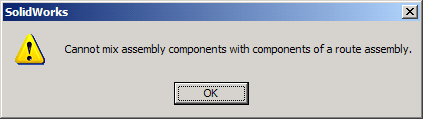
- When inserting a valve assembly (flange-gasket-valve-gasket-flange
& bolting) into a Pipe Route: 1) the process is undocumented. 2) the valve
assembly cannot be dissolved into the top level assembly OR the route assembly
itself - bug?
- Every time I start 2004 I have to load the routing add-in. Does this
happen to anyone else?
I've had that problem in the past. Your Windows registry has a line in it that shows the SolidWorks add-ins that are activated. It can get confused if more than one version is running on the same machine.
Yes! For me, I believe its because I had SW2003 & SW2004 on my system together. My lesson learned... I removed both, spent 30+ minutes cleaning out my registry, had my IT group install an external USB HDD, loaded SW2004 SP1.0 on my laptops HDD and SW2003 SP5.0 on the USB HDD.
My SW add-ins still get confused sometimes but I can enable/disable them easily. Previously when I had both version of SW on my laptops HDD, I would lose the DLL file and things would get ugly-er