| Using WinRAR |
|
For this tutorial I'll use Real Player v7.0 that has been split into 4 WinRAR files as an example. 1. - It's always good practice to organize your compter. Here I make a new folder and name it Real Temp.  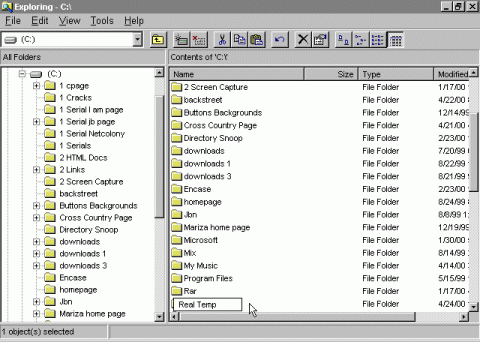 2a. - If you have downloaded .ZIP files that contain WinRAR files you must first extract the files into one folder. If you downloaded WinRAR files then you can skip this process. 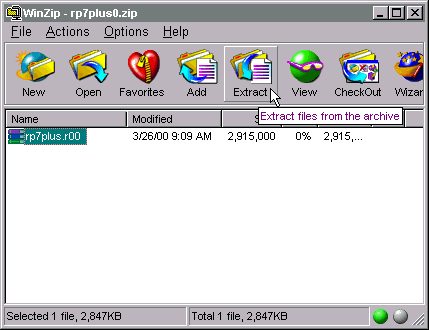 2b. - Scroll down until you find your folder you are going to extract to (in my case it's Real Temp). Then click "Extract". 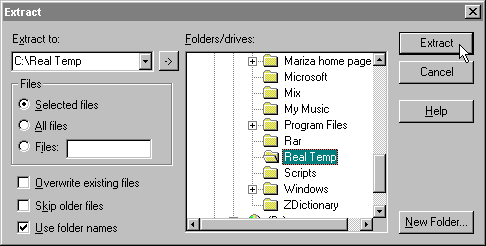 3. - Once all the files are located in one folder you can continue. 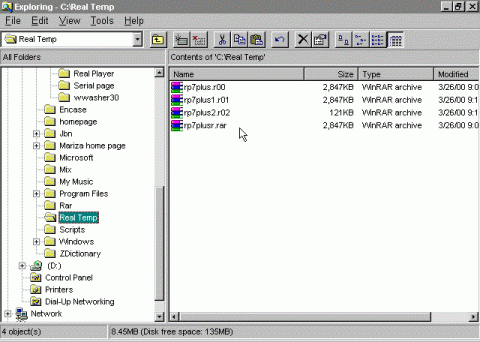 4. - Open WinRAR and go double click the folder Real Temp. 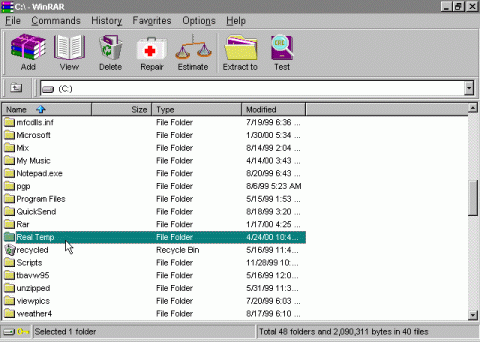 5. - Select all the files by holding down the control key. Then click "Extract to".   6. - In this case I just 'Extract to' the same folder.  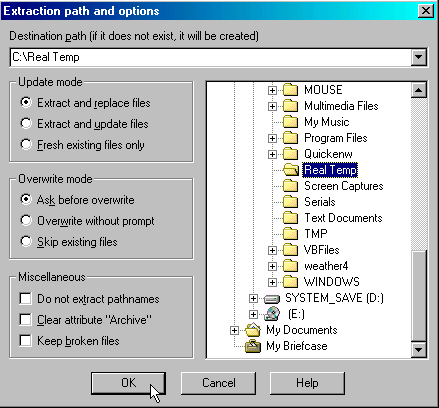 7. - Extracting in progress.  8. - WinRAR has now combined all split files into its orginal form.  |
| Back to How To |