| Entering a Proxy in Netscape |
|
1. - First go to 'Edit' then 'Preferences'.   2. - Go to 'Advanced' then 'Proxies'.  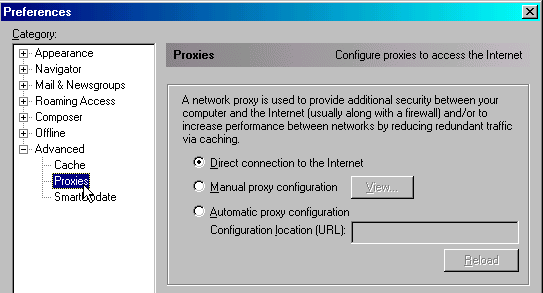 3. - Check 'Manual proxy configuration' then click 'View'.  4. - Enter proxy for both 'HTTP' and 'Security' and enter port. 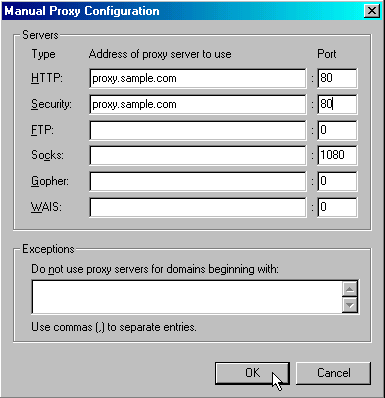 5. - Click 'OK' above and you're done. Search for proxies here.
Check for anonymity here
For more on proxies click here |
| Back to How To |