


| A
Computer or Laptop:
If you can bring one, do it. There's nothing like downloading Music tracks, videos or prOn , surfing the web, gaming, etc in less than three seconds when it would have taken two hours back home. (Note downloading large files and doing so excessively does slow down the university network in general, so ease of it a bit as its frustrating waiting 2 minutes for a simple web page to load esp, during exams or doing coursework online) Oh...and you can also do your work on it without having to use the computer labs. Make sure you have some good antivirus software( the university uses SOPHOS antivirus) and a printer before you leave. I also recommend downloading Ad aware and the other spam fighters, the firewall that comes with WinXP SHOULD be enables too keep out viruses and to protect your computer from evil computer nerds with nothing better to do. and (I'm a good computer nerd). More info for WinXP ICF (internet connection firewall) firewall click here. All / Most pc's are fitted with zip100 drives now, all are fitted with a floppy drive, CD-ROM drive (not sure of the speed but they are good) , sound ports (i.e. microphone jack, earphone/ speaker jack, line in jack. Storage: Some may be interested in portable storage like me, my recommendation is to get a memory stick / Flash drive / Pen Drive. I used one for storing my documents (e.g. lab work, course work) or music or any other file including pictures and .Zip files. With Win 2000 and XP, they don't normally require drivers. Therefore they are just plug and play. With Win 98/ME, ( The university uses Win 98SE ). You normally need Drivers .The Memory Stick should've come with a CD with appropriate Drivers, but if not, check the manufacturer's website for the latest drivers. (Good tip: Place the driver on your uni user area or floppy disk cos it would make it much easier for you to access if you want to install the driver on any pc.)
Connecting
to the internet:
Connecting to the internet is not as complicated as some of u think.
All that is needed is an Ethernet
network interface card. (NIC)
otherwise
simply known as an Ethernet card.
The cable is included in the subscription fee but note that you cannot
connect to the Service via any type of modem or modem card (dial-up,
cable, DSL or ADSL) and i wondered about WiFi currently there are
wireless access points in most public meeting places e.g. Cafes and
libraries. More
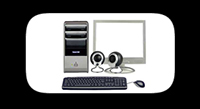
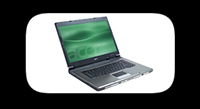
info here Back to top of page | Back 2 Unilist page | Homepage  Once a decision has been made to buy a new university computer, the next common question is whether it should be a notebook (also called a laptop) or a desktop style computer. (The "desktop" category includes true horizontal desktop models as well as mini-tower and tower models that can stand vertically on the floor or desktop.)
As with many aspects of the university process, there is no "right" answer to the desktop vs. notebook debate. Each comes with significant advantages and disadvantages, and which is better will depend on the needs and preferences of the student. Notebook Computer for University - Advantages - Easy to transport to and from school. - Takes up little room space or desk space. - Can be carried to class or library for note-taking, study, etc. - If wireless network is available, adding a wireless card via the PCMCIA slot at the side of most laptops, provides easy access to university network and Internet in many locations on campus. Newer notebook computers may have built-in wireless networking ability. - Can be brought home during weekend or holiday visits. - Can be shipped to manufacturer or taken to dealer for service. Notebook Computer for University - Disadvantages - Much more easily stolen, particularly if left near unlocked windows in campus accomodation. - More easily dropped or broken (dont be clumsy with laptops). - Somewhat more prone to failure than stationary desktop computers of comparable quality. - Significantly more expensive for comparable speed and capacity. - Limited expansion and add-on capabilities. Desktop Computer for University - Advantages - Typically, more speed, memory, and storage for a lower price. - Relatively difficult to steal. - Lower probability of failure for comparable quality machine vs. notebook. - Relatively easy to expand or modify as needs change. - Less costly expansion products such as large hard drives, additional memory, and special purpose cards. - Flat screen LCD monitors are now reasonably priced, reducing desk space requirements and making storage/shipping easier. Desktop Computer for University - Disadvantages - Space-consuming and awkward to move to and from school. - Takes up valuable real estate in cramped dorm rooms - Can't be carried to library or classes. - Difficult to ship if repair/replacement is needed. Part of this decision process involves the way people use their computers personally e.g. For basic Word editing, For Gaming, For Video editing or Probably for Software programming/CAD rendering. This would be a great topic to ask about during campus visits, prospective student days, and early orientation. Also, present students can be queried by e-mail or on the forums for more input. If flexibility, space and easier management is required , a portable computer might be essential. Hope this helps you make up your mind. |
||||||

|
||||||
| See
Disclaimer/Terms and conditions below. |
 Most
computer rooms have become 24hrs acces, so all night computing bring it
on. (Good
tip: Use the computer rooms in
the Hallward Library or Trent Building,
they
have USB ports at the front (if the haven't changed the pc's already).
Most
computer rooms have become 24hrs acces, so all night computing bring it
on. (Good
tip: Use the computer rooms in
the Hallward Library or Trent Building,
they
have USB ports at the front (if the haven't changed the pc's already).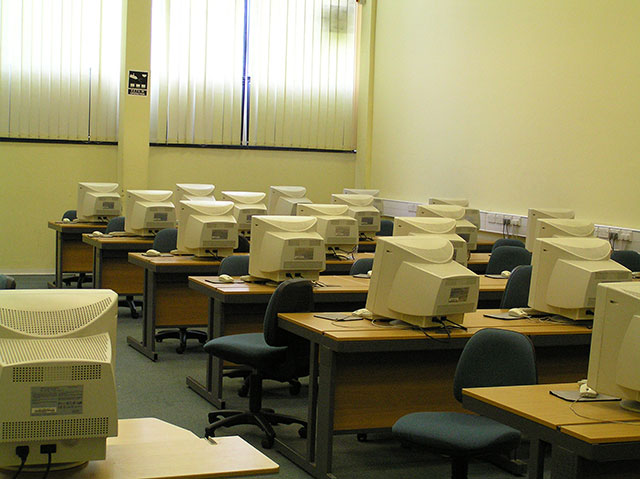
| Copyright
2004 - 2005 Terms & Conditions | Contact | Guestbook |