|
Getting the most from flight sim 2002 |
||||||
Add To Favourites |
IntroductionFlight sim 2002 uses up all lot of
space, for all that space you get all lot of features. Many of these features are not that
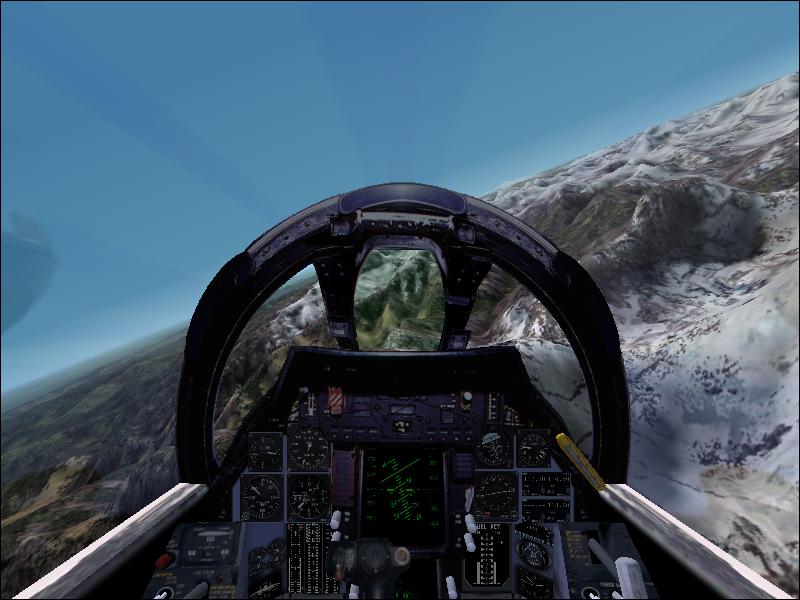
well known. Until now Full screenTo get full screen in flight sim 2002, hold down alt & Enter. It uses up your whole screen, rather than having the task bar at the bottom. The picture you get is some what near to amazing! ReversingIts easy enough to reverse away from a gate at an airport just by using a jets reverse thrusters. In real life however they dont use reverse thrusters to back away from a gate, they taxi backwards. You can taxi backwards by holding down "shift p" together. Flight schoolEmbarrassingly enough when I
started flight sim 2002 I couldn't find these pages which I needed to read for the flight
school. Eventually I found a libary of text. Its located in flight sim 2002 at the
start-up menu, go to "libary/Help", from there there are lots of things
to read on flight sim, if like I was some time ago taking the flight sim lessons, read rod
Machados ground school. I have read all of that, yes every single friggin page. I was amazed by the fact that the flight sim team expected the ordinary gamer to read a manual 100 pages long! I am not the ordinary gamer, I read it. It took me hours. That is why I made this page, I know that most people would take one look at that book and laugh. That's when I decided how good it would be if there was a web page which taught quickly. Overall most people buy flight sim 2002 and just want to fly as much as possible, not read, but really trust me being able to fly fully on flight sim is so much better than flying like a lunatic at 100 feet above the ground with simulation rate at 16 speed. Flight planI was amazed by this feature. The best way to learn how to use it is to experiment with it, but I will just say a few things.
Trim (aka Pitch control).Flying a plane can be easy, but the
hardest thing to do well is fly |
 that is!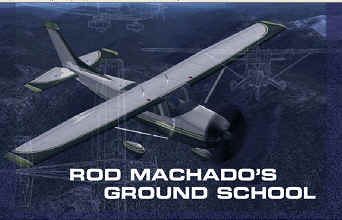

 example, a plan for a flight from say Heathrow to Stansted would include
flying to a vor station and then flying to Stansted at 4000 feet.
example, a plan for a flight from say Heathrow to Stansted would include
flying to a vor station and then flying to Stansted at 4000 feet.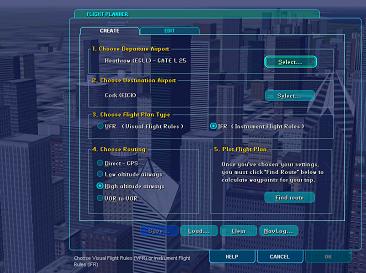 By now you
may want to know, where is this flight planner? Easy as peas. From the main menu
go to create new flight, from there select flight planner. Its quite straight foreward how
to use, the only other thing I want to mention is the box with the 4 on top. If
you choose direct GPS, that's the quickest way, but after a while you will get board. Low
altitude airways is just low altitude airways. High altitude airways (I seems to be
clear). Vor to Vor, means that when you navigate you will only use vor stations, not NBD
and other.
By now you
may want to know, where is this flight planner? Easy as peas. From the main menu
go to create new flight, from there select flight planner. Its quite straight foreward how
to use, the only other thing I want to mention is the box with the 4 on top. If
you choose direct GPS, that's the quickest way, but after a while you will get board. Low
altitude airways is just low altitude airways. High altitude airways (I seems to be
clear). Vor to Vor, means that when you navigate you will only use vor stations, not NBD
and other.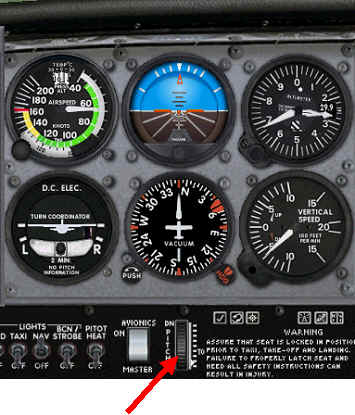 straight and level with out
descending or increasing your altitude. The problem with this is after a while your wrist
gets in pain after holding down the joystick, to combat this planes have the trim. All
trim does is finely tune your pitch (up or downwards movement), and therefore you
dont need to hold down the stick, it does it for you. Change your trim with the following
keys, 7 on the numeric keypad (make sure numlock is off) and 1. 7 makes your aeroplane
tilt downwards more, and 1 aims it higher up in the sky. Alternatively you can use the
trim control found on the cockpit panel on most planes.
straight and level with out
descending or increasing your altitude. The problem with this is after a while your wrist
gets in pain after holding down the joystick, to combat this planes have the trim. All
trim does is finely tune your pitch (up or downwards movement), and therefore you
dont need to hold down the stick, it does it for you. Change your trim with the following
keys, 7 on the numeric keypad (make sure numlock is off) and 1. 7 makes your aeroplane
tilt downwards more, and 1 aims it higher up in the sky. Alternatively you can use the
trim control found on the cockpit panel on most planes.