Click here to
download Eyes Resurrected for free!
Would
you like a funnier desktop? Eyes Resurrected is the perfect program (or,
perhaps, I should say the perfect foolishness) for you. By using this high-tech
tool, two eyes following the mouse cursor all the time will be present on your desktop. You will feel your computer has become alive and it is looking at the world through that pair
of eyes!
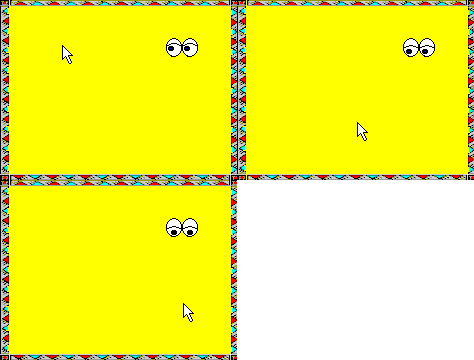 Eyes Resurrected is a remake (hence the name) of
a program for MS Windows 3.0 that became unusable as soon as Windows 95 was
launched. The current release is quite similar to the original application and
includes, as it did, the following characteristics:
Eyes Resurrected is a remake (hence the name) of
a program for MS Windows 3.0 that became unusable as soon as Windows 95 was
launched. The current release is quite similar to the original application and
includes, as it did, the following characteristics:
*
The eyes wink at you after moving them or when the application is started or
closed.
*
They blink from time to time.
* If
the mouse does not move for some seconds, the eyes start to doze and fall
asleep.
If
you right click on the eyes, a context menu with these options appears:
*
Close. End the execution of the tool.
* Delete
Registry Key. Use this option if you decide not to use the program anymore.
It removes the information saved in the registry.
* No
Alt Tab. If you activate this option, the icon of the program will not be
shown when you press Alt Tab.
* Help.
Displays a help file.
* About.
Display some information about the application.
Eyes
Resurrected has been designed for Windows XP. It is not recommended
to run it under Windows 9x, as it uses a hook procedure that could show an
unpredictable behavior (but not dangerous).
To
install Eyes Resurrected, extract from EyesResurrected.zip the three files eyes.exe, hook.dll and eyes.hlp to any directory and execute eyes.exe from it. To uninstall the program, delete the files after executing Delete Registry Key.
Enjoy it!