Welcome
In this guide I will show you how to easily convert AVI's to iPod formated video files, and for FREE. For this guide you will need 2 tools:
1. Downloading, Installing and Setting it all up
Click on the links for the tools above to download the tools.
Install iTunes and Quicktime (they are packed together in the same .exe)
Unzip 3GP into any directory
Navigate to the new 3GP directory
Run the setup.exe program.
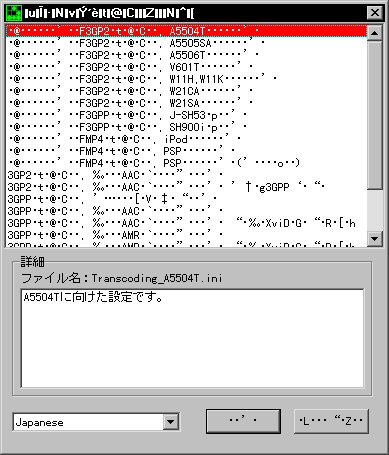
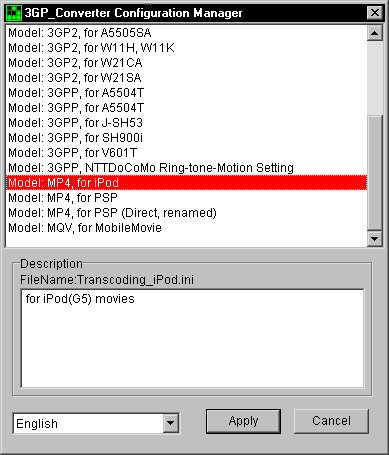
First change the language to english.
Then select iPod profile.
The click apply
2. Encodeing and Tagging
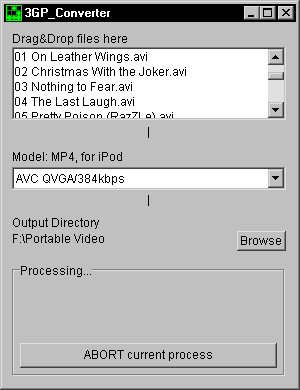
Next run 3GP_Converter.exe
Fist select the output directory
then all you have to do is drag the avi's onto the window.
When the file is done iTunes will automatically launch
In iTunes rightclick on the new entry in the playlist
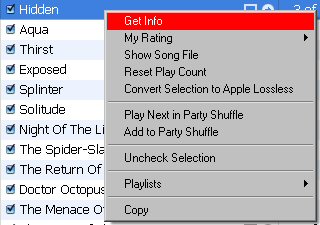
Select Get Info
In this new window enter in information as you see fit.
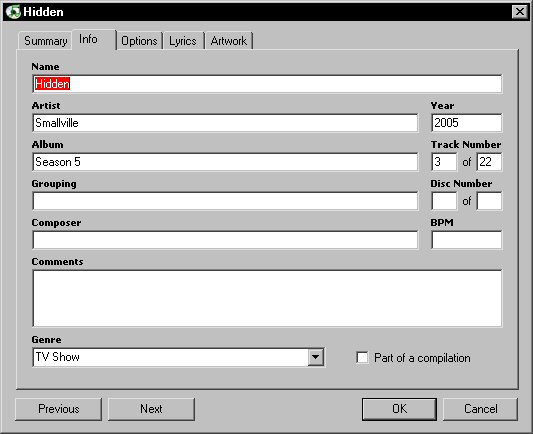
Upon entering the information you can rename the file if you want.
If you do choose to be sure not to have too many characters in the file name. There is a limit on file name length i'm not sure what the limit is though. also if you do rename it you will have to re-add it to the iTunes playlist.
3. Playing on iPod and your TV
Hook up your iPod video (5G) to your computer via a usb 2.0 port(can use 1.1 port but it will be very slow).
Your iPod will appear in the left collum
Drag any files (audio or videos) onto the iPod icon and text
Files will start to transfer
When files are done click the eject icon beside your iPod icon in the left collum
Whatch your video's anywhere now!
[TV]
You have two options for this:
- Apple video cable
- Apple universal iPod dock and remote
I sugest the dock and remote that way you can controll the video's from your living room couch.
Have fun!
Jk2000_at_pa_dot_net
feel free to IM me on yahoo messanger
Get your iPods here.
For playing your videos on your TV pick these