What is a favicon?, how do I add a favicon for my website?
What is a favicon ?
The small icon diplayed on web browser next to the URL in the address bar. Favicon stands for Favorite Icon and also known as page icon. Please have a look at the following images, you will be more clear on the idea.
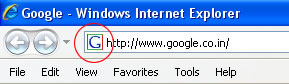
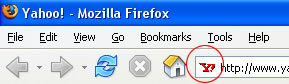
Note the icon's inside the red circles.
How to add a favicon to your site?
1. Its better to have your favicon in 16x16 pixels or 32x32 pixels size and either in 8-bit or 24-bit colors.
2. Save the icon with the default file name of favicon.ico in your website's root directory.
3. If your icon with a file name other than favicon.ico or your icon is saved in any other location you should add the following line of HTML code in the head section of your web document to attach the favicon. The line of code includes a link tag that specifies the location and name of the file.
<LINK REL="SHORTCUT ICON" HREF="http://www.yourdomain.com/myicon.ico">
Dont have an icon? CLICK HERE TO GENERATE ONE!