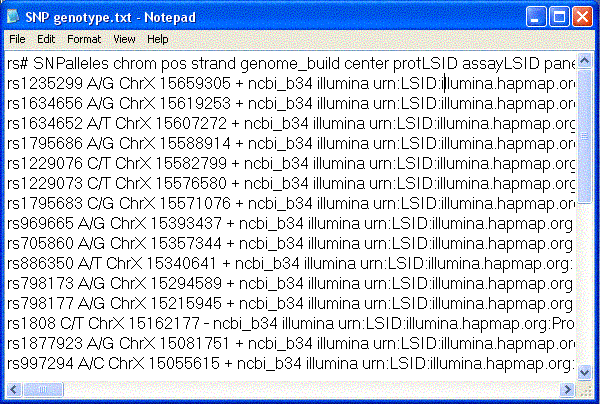
Please find out
1. How many haplotype blocks in this region of Chromosome X?
2. Could you find out the tagging SNP in each haplotype block?
To find out haplotype blocks and tagging SNP, we need SNP viewer program. In this demonstration, Haploview was used.
Steps in using Haploview
1.Open Haploview : you will see this window as picture below

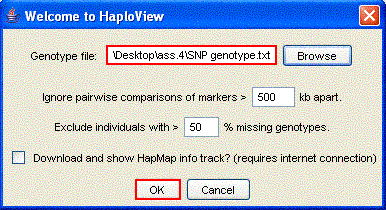
Then browse genotype file which is our genotype data that already prepared, in this case file name is SNP genotype and click OK.
2.Check markers : this is the first window after loading data finish
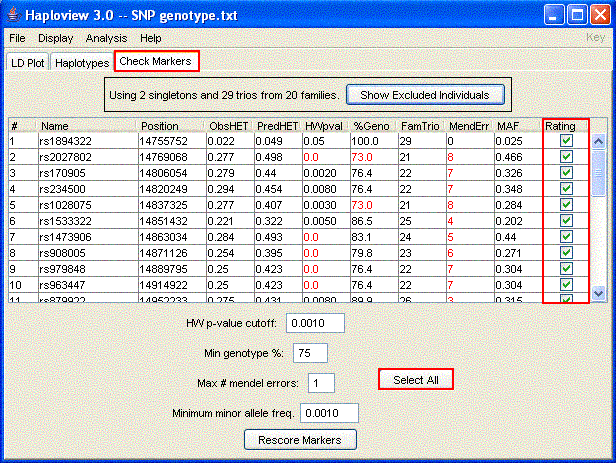
Click "Select All" to select all SNP marker in this part of chromosome
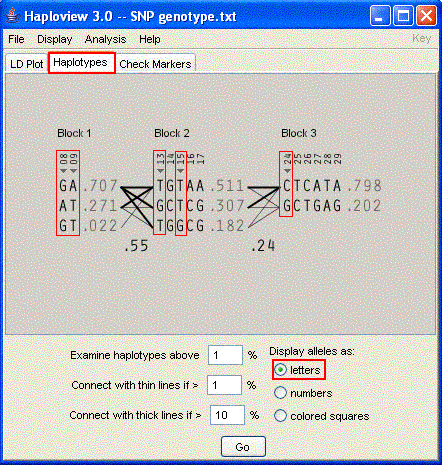
3.Define Haplotype blocks : click on "Haplotypes" to get Haplotypes data in this region of chromosome. In Haploview there are 4 methods to define haplotype blocks, you can choose by click "Analysis" > "Define Blocks" > choose one of four methods
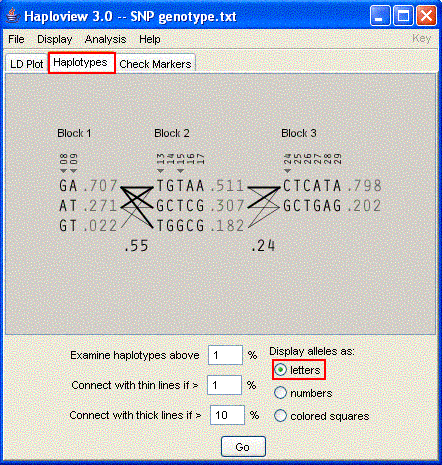
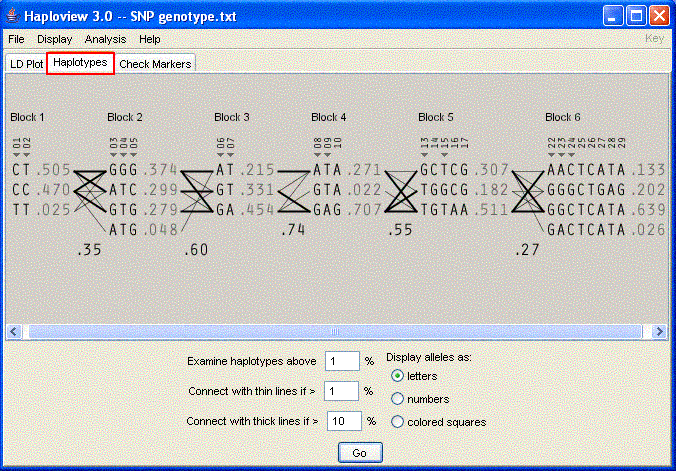
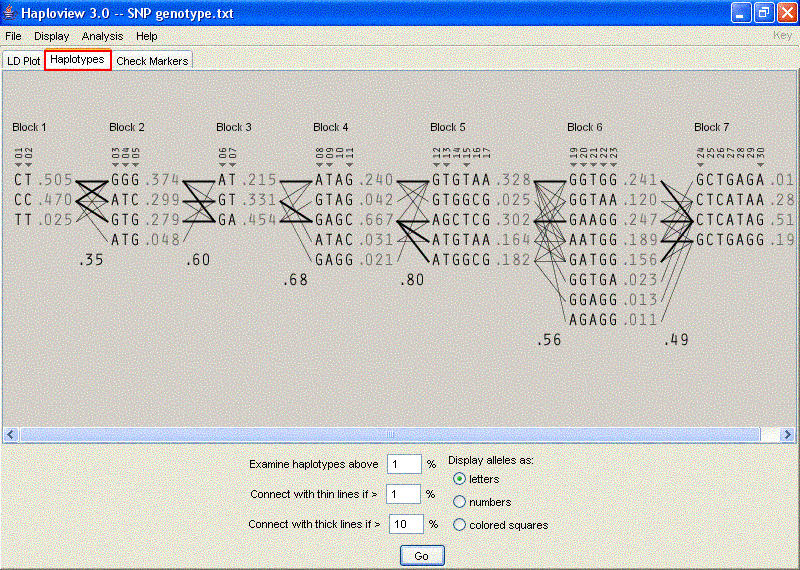
In this case, I chose the method of Gabriel et al. which is standard for define blocks. Then we can answer the first question that there are 3 haplotype blocks in this part of chromosome.
By using Haploview, we can display alleles in 3 styles which are letters ( as picture above), numbers and colored squares as in pictures below.
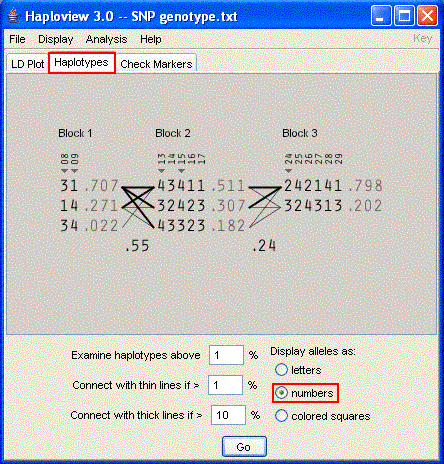
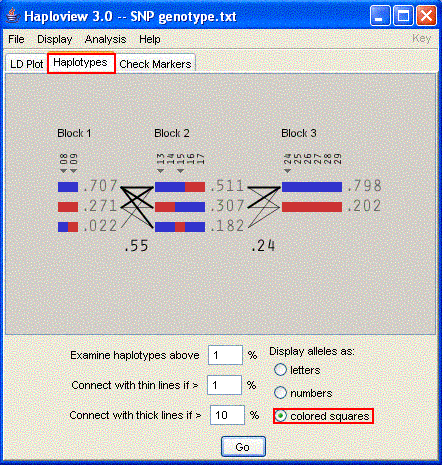
4.Find out tagging SNP : In haplotypes window, it will show tagging SNPs of each haplotype blocks (SNPs in red box) as picture below. It shows that tagging SNPs of Block 1are marker no.8,9, Block 2 are no.13, 15 and Block 3 is no.24.
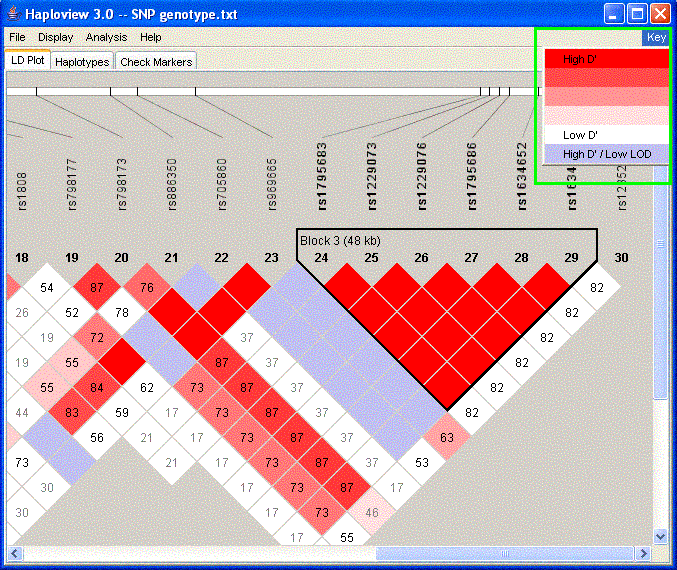
5.LD Plot : To get more informations about LD value, open "LD Plot" window as picture below. Click "Key" at upper-right corner to get meaning of each colors. In this window, we can get the width of each haplotype blocks, for example Block3 has 48 kb width.
In conclusion, the answers of 2 questions are
