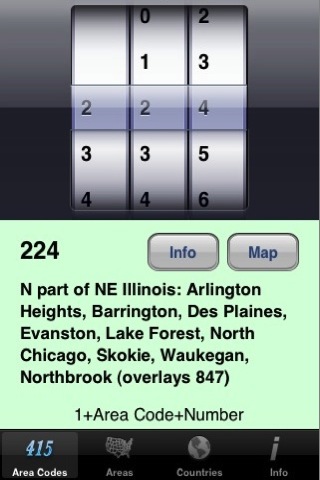
1. Area Codes Tab. If you know an area code, this screen will show you where the area code is. The user can spin the wheels to select any area code and the screen will automatically display the description of that area code. Press the Info button on this screen to launch the Phone application and call 411 Information for the current area code automatically. For example, if the current area code is 870, 1-870-555-1212 will be called. The user will have the option of cancelling out of the call to Information before the number is dialed. This feature is not available for area codes outside the United States and is also not available on the iPod Touch. New in version 3.0! Press the Map button to open the Safari web browser and display a map showing the area code (U.S. and Canadian area codes only). This map will be from the official web site of the North American Numbering Plan for U.S. area codes and from the Canadian Numbering Administrator for Canadian area codes.
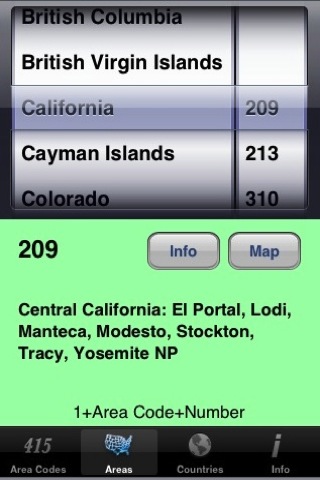
2. Areas Tab. If you want to know what area codes exist for a particular state, province, or other area using the North American Area Code Numbering System, this screen will tell you. The left picker wheel is a list of areas which the user can scroll through. The right picker wheel will automatically update to display the area codes of the area currently selected on the left picker wheel. The user can then scroll through the area codes for the current area; the application will automatically update the area code description to that of the current area code. The new Info button described in the Area Codes Tab section can also be found on this screen and has identical functionality. New in version 3.0! Map button (see Area Codes Tab).
3. Countries Tab. If you need to know the country code and city code of a foreign city, this screen will tell you. The left picker wheel is a list of countries which the user can scroll through. The right picker wheel will automatically update to display the city codes of the country currently selected on the left picker wheel. The user can then scroll through the city codes for the current country; the appication will automatically update the country and city code description to that of the current country and city code. Version 2.0 has expanded city codes for some countries. Additionally, the dialing instructions will now reflect whether the country has city codes or not.
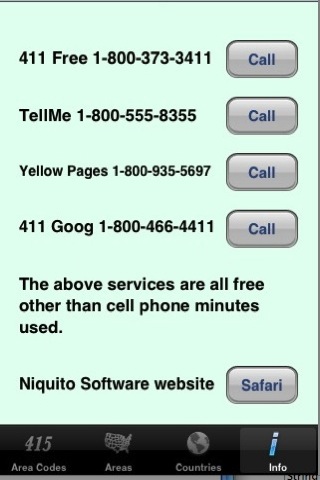
4. Info Tab. This screen is new in version 2.0. It lists four free information services (free other than cell phone minutes used) which can be called automatically by pressing the Call buttons following the descriptions. These services normally include advertisements but are free and work very well. This feature is not available on the iPod Touch. There is also a link to the Niquito Software web page for jAreaCodes on this screen, which will launch the Safari application.
.

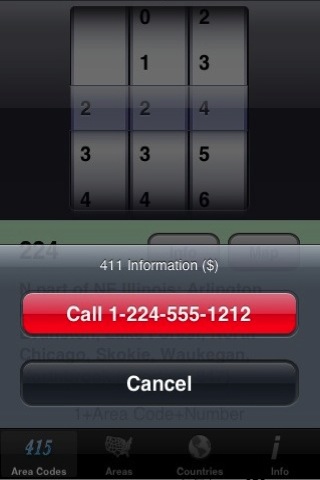
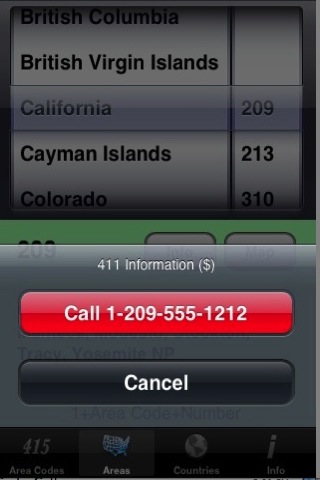
There is a charge for calls to 411 Information, such as the calls which can be made by pressing the Info button on the Area Codes or Areas tabs. This is in addition to the cell phone minutes used. As mentioned above, jAreaCodes will not attempt to place a call to a number outside the U.S.
The first picker wheel on the Areas tab has no 0 or 1 because no area codes begin with 0 or 1.
Countries within the North American Area Code Numbering System appear on the Area Codes and Areas tabs. An example is Anguilla. All other countries are found on the Countries tab. Countries other than the U.S. and Canada which are part of the North American Area Code numbering system also appear on the Countries tab.
On the countries tab, if there are city codes for mobile providers, they will normally be listed at the end of the list of cities.
Please feel free to email me any corrections, suggestions or comments.