Encoding Using DVD-Rebuilder:
|
In this section: |
Audio Streams: (Top)
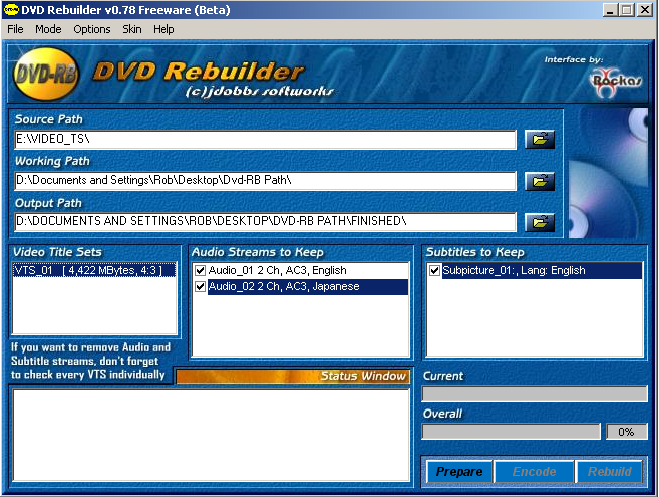
You can take out audio in the middle, but make sure you do it for every VTS on the left. I only have one, but most of the time there will be more than one.
http://www.avisynth.org/warpenterprises/
Using the Filter Editor
Watch out For...
Bitrate is a good prediction of how well the DVD will turn out in the end. A DVD has a maximum of 6000kbits, but most DVDs aren't encoded that well by distributors.

Run the 'Prepare' mode once to find your overall bitrate. If it is close to 3400kbits, then you're good to go...anything less than that and you'll have to go back to the DVD Remake step and strip more extras.
Encode (takes 8-12 hours) and then Rebuild.
Check your Output Path for your final product.
YAY!!!! ^^