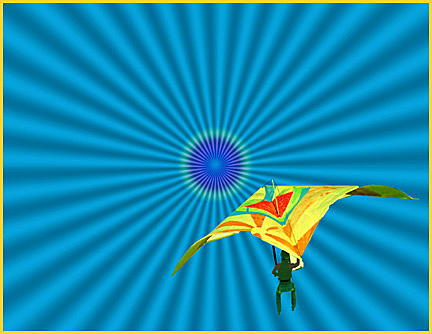
 Hang Glide Fantasy
by John Boretos
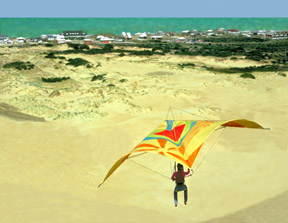 Original Image
Over The Sand Dunes at Kitty Hawk
Harry's Plug-In Filter
Added to Photoshop 7
~~~
The image was created through the use of the Radial Gradient Tool
and Harry's Plug-In
Here is how it was done.
Layer 1
Tool Bar > Magnetic Lasso. Select out the hang glider
Via the Magnetic & the Polygonal Lasso Tools
Edit > Copy followed by Layers > New > Layer
Layer 2
Layer > New > Layer
Paste hang glider on this new layer
On the Layers Palette click on Layer 1 having the original image
Open Harry's Filter* Set as follows:
Radiality = 79, Pattern 1= 23, Pattern 2 = 186, Multiplier = 14,
Smoother = 61, Red = 20, green = 133, Blue = 200
Click on Layer 2 on the Layers
Palette and
with the Move tool place the hang glider in the desired location.
Using the Gradient tool set for Spectrum and
Radial Gradient in the Tools Options Bar. Start at the center
point and
drag the radius about 2 inches outward. This produces the bulls-eye
effect.
Merge the layers
Flatten image: Layer > Flatten Image
Finish by: Filter > Sharpen > Un-sharp Mask.
Make a border.
Using eyedropper tool, sample the orange color of the sail.
Select All followed by Edit > Stroke.
Set Stroke for 4 - 12 pixels > Center > Normal
Save
* Harry's Filters are free plug
ins available on the Internet
Music Box
|