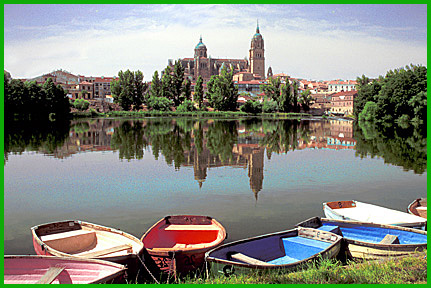
 Boats on Spanish Lake
by John Boretos
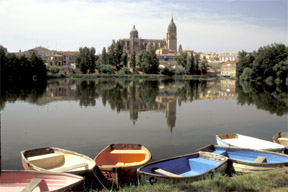 Original Image
The original image has a washed-out
sky, indistinct background and overall flat appearance
Original Image
The original image has a washed-out
sky, indistinct background and overall flat appearance
~~~~~
Adjust Color &
Sharpness Using Photoshop 7
Here are the steps used.
Balance shadows, highlights and
mid-tones using input slider bar in Levels:
Image > Adjustments > Levels. Work with the histogram to
optimize these tones.
Then, adjust the Hue & Saturation for more creative color.
Correct the unbalanced sky by adding clouds to left side. One
way is to
select a large section of sky on the right with Magnetic &
Polygonal Lasso Tool
followed by Edit > Copy > Paste.
Then, Edit > Transform > Flip Image Horizontally & drag
sky into place on left.
Blend this new sky to match using Image > Adjustments >
Brighten (+14) and Contrast (+2).
Reduce all layers to one via Layer > Flatten Image.
Final touches call for blending edges of pasted sky using the
Clone Tool.
Other Clone tasks: Clean-up sky by taking out TV antenna etc.
Readjust Hue & Saturation for separate blues, reds, &
yellows to suit.
Add more color to water via: Image > Adjustments > Replace
Color using
Fuzziness Selection Bar & Eyedropper to show only the water
in the preview window
& use slider bars to adjust the hue and saturation values
of the water.
Stroke a border: choose a color from the scene with the eyedropper
tool.
Go to Select and Select All > Edit > Stroke > 5 Pix wide,
Center, Normal.
Click OK to set the border.
Last step is to sharpen the image via Filter > Sharpen >
Un-sharp Mask.
Save
Music Box
|