
2. Graphics Interchange
Format. A format used for displaying bitmap images on World Wide Web pages,
usually called a "gif" because .gif is the filename extension.
Main Entry: an·i·ma·tion 
Pronunciation: "a-n&-'mA-sh&n
Function: noun
Date: 1597
1 : the act of animating
: the state of being animate
or animated
2 a : a motion picture made by photographing successive positions
of inanimate objects (as puppets or mechanical parts) b : ANIMATED
CARTOON 1
3 : the preparation of animated
cartoons
http://m-w.com
or http://computeruser.com/
3. My Examples of GIF Animation
3A) 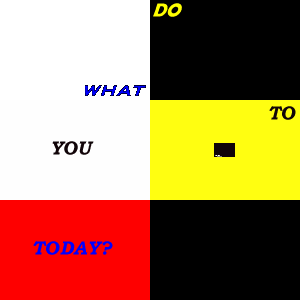
This is the slogan of
TeamCIA. for this animation I first put a background on each animation
frame. I then, using different colors, wrote the words on top of the
backgrounds. Last I added the image transitions. I saved and added
it to my web page. I used 36 frames. All frames with words are
25/100th's of a second. The transition frames are 17/100th's. I used
a variety of effects for this animation.

3B) Motivational Quote
Animation http://dir.yahoo.com/Reference/Quotations/
This is a motivational quote
animation. the process for this animation was the same for the
slogan. I added a filled frame of the compliment color to each
frame. the delay for each frame ranges from 16/100th's to
99/100ths. I used a variety of effects for this animation. I
copied a picture of Cosby from a website to use in my animation.
 
3c) Animate your Micro Button.
This is my micro button and a few of my friends micro buttons. I am a huge
fan of James Bond. This is the 40th anniversary logo of Bond. I used
this for my micro button. I added effects to the image. I made the
background black and added my screen name to the animation. I used a
variety of effects for this animation. The animation is 29 frames varying
from 30/100 to 15/100th's of a second.

3d) My
favorite car is the BMW Z3 Roadster. I copied the picture of the car and
BMW's logo to the animation. there are 43 frames in the animation.
the picture of the car and the logo last for 1 second each. the
transitions last for 16/100ths. I used a variety of effects
for this animation.
*All animations are done with 6 frames per second.
5. 9 Skills Learned With Animation Shop 3
| Animations |
Image Transitions |
Image Effects |
| Text Effects |
inserting frames |
picture quality |
| saving quality |
Frame delay |
Frames per second |
6. Online Resources: Hyperlink to JASC.com makers of Animation shop,
Hyperlink to the Animated GIF Artist Guild
7. Online Tutorials Hyperlink to 3 GIF animation tutorials for Animation Shop
3. Look on the Jasc.com web site.
This
will bring you to the product information page and will allow you to view the
product.
FAQ's
for Animation shop 3
Tutorials
for Animation shop 3
8. Careers
1. Web Page Designer
2. Video Game Designer
| 

