Cafe Keeper v 1 installer zip file
New Cafe Keeper V1(Win XP version)
A simple inexpensive
Computer Stations monitoring software. Major changes were made on the code and
the appearance of the old program based on peoples comments and
suggestions. The results is a very different program. hehe.
Server Features:
User friendly
design/layout
The server program's
appearance and the arrangement of controls is simplified so the user can have
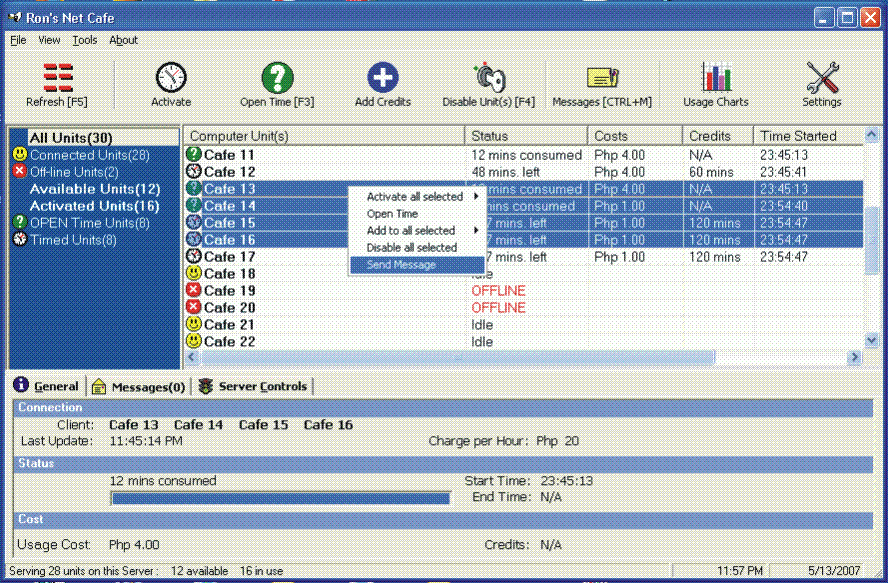
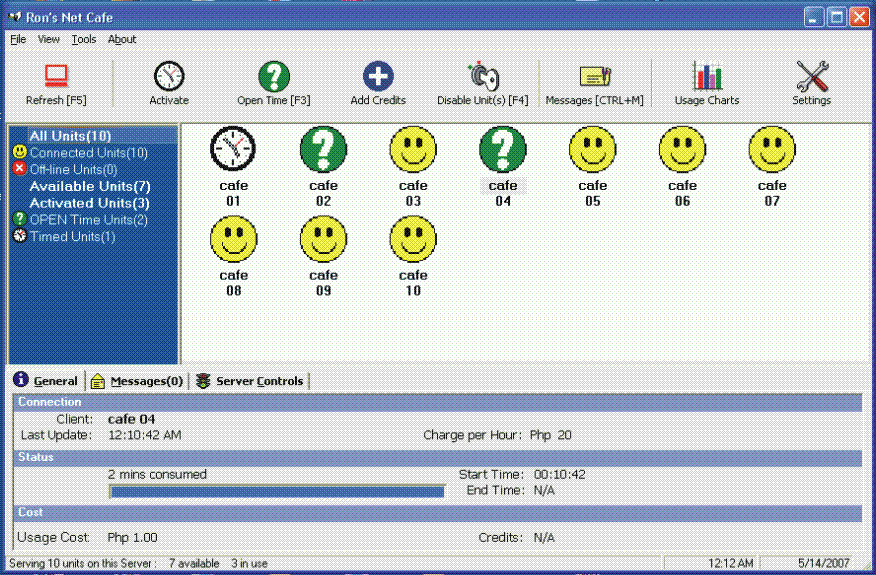
much more control over the clients. With 4 view types, the user can select Icon
View, small icon, list, or the default report view with information on the
status of the client(s). The user can also filter the computer units based on
their status (Filters are as follows Connected, Offline, Available, Active,
Active Timed, Active Open Timed units).
Controls
Common client
controls are found on the toolbar below the main menu and on the right-click
mouse function when one or more client is selected on the list. These controls
include the following: Activate Client (for 30 mins[F6], 1 hr[F7], 2 hrs[F8],
or others[F9]), Add hour, Open Time[F3], Disable[F4], Settings, Messages, etc.
with their corresponding shortcut keys.
Icons/Graphics
Icons and graphics
representation of client status. Client status can be recognized by the icon
left of their client name(report view) or their icon on the other views.
Tabs
General tab -
contains general information about the client - status, cost, credits, start
time, end time, and per hour charge.
Messages tab - lists
a summary of the cost and usage of client PCs when their credits expire or they
log-out. It also list messages between the server app and client. Clients may
only send messages when the server sends them 1 first.
Server Controls -
contains the client activation controls and an advanced section. in advanced,
user can issue request not limited to PC log-off, shutdown, shutdown and
restart, etc.
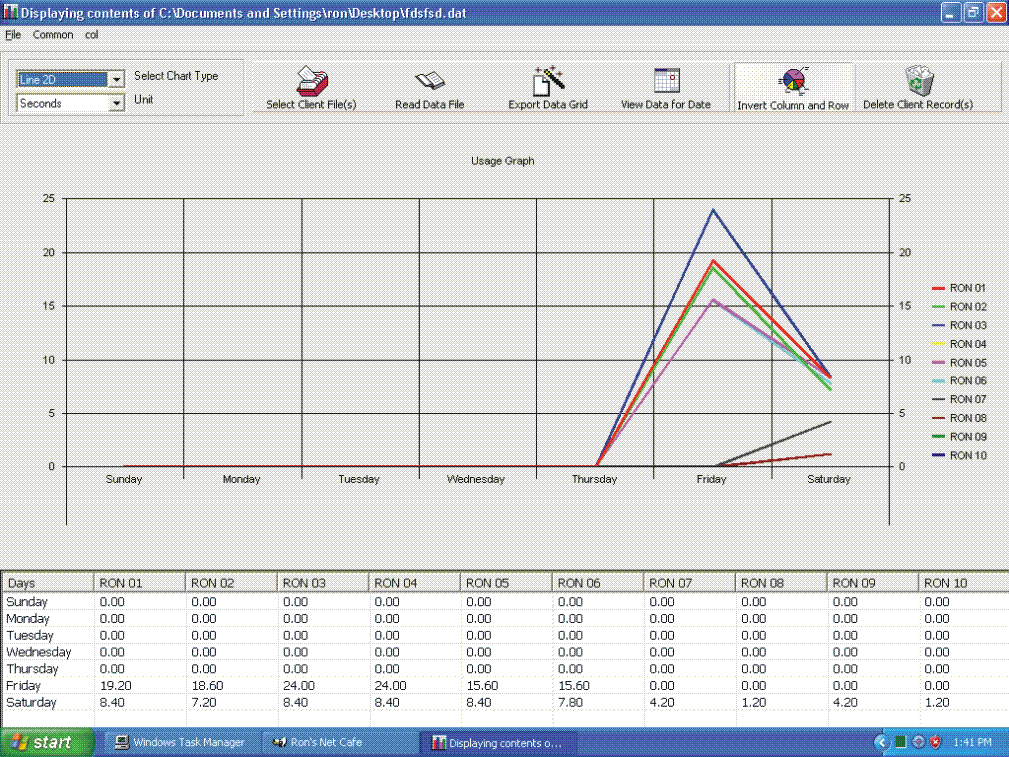
Usage Charts*
Usage of each PC are
updated everytime the PC is disabled or its credit expires WHEN THERE IS A
CONNECTION between server and client. Clicking Usage charts on the toolbar
opens an application for viewing the usage in ms charts with 12 view types
(e.g. bar graph, line graph, pie, etc.) The type of data to view is flexible
enough to allow the user to customize the graph to display usage, per weekdays,
per day, month, year, etc. Application can only read and export semicolon
";" delimited text files. see footnote
Client Features:
A customizable** lock-out
screen
When a a client PC is
an idle state, the client application disables the keyboard and the mouse
functions. It also runs a customizable full screen flash movie. Internet cafe's
may create their own lock-out screen in flash.
Ready Client PC*
This feature, if
activated, automatically closes all applications in the client PC that are
opened by the previous user. In the settings under the tools menu of the
server, the server app user may determine how many seconds after the client is
deactivated before the app closes the processes.
Messages
A message forms
appears on top of other windows for some time to display the server's
message(s).
Screenshots:
Recommendations
Softwares that looks
after net cafe can't run on a PC without power. It is advisable to install an
Uninterrupted Power Supply to the PC running the server app. This way, the
individual costs of usage before the outage can be determined.
Connection
performance depends on the PC the applications are installed in.
---------------------
* usage graph is
provided as a tool to "approximate" usage. ACTUAL usage may be
different due to several factors as (power outage, network problems, etc.)
** a customizable
lockscreen is only available to a registered server application. see installation,
registration notes.