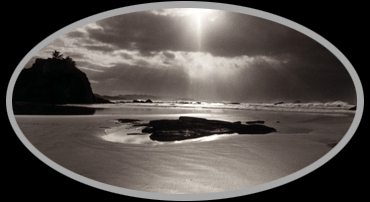
Printing a black Background
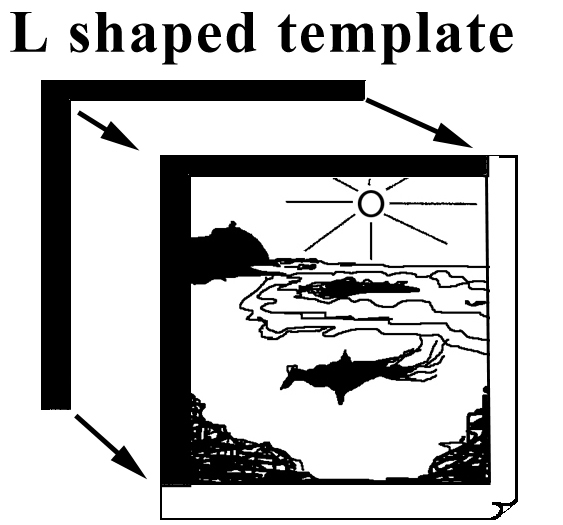
| Step1: First place
an L shaped template in the corner of the easel, and line the image
up to the inside edge of this. The width of this template depends on how
much space you want around the image, and for the best results it pays
to spend some time working this out before hand. Make sure it is
aligned exactly where you intend the image to go, and when it lines up,
remove the template. |
 |
Step2: Make the exposure in the normal manner,
the image should fall onto the centre of the paper. If the paper has a
curl and won't sit flat, use some small magnets to hold it down onto a
metal base. I use a an old easel that has no arms.
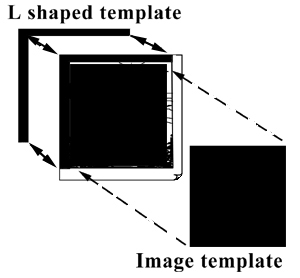
Step3:
Put the first L shaped mat back in place, and place the
second rectangular mat, cut to a size just smaller than the image, to fit
tight into the top left corner of the first L shaped mat, and use a small
magnet or weight to hold it firm. The purpose of this rectangular or image
shaped template is to cover the area where the latent image from the first
exposure is. |
 |
Step4: Remove the negative and set the enlarger
up so that the area of projected light covers the entire sheet of paper,
and expose the paper to produce a maximum density black. Then develop the
pint in the normal manner.

Click Click
|