|
Creating the J2EE Application
|
|
You cannot deploy an enterprise bean directly into an J2EE server.
Instead, you add the bean to a J2EE application,
which you then deploy. In this section, you will create a new J2EE application
called ConverterApp and store it in the file named ConverterApp.ear , So we will
Start J2EE Server and then Deploytool
|
C:\>j2ee -verbose
C:\>deploytool
|
|
Creating a NEW J2EE Application
|
1) Click on File -> New -> Application
2) Browse for the Folder C:\myejb
3) Type in myApp.ear which is a New Application
4) Display name will be myApp
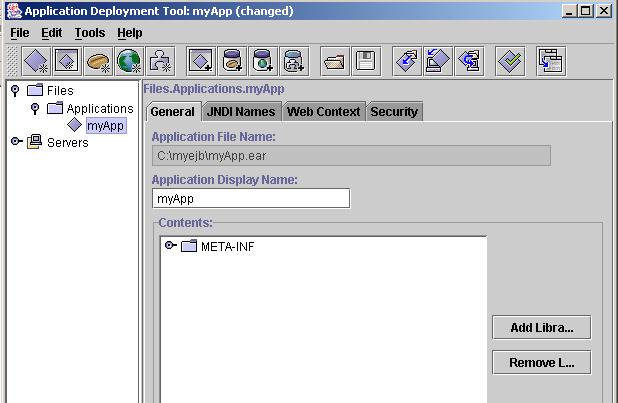
5) Higlight myApp Click on New -> Enterprise Bean from the Menu Bar then Next
6) Click on Radio Button Create a New JAR File in Application
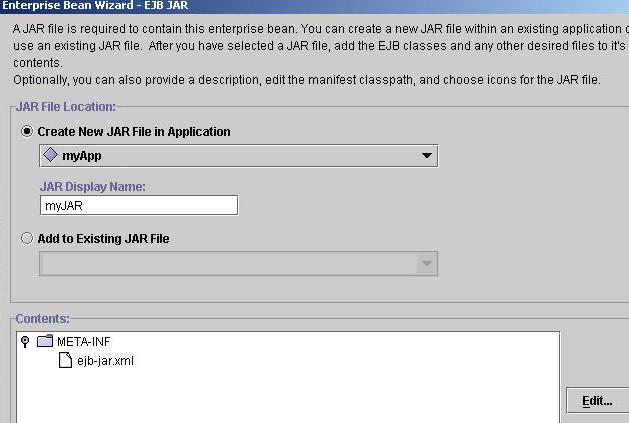
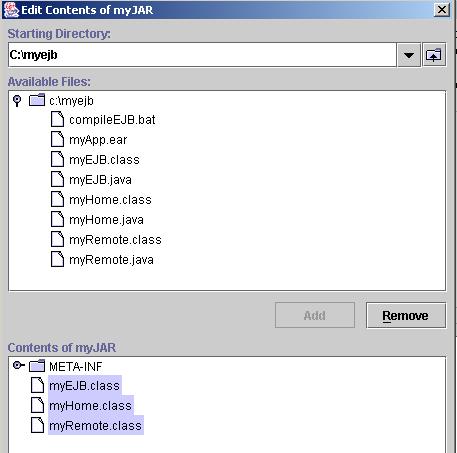
7) Click on Edit Button and Select myHome.class, myRemote.class, myEJB.class from C:\myejb Directroy
8) Click Add and then OK -> Next
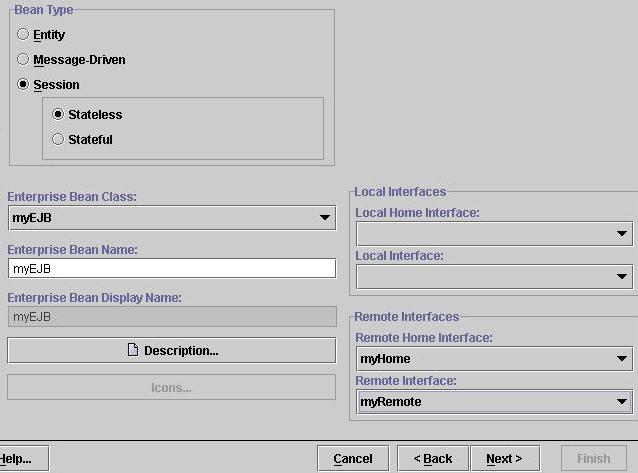
9) Click on Session Bean -> Stateless
10) Enterprise Bean Class : Select myEJB
11) Enterprise EJB Name : Type in myEJB
12) In the Remote Home Interface Dialog Box Select Remote Home Interface : myHome
13) Remote Interface : myRemote -> Click Finish
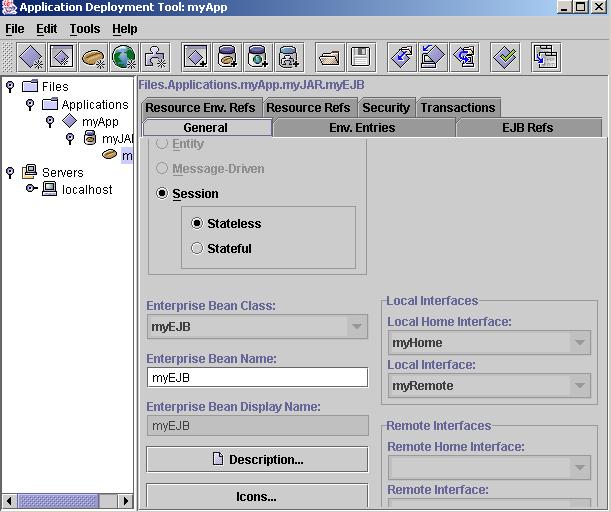
12) Once the Pop up closes After Finish , u will see lots of Entries inside the Deploytool
|
|
Creating a NEW J2EE Application
|
14) Highlight myApp, in the JNDI Name Type in myJNDI , This name we will use
for lookup .
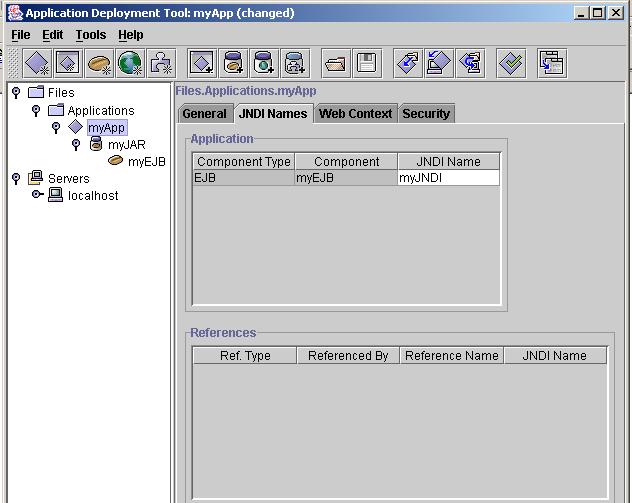
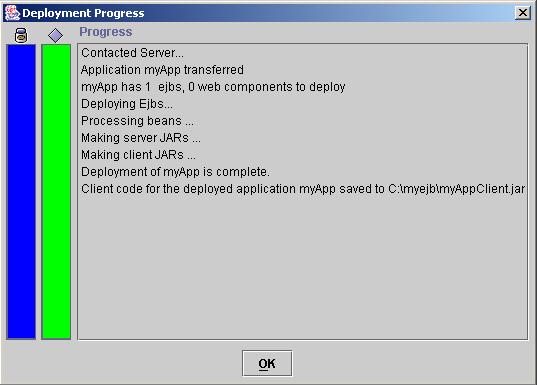
15) From the Tools Menu Choose Deploy
16) Check on Return Client jar whose name will be myAppClient.jar
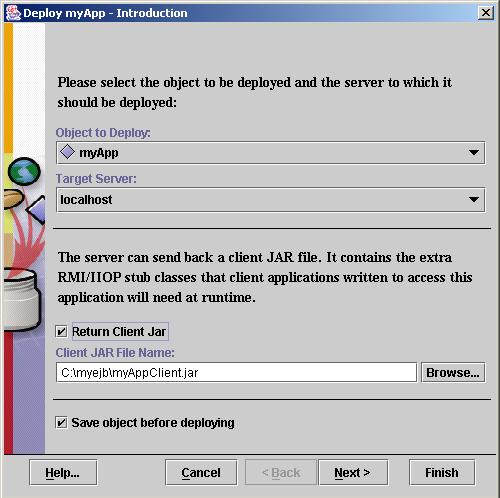
17) Click Next -> Observe JNDI name it must match ur Entry , Click Finish
|
|
NEXT >> Building the Client
|
|
My Dream to be your Friend and Create a Group of Intelligent and Understanding Programmers
|
 If you like this article and/or code mailme or Join our small Java User Group which is by the Programmers for the Programmers , If you like this article and/or code mailme or Join our small Java User Group which is by the Programmers for the Programmers ,
Till we meet next time BYE  Kind Regards - James Smith Kind Regards - James Smith
|
|
Java, J2EE, J2SE and all Java-based marks are trademarks or registered trademarks of Sun Microsystems, Inc.
in the United States and other countries. 
|