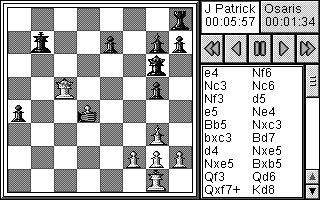
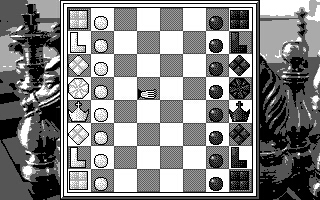
Well here it is the first ever review of an Osaris product. Classic Chess from Purplesoft is the only viable option if you want to play chess with your Osaris. The Pocket Chess which is given freely over the internet is sadly just too big for the Osaris screen resolution. Sure you can see it, but you cant see the your peices! I found an interesting way to get round this was to reverse the board after every move, so you can kind of see whats going on. However this is a MAJOR pain. OK so what else? The Spectrum Emulator must be the answer!! There are indeed lots of chess games for the speccie emulator, but they just dont work right. The screen looks like mud, and its impossible to get the colours right. OK that leaves you with forking out nearly �27 for the Purplesoft option.
Is it Pretty?
When I first tried the game out, I saw that a nice intro screen came on-but it looked 'cut off'! Was this coincedence or was it a Revo game in disguise?! Let me assure you however that this is DEFINITELY a fully fledged Osaris game. It fits neatly on the screen and looks nice. There are plenty of options, such as changing the peice design, move hints, replaying an entire game (very useful if you want to save any Kasparov classic chess games, although you do have to move all the peices first), 4 different notations etc. Surprisingly there is no timer option within the game, so for instance you cannot play a 40 min game against the computer, although the timer is shown.
How hard is it?
The most impressive part of the game is it's strength. For the 18mhz processor in your Osaris it certainly packs a punch. In fact I found that it was possibly TOO hard. If you are a complete beginner then you will find it tough to beat on the first level. If you are an average player you might beat it on the first 2 levels, but there are 6 levels of play! It is fast too, no waiting around for the machine to move unless on the highest of levels. The touch screen makes it easy to move the peices, although if you move the wrong peice there is a sort of 'VHS Player control system where you can take back moves, or replay a whole game. For beginners, players can ask for hints, what a peice is called, and view threatened peices.For experienced players this little gem will keep your chess skills sharp. Overall this is a quality peice of software, but the price may put you off. However if you enjoy chess or would like to learn it, then this is the program for you..
GRAPHICS: 8 PLAYABILITY: 9 VALUE: 6
OVERALL: 7.7
|